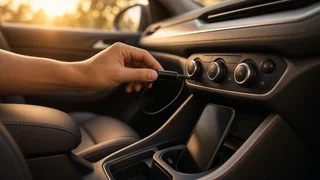
Aux Bluetooth Adapter for Car: What to Check Before You Buy
If your car has a 3.5 mm aux input but no built-in Bluetooth, an aux Bluetooth adapter is usually the simplest and least expensive way to stream music and podcasts wirelessly from your phone. The adapter receives audio from your phone over Bluetooth and sends it to the stereo through the aux jack, so no wiring changes or radio replacement are needed. Two conditions change that answer. If you also want hands-free calling, you need a model with a microphone, and call quality will depend heavily on where that microphone ends up. If your car has no aux jack, this type of adapter will not work, and you would need a different solution, such as an FM transmitter, a cassette adapter or a new head unit.
How an Aux-to-Bluetooth Adapter Works
The adapter is a small Bluetooth receiver. Your phone pairs with it the same way it pairs with headphones. The adapter turns the wireless signal back into an analog audio signal and feeds it into the car's aux input through a 3.5 mm plug. The stereo treats it like any other device plugged into the aux port, so you control the overall volume with the car's volume knob. Track changes and pauses usually happen on the phone or on buttons built into the adapter.
Because the stereo only sees an analog aux signal, the adapter cannot talk to the car's systems. It will not display song titles on the radio screen, and in most cars the steering wheel audio buttons will not control it. Those features need a head unit with native Bluetooth or a vehicle-specific integration kit.
First, Confirm Your Car Can Use One
Before you shop, make sure you have the input and power source the adapter needs. Aux availability varies by model year, trim and stereo option, even within the same model, so check your own car rather than relying on a general listing for the model.
Find the aux jack. It is a round 3.5 mm headphone-style socket, often on the radio face, in the center console, inside the armrest or in the glove box. Some stereos label it AUX or LINE IN. Check that the stereo has an aux source. On many radios you select it with a SOURCE, MODE or MEDIA button. Some systems only show the aux option once something is plugged in. Identify a power source. Most adapters draw power from a USB port or a 12-volt socket, while some run on an internal battery. Note which of these your car has and where they are relative to the aux jack. Check what your car calls a USB port. Some factory USB ports are made for charging and media only, and some provide limited power. Most adapters need very little current, but a weak or low-power port can cause dropouts or noise.
Choosing the Right Type of Adapter
Aux Bluetooth adapters come in a few common designs. The best choice depends on where your aux jack and power sockets are and whether you need calls.
Type | How it is powered | Best suited to | Main trade-off; USB-powered dongle with aux cable | Car USB port | Cars with a USB port near the aux jack | Can pick up electrical noise from the USB power line; 12V socket unit with aux cable | Cigarette lighter or 12V outlet | Cars without a convenient USB port; often includes charging ports | Cable runs across the dash or console; Battery-powered plug-in receiver | Internal rechargeable battery | Short trips or cars with no spare power outlet | Needs regular recharging and may not wake up with the car; Receiver with separate mic or control puck | USB or 12V | Drivers who make frequent calls | More cables to route and mount
Features That Matter Most
Auto-connect and auto-power
The most useful everyday feature is an adapter that powers on with the ignition and reconnects to your phone automatically. Adapters powered from a USB port or 12-volt socket typically do this if that outlet turns off with the car. If your outlets stay live when the engine is off, the adapter may stay on too. That is usually a small draw, but it is worth unplugging it if the car will sit unused for a long time. Battery-powered units may need a button press each trip, which gets tedious.
Hands-free calling and microphone placement
Not every adapter supports calls. Look for a built-in or external microphone and support for the Bluetooth hands-free profile. Call audio from the other person plays through your car speakers, and the adapter's microphone picks up your voice. A microphone buried near a low console aux jack will sound distant and pick up road noise. Models with a separate microphone on a cable, which you can clip near the sun visor or steering column, generally give callers a clearer voice. Hands-free and handheld phone rules vary by state, so check the rules where you drive.
Noise and ground loop hum
A common complaint with USB-powered adapters is a buzz or whine that rises and falls with engine speed. This is usually a ground loop, which happens when the adapter's power and audio connections share the car's electrical system in a way that lets interference into the audio path. A ground loop noise isolator, a small inline device that fits between the adapter and the aux jack, often solves it. Some adapters include one or have isolation built in. Trying a different USB port or a quality 12-volt USB charger can also help.
Bluetooth version and audio codecs
Newer Bluetooth versions generally improve connection stability and pairing speed. A codec is the method used to compress audio for wireless transmission. SBC is supported by virtually everything. AAC is commonly preferred by iPhones and works well with many Android phones. aptX variants are supported by many Android phones but not iPhones. In a moving car, road noise and factory speakers usually limit what you can hear more than the codec does, so matching the codec to your phone matters more than chasing the highest-rated option.
Controls and multipoint
Physical buttons for play, pause, skip and answering calls let you avoid handling the phone while driving. A large single button or a separate control puck you can mount within reach is easier to use than tiny buttons on a dongle hidden in the console. Multipoint, the ability to stay connected to two phones at once, is useful if two drivers share the car or if you carry a work and a personal phone.
Setting It Up for the Best Results
Plug the adapter into power and the aux jack, then select the aux source on the stereo. Pair your phone from its Bluetooth settings while the adapter is in pairing mode. Set the phone's media volume high, near maximum, and use the car's volume knob for normal adjustment. A low phone volume forces you to turn the stereo up, which raises background hiss. Turn off any equalizer or volume-limiting settings on the phone if the sound is thin or distorted. Route cables away from the gear selector, pedals and airbag areas, and secure loose wires. If you hear hum that changes with engine speed, add a ground loop isolator before assuming the adapter is faulty.
When an Aux Adapter Is Not the Best Choice
An aux adapter is a convenience fix, not a full infotainment upgrade. It may not be the best choice in these situations.
No aux jack. An FM transmitter works through the radio's tuner but can suffer interference in areas with crowded stations. In older cars, a Bluetooth cassette adapter is an option. You want steering wheel controls, on-screen track info or phone integration. Some vehicles support a vehicle-specific add-on module, and a replacement head unit with Bluetooth, Apple CarPlay or Android Auto is the more complete solution. Calls are your main priority. A dedicated visor-mounted speakerphone or a head unit with an external microphone usually delivers better call clarity than a console-mounted aux adapter.
Quick Buying Checklist
Your car has a working 3.5 mm aux input and the stereo can select it. The adapter's power method matches a convenient outlet in your car. It auto-connects when the car starts. It has a microphone, ideally a repositionable one, if you plan to take calls. Noise isolation is built in or an isolator is easy to add. It supports a codec your phone uses well, such as AAC for iPhones. The controls are large enough to use without looking. Multipoint is supported if more than one phone will connect.