Bluetooth Adapter for a GM Radio: What to Check Before You Buy
The short answer
Most GM factory radios without built-in Bluetooth can get wireless audio streaming. Many can also get hands-free calling. The right adapter depends on which radio your vehicle has, not just the brand, model or year. If the radio has a rear expansion port, such as a satellite radio or CD changer input, a plug-in module made for that radio family usually gives the cleanest result. If the radio has an auxiliary input jack, a simple Bluetooth receiver can handle music, but calls need a model with a microphone and hands-free support. If the radio has neither, an FM transmitter is the fallback. Replacing the head unit is the alternative when you want built-in Bluetooth and a modern screen.
One condition changes the answer. Some GM vehicles already have Bluetooth calling through the OnStar module, or have streaming built into a later infotainment system. Confirm what your vehicle already supports before buying anything.
Step 1: Identify the radio you actually have
GM used many radio designs across Chevrolet, GMC, Buick, Cadillac, Pontiac, Saturn and Hummer vehicles. These radios used different internal communication systems over the years. Older designs used one type of vehicle data network, and later ones moved to another, often called GMLAN. An adapter built for one generation generally will not work with another, even when the radios look similar from the front. That is why adapter listings are usually organized by radio type and model year range rather than by vehicle name alone.
Find the radio's option code on the Service Parts Identification label. This sticker is usually in the glovebox, on a door jamb or in the trunk, and lists three-character option codes, including the factory radio. Note the radio's part number, which appears on a label on the unit itself. You may need to remove the radio to see it. Check the back of the radio for unused connectors, especially a satellite radio or CD changer port. Check the faceplate or console for an AUX input jack or USB port. Check whether the vehicle has OnStar and whether any Bluetooth or phone menu already appears in the radio or driver information display.
Write down the exact model year, trim and radio option code. Use these when matching an adapter. Do not rely on a general vehicle selector. Two trims of the same model and year can have different radios.
Step 2: Choose the adapter type
Adapter type | How it connects | Music streaming | Hands-free calls | Main trade-off; Direct plug-in module | Plugs into a rear port (satellite or CD changer input) | Yes | Only on models with a microphone and call support | Requires removing the radio; must match your radio generation exactly; Aux-input Bluetooth receiver | 3.5 mm AUX jack plus a power source | Yes | Only on models with a microphone | Usually no steering wheel control integration; may need manual input switching; FM transmitter | Broadcasts to an open FM frequency; powered from a 12V outlet | Yes | Many include a microphone | Sound quality depends on local radio interference; Replacement head unit | Replaces the factory radio using a vehicle-specific install kit | Yes | Yes, built in | Most work and cost; may affect factory features unless the right interface is used
Direct plug-in modules
These modules connect behind the radio and present your phone to the radio as if it were a satellite tuner or CD changer. The radio then switches to that source the way it would to a factory accessory. Because the connection is wired, sound quality is usually better than with an FM transmitter, and nothing hangs from the dash. Some modules let you use the radio's own buttons, and sometimes steering wheel controls, to skip tracks. The downsides are installation, which means removing trim panels and pulling the radio, and strict compatibility. A module built for one GM radio generation will not communicate with another.
Check whether the rear port is already in use. If the vehicle came with factory satellite radio, its tuner may occupy the port. Some modules replace that function, and some offer a pass-through arrangement. The listing should say which applies.
Aux-input receivers
If your radio already has an AUX jack, a small Bluetooth receiver that plugs into it is the simplest option. It needs power, usually from a USB port or 12V outlet. A receiver that powers on and off with the ignition avoids draining a battery or needing manual pairing each trip. Expect to select AUX on the radio yourself. Track controls usually come from your phone or the receiver's buttons, not the steering wheel.
FM transmitters
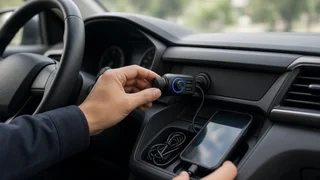
An FM transmitter works with almost any radio. It plugs into the 12V outlet and broadcasts your phone's audio on an FM frequency you tune to. It is the quickest fix for a radio with no AUX jack and no usable rear port. In areas with crowded FM bands, you may hear hiss or interference and need to change frequencies on longer drives. Treat it as a convenience option, not a sound quality upgrade.
Replacing the radio
An aftermarket head unit with built-in Bluetooth, and often smartphone mirroring, gives the most complete result. In many GM vehicles, the factory radio also controls warning chimes, steering wheel controls, OnStar audio or amplifier settings. A proper vehicle-specific interface harness is then needed to keep those functions. Without it, you may lose chimes or other features. Confirm the interface supports your exact model year and trim before committing.
Step 3: Check call audio, not just music
Many adapters stream music well but handle calls poorly, or not at all. Bluetooth separates these jobs into profiles. A2DP carries stereo music. HFP, the hands-free profile, carries two-way call audio. AVRCP handles playback controls such as play, pause and skip. An adapter that lists only A2DP will play music but cannot take calls through the car speakers.
Confirm the adapter supports HFP if you want hands-free calling. Look for an external microphone on a cable that can be mounted near the headliner, visor or steering column. A microphone buried behind the dash or inside a 12V plug usually picks up more road noise. Check whether the adapter has noise reduction or echo cancellation features listed. Then judge by return policy, since performance varies by cabin and mounting position. See how calls are answered: a button on the adapter, a mounted remote, radio buttons or steering wheel controls. Check whether the adapter automatically switches the radio to its input when a call comes in, or whether you must change sources by hand.
If your vehicle has OnStar
In some GM vehicles, the OnStar module provides Bluetooth hands-free calling through the factory microphone and speakers, even when the radio itself has no Bluetooth. Availability depends on the model year, the OnStar hardware generation and how the vehicle was equipped. If you have it, you may only need a streaming adapter for music, and your existing setup can keep handling calls. Check the owner's manual for your model year, or look for a phone or Bluetooth option in the OnStar or vehicle menus.
Other details to confirm before buying
Power behavior: does the adapter turn off with the ignition, or could it stay powered and draw current while parked? Auto-reconnect: does it pair automatically with your phone when you start the car, and can it remember more than one phone? Steering wheel controls: if they matter to you, confirm the adapter supports them for your specific radio, not just GM in general. Text display: some plug-in modules show track or caller information on the radio screen, and many do not. Do not assume it. Installation parts: radio removal tools, trim tools and any required harness may or may not be included. Return policy: compatibility mistakes are common with GM radios, so a clear return window is worth prioritizing.
Choosing your next step
Start by checking the dash for an AUX jack and checking the option label for your radio code. If you want a clean, factory-like setup and do not mind removing the radio, look for a plug-in module that lists your exact radio type and model year range. Choose one with HFP and an external microphone if calls matter. If you have an AUX jack and want a quick solution, a powered Bluetooth receiver with a microphone covers both music and calls. If you have neither, an FM transmitter will work while you decide whether a replacement head unit is worth the extra effort. In every case, match the adapter to the radio, not just the vehicle name.