Alpine Car Phone Connectivity: How Alpine Stereos Handle Calls, Bluetooth and Smartphone Integration
The Short Answer
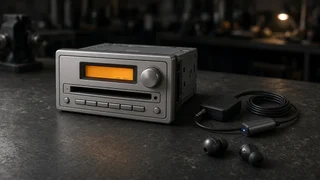
Alpine does not sell a standalone car phone in the modern sense. When people search for an Alpine car phone, they usually mean the phone features built into Alpine aftermarket car stereos (head units). These receivers connect to your existing smartphone and turn the car's speakers and a dedicated microphone into a hands-free calling system. Depending on the model, that connection is either basic Bluetooth calling and audio streaming or a fuller smartphone projection system such as Apple CarPlay or Android Auto, which puts phone, maps, messaging and music apps on the stereo's screen.
The qualification that matters most is that phone capability varies by model. Some Alpine receivers offer Bluetooth only, some add wired CarPlay and Android Auto, and some support these systems wirelessly. Before buying, confirm which of these a specific unit supports rather than assuming every Alpine stereo works the same way.
What an Alpine Stereo Does With Your Phone
A phone-capable Alpine head unit acts as the in-car interface for a phone you already own. Your carrier service, contacts and apps stay on the phone; the stereo supplies the screen or display, the controls, the microphone input and the speaker output. This is why an aftermarket Alpine unit can bring hands-free calling to an older vehicle that never had it from the factory.
Bluetooth phone features rely on standardized profiles, which are sets of rules that define what two Bluetooth devices can do together. The ones most relevant to car calling are:
Hands-Free Profile (HFP): carries call audio in both directions and lets you answer, end or reject calls from the stereo. Advanced Audio Distribution Profile (A2DP): streams music and other media audio from the phone to the car speakers. Audio/Video Remote Control Profile (AVRCP): lets the stereo's buttons skip tracks, pause and display track information. Phone Book Access Profile (PBAP): allows the stereo to read your contacts and recent calls so you can dial from the head unit.
Exactly which profiles and features a given Alpine receiver supports, and how it presents them on screen, depends on the model and its software version.
Bluetooth Calling Versus CarPlay and Android Auto
The biggest difference between Alpine stereos, from a phone perspective, is whether they offer only Bluetooth hands-free or also support smartphone projection. Both handle calls, but the experience is quite different.
Feature | Bluetooth-only receiver | Wired CarPlay / Android Auto receiver | Wireless CarPlay / Android Auto receiver; Hands-free calls | Yes | Yes | Yes; Music streaming | Yes, via Bluetooth | Yes, through the projection interface | Yes, through the projection interface; Phone apps on screen | Limited to the stereo's own menus | Full projected interface for supported apps | Full projected interface for supported apps; Voice assistant | Varies by model | Siri or Google Assistant through the projection system | Siri or Google Assistant through the projection system; Connection | Wireless Bluetooth | USB cable | Wireless, typically Bluetooth plus Wi-Fi; Phone charging while connected | Only with a separate charger | Usually charges over the USB connection | Needs a separate charger or charging pad
Bluetooth-only units are usually simpler and often have smaller displays or no touchscreen at all, so calling is managed through buttons and a basic contact list. CarPlay and Android Auto units hand much of the interface to the phone's own software, which means familiar layouts, voice-controlled messaging and navigation apps on the stereo screen. Wireless versions remove the cable but tend to drain the phone's battery faster during long drives, so having a charging option nearby is practical.
What Affects Call Audio Quality
Call quality in a car depends on more than the stereo itself. Several factors work together, and an Alpine unit is only one of them.
Microphone placement: aftermarket head units typically use an external microphone mounted near the driver, often on the headliner, A-pillar or steering column cover. Placement close to the driver's mouth and away from air vents usually gives the clearest voice pickup. Check the box contents of a specific model to confirm what is included. Cabin noise: road, wind and HVAC fan noise all compete with your voice. Noise reduction and echo cancellation processing in the stereo help, but they cannot fully overcome a loud cabin. Speaker output: the caller's voice plays through the car's speakers, so blown or poorly placed speakers will affect how well you hear the other party. Phone and network: cellular signal strength and the phone's own Bluetooth implementation influence clarity on both ends of the call. Software: firmware updates for the head unit and operating system updates for the phone can change compatibility and behavior over time.
Pairing a Phone With an Alpine Stereo
Menu names and exact steps vary between Alpine models, but the general process for Bluetooth pairing follows a common pattern:
With the vehicle parked, turn on the stereo and open its Bluetooth or phone setup menu. On the phone, enable Bluetooth and search for new devices. Select the Alpine unit from the phone's device list. Confirm the matching passkey or code on both the phone and the stereo if prompted. Allow contact and call history access on the phone if you want to dial from the stereo. For CarPlay or Android Auto, connect via USB for wired units, or follow the stereo's on-screen prompts for wireless setup.
Most head units can remember more than one phone, which is useful in households where multiple drivers share the car. Whether a unit can keep two phones actively connected at once, for example one for calls and one for music, depends on the model.
Common Connection Problems and General Fixes
Phone connectivity issues with aftermarket stereos are usually caused by software state rather than hardware faults. These general steps resolve many problems:
Delete the pairing on both the phone and the stereo, then pair again from scratch. Restart the phone and cycle the vehicle's ignition to reset the head unit. Check that the phone has not blocked contact access or background Bluetooth activity for the stereo. For wired CarPlay or Android Auto, try a different good-quality USB cable, since worn or charge-only cables are a frequent cause of dropouts. Check whether a firmware update is available for the head unit. If callers report echo or muffled audio, revisit microphone placement and make sure it is not covered or pointed at a vent.
Installation Considerations That Affect Phone Use
Fitting an Alpine stereo into a vehicle involves more than the head unit. A few installation details directly shape how the phone features work day to day.
Steering wheel controls: retaining factory buttons for answering calls and adjusting volume usually requires a vehicle-specific interface module. Without it, you may have to use the stereo's own controls. Dash fit: single-DIN and double-DIN openings determine screen size, and some vehicles need a dash kit or a floating-screen style unit to accommodate a larger display. Microphone routing: a clean wire run to a good mic location takes time but has a direct effect on call clarity. USB access: for wired CarPlay or Android Auto, plan where the USB extension will terminate so the phone can be connected and stored conveniently. Factory features: in some newer vehicles, replacing the stereo can affect integrated systems such as climate displays, vehicle settings menus or factory amplifiers, so check compatibility for your specific model year and trim before committing.
Choosing the Right Alpine Unit for Calls
If your main goal is reliable hands-free calling and Bluetooth music in a simple package, a Bluetooth-only receiver can be enough. If you want navigation, voice-dictated messages and a phone-style interface on the dash, a unit with CarPlay or Android Auto is the more complete choice, with wireless versions adding convenience at the cost of battery drain and usually a higher price tier. In either case, confirm the specific model's supported phone platforms, included microphone, steering wheel control compatibility and fit for your vehicle before purchase.