What Is Anti-Reflective Coating on Car Displays?
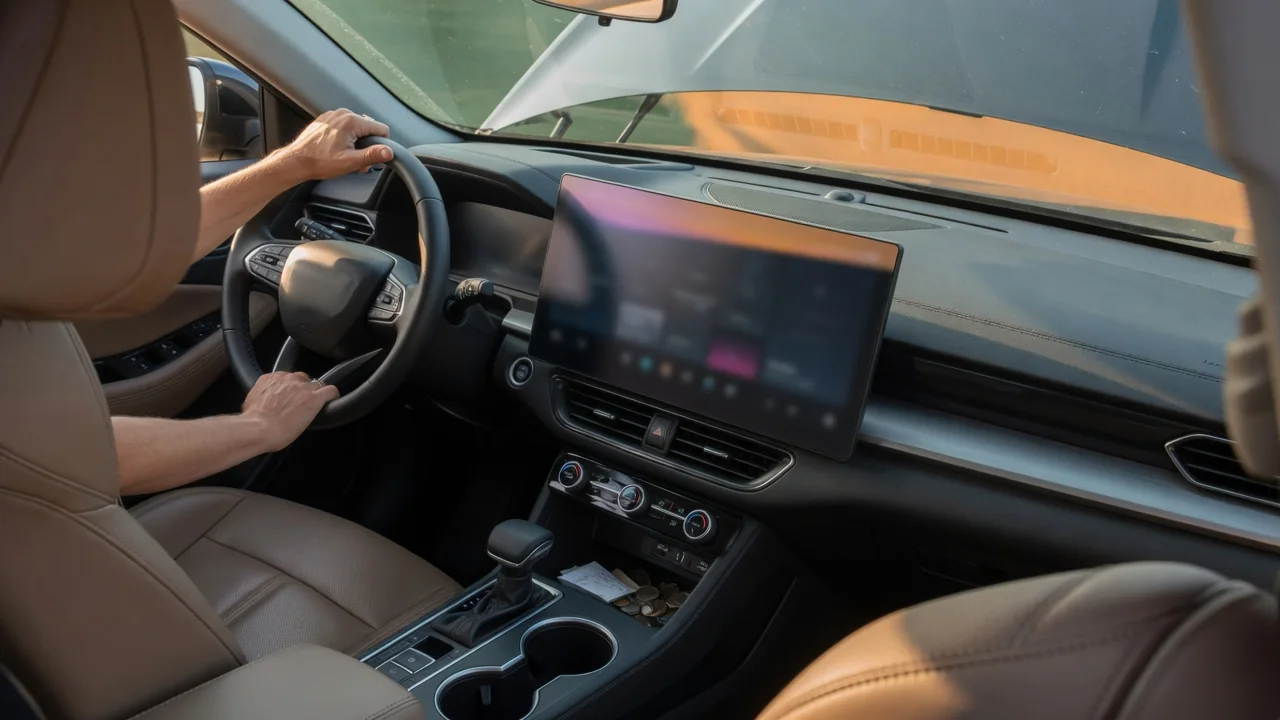
Drivers who wonder what is anti reflective coating on car displays are usually noticing a faint purple or green tint on a touchscreen or instrument cluster. That tint comes from a very thin optical layer designed to cut reflected light so maps, gauges, and camera views stay readable in bright cabins. The layer is useful but delicate, and it rewards gentle care.
Surface treatment
An anti-reflective coating is a stack of extremely thin transparent layers applied to the cover glass or plastic lens of a display. Each layer bends light slightly differently, so reflections bouncing off the layer boundaries partially cancel one another instead of returning to the driver's eyes. The result is a surface that sends less cabin light back toward the viewer. Because the cancellation works best for certain colors, the leftover reflection often shows a subtle violet, blue, or green cast when the screen is switched off.
This treatment is different from an anti-glare finish, although the two are often confused and sometimes combined. Anti-glare surfaces are lightly textured or matte, scattering reflections into a soft haze, while anti-reflective layers stay smooth and reduce the reflection itself. Many screens also carry an oil-repelling top layer that helps fingerprints wipe away. Which combination a particular vehicle uses depends on the manufacturer, model year, and trim, so the owner's manual is the reliable reference for a specific infotainment screen or digital cluster.
Viewing benefit
The main payoff is contrast. A display competes with sunlight coming through the windshield, side glass, and any panoramic roof, and every bit of reflected light washes out dark areas of the image. With less reflection, black backgrounds look darker and thin navigation lines, small text, and warning icons stand out without the brightness being pushed to its maximum. That matters most for screens mounted high on the dashboard, where sky and bright clothing are easily mirrored across the glass.
Benefits also show up after dark and in specific tasks. A treated screen is less likely to mirror streetlights, the glow of a passenger's phone, or pale upholstery, which keeps a backup camera image easier to judge when reversing. Shorter glances are needed to read a speed readout or a turn instruction, so attention returns to the road sooner. How dramatic the improvement appears varies with screen angle, hood design around the cluster, and cabin colors, so two vehicles with similar displays can behave quite differently.
Avoid abrasion
Because the coating is far thinner than the glass beneath it, it can be worn through by materials that seem harmless. Paper towels, tissues, shirt sleeves, and dusty rags carry coarse fibers or trapped grit that drag across the surface like fine sandpaper. Dry wiping is especially risky when dust has settled on the screen, since the particles are pushed along under pressure. Damage usually appears gradually as dull patches, fine swirl marks, or areas where the tint looks uneven under angled light.
Chemistry matters as much as friction. Household glass cleaners containing ammonia, strong alcohol solutions, solvent-based interior sprays, and abrasive polishes can soften or strip optical layers and the fingerprint-resistant topcoat. A safer general approach is a clean, soft microfiber cloth used with light pressure, slightly dampened with plain or distilled water if smudges resist, and with the screen switched off so marks are visible. Liquid should go on the cloth rather than the display. Manufacturers publish their own approved cleaning methods, and those instructions take priority.
Everyday Use and Observations
In daily driving, the coating makes itself known in small ways. Fingerprints tend to look more obvious on a treated screen because the surrounding surface reflects so little, which makes oily smears stand out by comparison. That contrast tempts frequent scrubbing, yet a light pass with a clean cloth is normally enough. Keeping a dedicated microfiber in the glovebox or door pocket, stored in a bag so it stays free of grit, avoids the temptation to reach for a napkin at a fuel stop.
Other observations depend on habits and accessories. Polarized sunglasses can dim or color-shift some displays at certain angles, an effect tied to the screen's polarizer rather than the coating, though the two are easily mixed up. Aftermarket screen protectors change how the surface behaves, sometimes adding glare or reducing touch sensitivity, and their adhesive may affect the original finish if removed later. Rings, long fingernails, and phone mounts that swing against the display are common sources of localized scratches worth watching for.
Limits and Next Steps
No coating eliminates reflections entirely. Direct low sun striking the screen, a bright white shirt, or a convertible with the top down can still overwhelm the image, and adjusting brightness, switching between day and night display modes, or changing a tilt-adjustable screen's angle may help more than cleaning. A worn coating cannot be restored by polishing, since polishing removes more material. Persistent haze, peeling edges, or blotchy patches that remain after gentle cleaning suggest the layer itself has been damaged rather than soiled.
When that happens, it helps to work out whether the problem is cosmetic or affects readability of driving information. A dealer or qualified trim and electronics specialist can confirm whether the cover lens is separate from the display unit, which varies widely between vehicles and influences repair options. Warranty coverage for surface wear also differs by manufacturer and by cause, so describing what cleaning products were used is worthwhile. Until then, continued gentle care prevents a small worn area from spreading across the rest of the screen.