How to Reset the VW Service Interval Reminder

The short answer
Most Volkswagen models let you reset the service interval reminder yourself, without special tools. The method depends on the instrument cluster and infotainment generation, not just the model name. Older VWs, such as many earlier Passat, Jetta and Golf generations, usually use a button on the instrument cluster combined with the ignition. Newer VWs typically use the multifunction steering wheel menu or the vehicle settings screen in the infotainment system. When a model has no built-in reset option, or when the menu does not respond, a dealer or a compatible diagnostic scan tool can perform the reset.
Reset the reminder only after the corresponding service has been completed. The reset clears the countdown on the dash. It does not record the work anywhere, and it does not change what the car actually needs.
What the service interval reminder does
The service interval display, sometimes called the service indicator or maintenance reminder, counts down time and distance until the next scheduled service. When the countdown runs low, the cluster shows a message or a wrench symbol. After the due point, it typically shows how far overdue the service is.
VW clusters often track more than one counter. One counts down to the oil change service, and another counts down to the broader inspection service. Each counter may need to be reset separately. Resetting the oil counter after an oil change, for example, does not necessarily clear an inspection reminder, and the reverse is also true.
Depending on market, engine and model year, some VWs use fixed intervals. Others have historically offered a flexible or variable interval that adjusts to driving conditions. In US-market cars, the interval is generally fixed. Check the maintenance schedule for your specific vehicle to confirm which intervals apply.
Method 1: Instrument cluster button (older VWs)
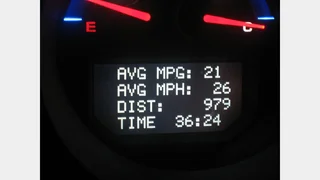
Many older VW clusters have a trip reset knob or button, often labeled 0.0 or SET, near the speedometer or tachometer. The exact sequence varies by cluster, but the general pattern looks like this:
With the ignition off, press and hold the trip reset button. Turn the ignition on without starting the engine, keep holding the button, and watch the display. When the display shows the service message or a prompt to reset, release the button. Some clusters then require a second press or a turn of an adjustment knob to confirm. Turn the ignition off, then back on, and check that the reminder shows a fresh interval or no longer displays the due message.
On some clusters with separate oil and inspection counters, you cycle through the reminders with the same button and reset each one in turn. If the button sequence does nothing, your cluster probably uses a menu-based method instead.
Method 2: Multifunction steering wheel menu
VWs with a multifunction display (MFD) between the gauges, controlled by buttons on the steering wheel, usually put the service reset inside the settings menu. Menu names differ between generations, but the path generally looks like this:
With the ignition on, use the steering wheel arrow or menu buttons to open the settings menu on the cluster display. Find the service entry, which may be labeled Service, Service interval or Maintenance. Select the counter you want to clear, such as the oil change service or the inspection service. Choose Reset and confirm when the display asks you to.
On some cars, settings and service functions are hidden while the vehicle is moving or sometimes while the engine is running. Parking the car with the ignition on is the most reliable starting point.
Method 3: Infotainment vehicle settings
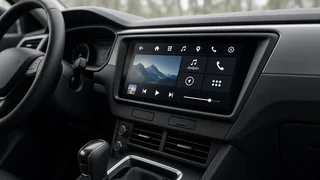
Many recent VWs, including those with a digital cockpit, offer the reset on the central touchscreen. It is usually found under a vehicle, car or setup menu, inside a section such as Service & Check, Service or Maintenance. From there, open the relevant counter and select reset. A confirmation prompt typically appears before the counter is cleared.
Some newer models show only the remaining time and distance on screen and do not offer a reset. Software versions also vary. If you cannot find the option, check the owner's manual for your exact model year, or have the dealer or a scan tool handle the reset.
Method 4: Diagnostic scan tool or dealer
A scan tool that supports VW service functions can reset the service interval through the OBD-II port. Some tools can also adjust interval settings where the vehicle allows it. Generic code readers often lack this function, so confirm that a tool supports VW service resets before relying on it. A dealer or independent VW specialist will normally reset the reminder as part of a service visit.
Resetting the reminder on a Passat
The Passat has spanned many generations and markets, so no single reset procedure fits every Passat. In general, older Passats with a basic cluster use the trip-button method. Passats with a steering wheel multifunction display use the cluster settings menu. Later cars with more advanced infotainment may also offer the reset on the touchscreen. Identify which controls your car has, then follow the matching method above. The owner's manual for your specific model year will name the menus exactly.
Comparison of reset methods
Method | Typical vehicles | What you need | Notes; Cluster button | Older VWs with a basic instrument cluster | Ignition key or start button and the trip reset button | The sequence varies by cluster; separate counters may need separate resets; Steering wheel menu | VWs with a multifunction display between the gauges | Steering wheel controls | Usually only available while parked; Infotainment settings | Many recent VWs, including digital cockpit models | Touchscreen vehicle or service menu | Some models display the service status but do not allow a reset; Scan tool or dealer | Any VW, especially when no built-in option works | A VW-capable diagnostic tool or a service visit | Not every generic code reader supports service resets
Good practice before and after resetting
Reset the reminder only after the service it refers to has actually been performed. Clearing it early hides a real maintenance need. Keep receipts and a written log of the date, mileage and work done. The dash reset is not a service record, and documentation matters for warranty coverage and resale. Make sure you reset the correct counter, such as the oil change service rather than the inspection service. Check the display after cycling the ignition to confirm the reset took effect. If a warning light other than the service reminder is on, such as a check engine or oil pressure warning, treat it as a separate issue. Resetting the service interval does not clear fault warnings.
When the reset will not work
If the reminder returns immediately or the option is missing, the most common causes are using a method meant for a different cluster generation, trying the reset while the car is moving, or a model that only allows the reset through diagnostic equipment. In those cases, a VW-capable scan tool or a dealer visit is the practical next step. They can also confirm whether the interval settings stored in the car match the maintenance schedule for your vehicle.