Mercedes Actros Controls: A Guide to Heavy Truck Cabin Layout
Mercedes Actros controls fall into three zones. The first is the steering column stalks and multifunction steering wheel. The second is the instrument display in front of the driver. The third is the dash switch panels for secondary functions such as climate, lighting and cab equipment. Most driving functions are within reach without the driver moving a hand far from the wheel. Switch positions, screen layouts and available features vary by generation, market, transmission and specification, so this guide describes the general logic rather than one specific truck. US readers should know that the Actros is built and sold mainly for Europe and other international markets. It is not a mainstream US model. Daimler Truck sells its North American highway trucks under other brands, such as Freightliner and Western Star. If you are researching heavy vehicle controls for US operation, use the Actros as a reference for how a modern European cab-over truck is laid out. It is not a guide to a truck you would normally buy or drive in the US.
How the Actros Cabin Differs From a Typical US Truck
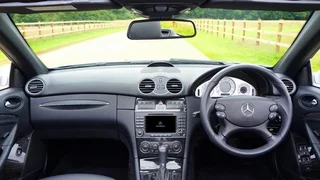
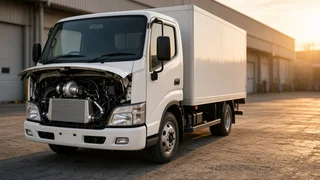
The Actros is a cab-over design. The cab sits above the engine, with no long hood like the conventional tractors common in North America. This shapes the control layout. The dash wraps around the driver, and the engine tunnel is low or flat depending on the cab variant. Recent generations are also designed around an automated manual transmission rather than a floor-mounted manual shifter.
Area | Mercedes Actros (general approach) | Typical US conventional tractor; Cab layout | Cab-over, driver sits above the engine | Long-hood conventional, engine ahead of the cab; Gear selection | Steering-column stalk for the automated transmission on recent generations | Dash buttons, shift lever or column stalk, depending on make and transmission; Auxiliary braking | Stalk-controlled retarder or engine brake stages | Often dash switches or a column stalk for the engine brake; Mirrors | Glass mirrors, or camera-based mirror displays on later generations where specified | Glass mirrors are most common; Parking brake | Varies by generation; later trucks use an electronic control | Commonly a push-pull air valve on the dash
Steering Column Stalks
On recent Actros generations, the stalks behind the steering wheel handle much of the driving. The functions are generally split as follows.
Left stalk: turn signals, headlight flasher and high beam, windshield wipers and washers, and on many trucks the horn. Right stalk: drive direction and gear selection for the Mercedes PowerShift automated transmission. This covers neutral, forward and reverse, plus manual upshift or downshift requests when the driver overrides automatic mode. Auxiliary brake control: the retarder or engine brake usually works through a stalk with several stages. The driver can add braking force progressively before using the service brake. On some trucks this function shares the transmission stalk.
Drivers coming from US trucks with a floor shifter or dash push buttons usually need some time to adjust. Shifting and auxiliary braking may both sit on the right side of the column, so learn which movement does which job before driving loaded.
Multifunction Steering Wheel
Buttons on the steering wheel spokes control several functions:
Instrument display menus; Cruise control and speed limiter settings; Phone and audio; Driver assistance functions such as adaptive cruise and lane-keeping support, on equipped trucks
Through the menus, the driver can check vehicle status, trip data, fault messages and assistance settings without reaching for the center console. Button grouping and menu structure differ between generations. The biggest change is between earlier trucks with a conventional cluster and later trucks with a fully digital display.
Instrument Display and Multimedia Cockpit
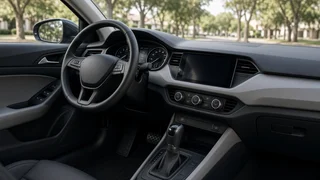
Earlier Actros generations use an analog-and-digital instrument cluster with a central information screen. The later generation introduced a largely screen-based dash called the Multimedia Cockpit. It has a digital instrument display in front of the driver and a second touchscreen beside it. The second screen handles navigation, media, vehicle settings and some cab functions that physical switches covered on older trucks. Screen size and the level of integration depend on the version specified.
Some trucks are fitted with camera-based mirrors, sold as MirrorCam. These show the rear view on displays mounted on the A-pillars inside the cab instead of using exterior glass mirrors. Drivers used to glass mirrors should allow time to learn to judge distances and trailer position from the displays, especially when reversing and maneuvering.
Dash Switch Panels
Secondary functions are grouped in switch panels on the dash. In some cabs, controls also appear in the driver's door or overhead console. These typically include:
Exterior lighting, including fog lamps and work lights; Hazard warning lights; Differential locks and traction aids, on trucks equipped with them; Power take-off and body equipment controls on vocational specifications; Suspension raise and lower controls for coupling and loading on air-suspended trucks; Parking brake, either an air valve or an electronic switch depending on generation; Sleeper cab controls for lighting, climate and other cab functions, often duplicated near the bunk
Climate and Temperature Controls
Cab climate control works on the same principles as in a passenger vehicle, scaled for a larger cab and longer occupancy. The driver sets temperature control and fan speed, and the system directs airflow to the windshield, face vents or footwell. The blower motor moves air through the HVAC unit. The heater core warms the air using engine coolant, and the air-conditioning evaporator cools and dehumidifies it. Depending on generation and specification, the controls may be physical knobs and buttons, an automatic climate panel, or functions partly moved into the touchscreen.
Long-haul trucks are often specified with an auxiliary heater or standstill climate system. These heat or cool the cab during rest periods without idling the engine. They usually have their own timer and settings, which are sometimes accessible from the bunk area.
For owners, weak airflow, slow defrosting or musty odors often point to a clogged cabin filter. Replacing it is routine maintenance, and it is worth checking before suspecting the blower motor or a control fault. If the fan works but heat is weak, the cause may be low coolant or a heater core problem. When servicing the air conditioning, use the refrigerant specification on the vehicle's label or in the service information for that truck. The correct refrigerant and fill quantity depend on build year and market.
What This Means When Comparing Heavy Vehicle Controls
The Actros reflects a broader trend in heavy vehicle controls. More functions are moving onto the steering column, steering wheel buttons and screens. Automated transmissions have replaced manual shifting as the default in many markets. Camera systems and driver assistance features are adding new displays and menus. For a driver or buyer, the practical questions are less about individual switches and more about these points:
Which generation and specification the truck is, since layouts changed significantly between generations; Whether the controls you use most, such as auxiliary braking, gear override and climate, are physical or screen-based; How long a new driver needs to get comfortable with stalk-based shifting and camera mirrors; Whether the truck is right-hand or left-hand drive for its market, which mirrors the dash layout
Before driving any specific Actros, check the operator's handbook for that vehicle to confirm stalk functions, warning symbols and parking brake operation. These details are the most likely to differ between generations and markets.