Jeep Renegade Steering Wheel Controls: What Each Button Group Does
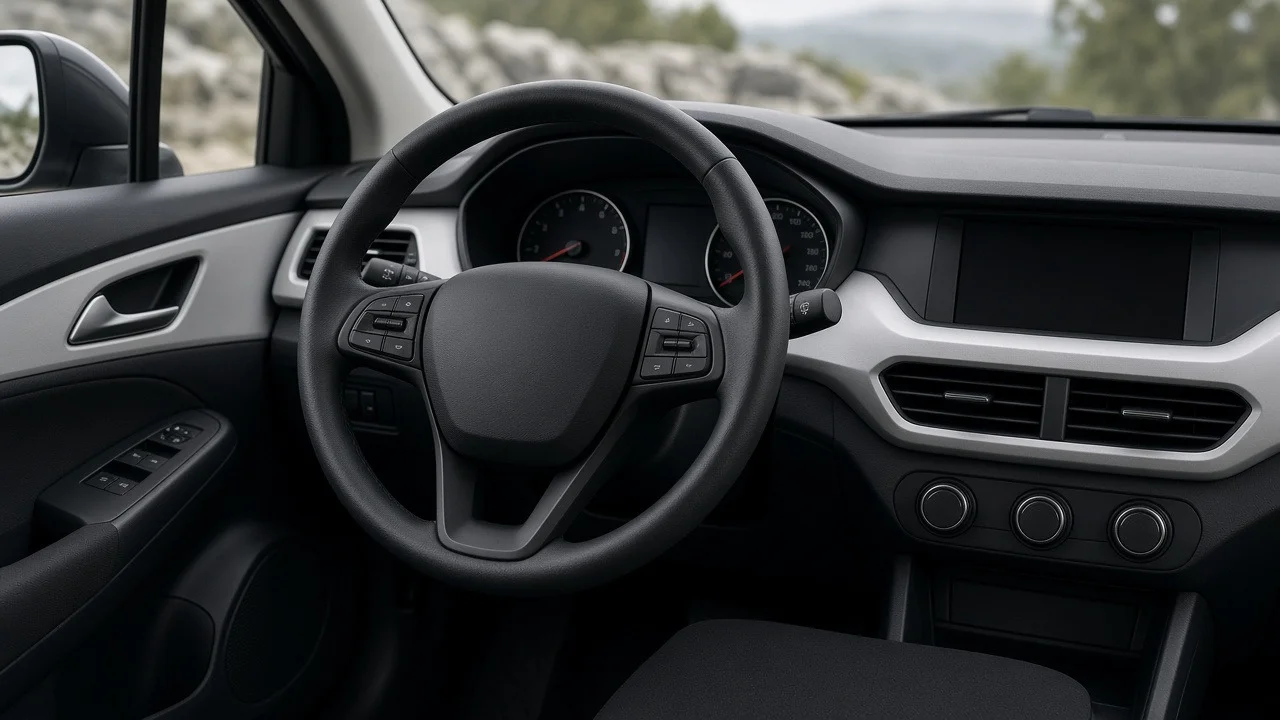
Jeep Renegade steering wheel controls let the driver run cruise control, audio, hands-free calling, voice commands and the instrument cluster display without reaching for the center stack. The exact buttons depend on model year, trim and options. Higher trims and vehicles with driver-assistance packages generally have more functions on the wheel than base models. This guide explains the main control groups, how they connect to the Uconnect system, and what changes if you replace the factory radio.
The Short Answer
Most Renegades sold in the US have three kinds of controls on the steering wheel. There are buttons on the front spokes, rocker-style audio switches on the back of the wheel, and the horn pad in the center. The front spokes usually hold cruise control buttons, phone and voice command buttons, and arrow and OK buttons for the driver information display. The rear switches change volume, station or track, and audio source. Exact placement and labels vary, so the owner's manual for your model year is the best reference for your vehicle.
Main Control Groups
Cruise Control Buttons
The cruise control cluster turns the system on, sets a speed, resumes a stored speed, raises or lowers the set speed, and cancels. On vehicles with adaptive cruise control, which keeps a set gap to the vehicle ahead, this group usually adds a button for choosing the following distance. Whether your Renegade has standard or adaptive cruise depends on trim and option packages, and the button layout differs between the two.
Phone and Voice Command Buttons
The phone button answers or ends calls and opens the Uconnect phone menu. The voice button starts Uconnect voice recognition, so you can make calls, choose audio sources or use navigation, if equipped, by speaking. On systems that support smartphone projection, a long press of the voice button may start the phone's own assistant through Apple CarPlay or Android Auto. Support for this depends on the Uconnect version in the vehicle.
Instrument Cluster Display Controls
A small set of arrow buttons with an OK or select button moves through the screen between the gauges. From there you can view trip information, fuel economy, tire pressure readouts where equipped, vehicle settings and warning messages. A back button, where fitted, returns to the previous menu. Clusters with a larger, more configurable display offer more menus, but the controls work the same way.
Rear-Mounted Audio Controls
Like many vehicles from the same manufacturer group, the Renegade uses audio switches on the back of the steering wheel, where your fingertips rest. One side typically handles volume, often with a center press for mute. The other side handles seek or track selection, with a center press that cycles through sources such as radio, USB and Bluetooth audio. These switches are easy to miss when you look at the wheel, which is why some owners think their Renegade has no audio controls on the wheel.
How the Controls Differ Across Renegades
Model year: the Renegade was sold in the US from the 2015 model year, and updates during its run changed the infotainment and cluster options that some buttons control. Trim level: base trims usually have fewer functions on the wheel, while better-equipped trims add more display, phone and driver-assistance controls. Option packages: adaptive cruise control and other driver-assistance features add or change buttons in the cruise group. Uconnect version: the infotainment unit sets which voice, phone and smartphone projection features the wheel buttons can reach. Market: vehicles built for other regions may have different layouts, so international owner materials may not match a US vehicle.
Using the Wheel Controls With Uconnect
The phone and voice buttons only work once a phone is paired with Uconnect. Device pairing usually starts from the Uconnect touchscreen or radio phone menu, or by pressing the phone button and following the prompts. Then you confirm the connection on the phone. If calls or voice commands stop working, check the connection settings on both the phone and the head unit. A phone software update can sometimes change Bluetooth or projection behavior. Deleting the old pairing and pairing again is a common first step.
Keeping Wheel Controls With an Aftermarket Radio
The factory buttons talk to the vehicle's electronics over the vehicle network, not through simple wires to the radio. An aftermarket head unit therefore will not understand them on its own. To keep the steering wheel interface working, installers use a steering wheel control interface adapter. It translates the vehicle's signals into commands the new radio can read. Some integration modules also keep other factory features that ran through the original unit.
Check software compatibility: the adapter must support your Renegade's model year and radio configuration, and the aftermarket head unit must accept steering wheel control input. Expect setup: many adapters must be programmed or flashed for the specific vehicle and radio brand before installation. Confirm button mapping: after installation, test each button, since some adapters let you reassign functions or use a long press for a second function. Consider vehicle integration: because some settings and features in the Renegade run through the factory Uconnect unit, see what the adapter keeps before removing the original system.
When the Buttons Stop Working
If one group fails while the others work, such as the audio switches but not cruise, the cause is often local: a worn switch or a connector problem at the wheel. If every button on the wheel and the horn stop working together, the clockspring is a common suspect. The clockspring is the coiled connector behind the wheel that carries electrical signals while the wheel turns. Because it sits next to the driver airbag, inspection and replacement should be left to a qualified technician. After a battery disconnect or radio replacement, controls that worked before may simply need the head unit or interface adapter set up again.
Bottom Line
Jeep Renegade steering wheel controls fall into a few predictable groups: cruise control, phone and voice, cluster display navigation, and audio switches on the back of the wheel. What each button does depends on the model year, trim, options and Uconnect version. If you are comparing used Renegades, look at the wheel and the option list together to see which features are actually present. If you plan to replace the radio, budget for a compatible interface adapter so the buttons keep working.