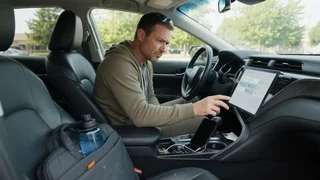
Enterprise Rental Car Wi-Fi Hotspot
A rental car can keep you moving, but staying connected on the road depends on how the vehicle is equipped and how the service is activated. Enterprise customers sometimes encounter an in-vehicle Wi-Fi hotspot as an add-on or a feature already available in certain connected models. The experience differs from home internet because connectivity rides inside a moving vehicle, sharing a cellular signal among phones, tablets and laptops. Understanding the equipment, enrollment process, data limits and connection settings helps a driver avoid confusion at the counter and manage device pairing during the trip.
Essential answer
Enterprise car rental Wi-Fi hotspot generally refers to a portable or built-in system that creates a wireless network inside the rental vehicle so passengers can use laptops, tablets and phones while traveling. The hotspot receives a cellular data connection and rebroadcasts it locally as Wi-Fi. Availability may depend on the rental location, the specific vehicle class, and whether an optional connectivity device or subscription was selected. In some cases the feature is included with newer connected cars, while in others it requires a separate piece of equipment supplied by the branch.
For a renter, the practical result is similar to using a mobile hotspot from a phone, but the connection is intended to serve multiple devices through one vehicle-based link. Users typically find the network name and password in the settings menu, on a display screen, or on the rental paperwork. Because the hotspot remains active while the car is running or the accessory is powered, it can support navigation, streaming and email without consuming each passenger's personal data. Exact coverage, speeds and fees vary by provider and vehicle integration, so the rental agreement should be checked before relying on the feature.