Electric Cars With Wireless CarPlay: What to Check Before You Buy
The Short Answer
Plenty of electric cars sold in the US support wireless Apple CarPlay, but you cannot assume it. Support depends on the brand, the model year, the trim level and sometimes the installed software version. Some well-known EV makers have chosen not to offer CarPlay at all and rely on their own built-in systems instead. If you want wireless CarPlay, confirm it on the exact vehicle you plan to buy, with your own iPhone, before you sign anything.
Why Support Varies From One EV to the Next
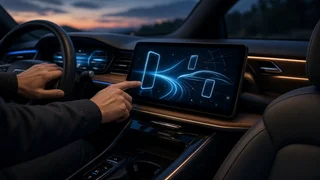
Wireless CarPlay lets your iPhone project its interface onto the car's screen over Wi-Fi after an initial Bluetooth pairing, so you do not need to plug in a cable. Whether a car offers it comes down to choices the automaker makes about hardware and software, and those choices change over time.
• Model year: a model may launch with wired-only CarPlay and add wireless support in a later year, or the reverse can happen after an infotainment redesign. • Trim level: wireless CarPlay is sometimes tied to a larger screen or a higher infotainment package, so a base trim may differ from an upper trim of the same model. • Software updates: some EVs have gained CarPlay or wireless capability through over-the-air or dealer-installed updates. A used car may need an update to match what the manufacturer now advertises. • Market: features listed for European or Asian versions of a model do not always apply to US-market cars. • Brand strategy: a growing number of automakers prefer their own integrated systems and limit or exclude phone projection.
EV Brands That Have Skipped CarPlay
This is the condition that most often changes the answer. Tesla and Rivian have not offered native Apple CarPlay in their recent US models, and General Motors has said its newer electric vehicles will not support CarPlay or Android Auto, favoring a built-in system with Google services instead. Policies like these can change, so check the current status for the specific model year you are considering. If CarPlay is a must-have, treat these brands as requiring extra verification rather than assuming support.
A wireless CarPlay adapter will not help in these cases. Adapters convert an existing wired CarPlay connection into a wireless one; they cannot add CarPlay to a car that does not support it in the first place.
Brands Where Wireless CarPlay Is Common
Many mainstream and luxury automakers have offered wireless CarPlay on at least some of their electric models and years. Examples include Hyundai, Kia, Genesis, Ford, Volkswagen, BMW, Mercedes-Benz, Audi, Porsche, Volvo, Polestar, Nissan, Honda and Lucid. Being on this list does not guarantee that every EV from these brands, in every year and trim, has wireless support. Use it as a starting point for your shortlist, then verify the specific vehicle.
How to Confirm Wireless CarPlay on a Specific Car
• Read the exact wording on the spec sheet or window sticker. "Apple CarPlay" alone may mean wired only; look for "wireless Apple CarPlay" stated explicitly. • Check the trim and package. Note whether the feature is standard on your trim or bundled with an optional infotainment or technology package. • Test it with your own iPhone. On a test drive, pair your phone, disconnect any cable and confirm CarPlay launches wirelessly. Try navigation, calls and music. • Ask about software. For used or demo vehicles, ask whether the infotainment software is current and whether any CarPlay-related updates are pending. • Confirm US-market specifications. If you are reading reviews or forums, make sure they describe the same market, model year and trim as the car you are buying.
Wireless vs. Wired CarPlay: Practical Trade-Offs
Wireless CarPlay is convenient for short trips because the connection starts automatically. It does have trade-offs worth knowing before you make it a deciding factor.
• Phone battery: wireless CarPlay uses Wi-Fi and Bluetooth continuously and does not charge your phone. On long drives, pair it with a wireless charging pad or a USB port. • Heat: running wireless CarPlay while charging on a wireless pad can warm the phone, which may slow charging. • Responsiveness and audio: some drivers notice slight lag or lower audio quality compared with a cable, though this varies by car and phone. • Fallback: a car that offers both wired and wireless CarPlay gives you a backup if the wireless connection misbehaves.
EV-Specific Considerations
In an electric car, CarPlay's limits matter more for trip planning than in a gas car. Apple Maps and third-party navigation apps running through CarPlay usually do not know your battery's state of charge unless the car shares that data, so their range estimates and charging stops may be less reliable than the car's built-in navigation. Apple Maps EV routing works with only certain supported vehicles that pass battery information to the phone.
Many EVs also handle battery preconditioning, the process of warming or cooling the battery before a fast-charging stop, through their native navigation system. Using CarPlay navigation instead may mean preconditioning does not start automatically. If you road-trip often, check whether the car lets you trigger preconditioning manually, or plan on using the built-in navigation for long trips and CarPlay for everything else.
Finally, swapping an EV's infotainment system for an aftermarket head unit is rarely practical because the screen typically also controls climate, charging settings and vehicle functions. Factory support is the realistic route.
Quick Buying Checklist
• Rule out or double-check brands that do not offer CarPlay. • Confirm "wireless" appears explicitly in the specification for your exact model year and trim. • Test wireless CarPlay with your own phone during the test drive. • For used cars, ask about software updates. • Look for a wireless charging pad if you plan to use wireless CarPlay on long drives. • Decide whether you will rely on CarPlay or the car's native navigation for charging-stop planning.