Convert Wired Android Auto to Wireless in India: How It Works and What You Need
The Short Answer
Yes, in many cases a car that supports only wired Android Auto can be made to work wirelessly. The most common way is a wireless Android Auto adapter, a small plug-in device sometimes called a dongle. Two conditions decide whether this works. First, the car must already support wired Android Auto. Second, the phone must support wireless Android Auto. An adapter cannot add Android Auto to a car that never had it.
There are three main routes. Each one depends on your car's model, model year, trim and the market it was sold in. No single answer covers every vehicle sold in India.
Route | How it works | Best suited to; Wireless adapter (dongle) | Plugs into the car's Android Auto USB port and links to the phone over Bluetooth and Wi-Fi | Cars with working wired Android Auto that you want to keep stock; Manufacturer software update | Some carmakers have added wireless Android Auto to existing infotainment systems through updates | Owners whose model and head unit are covered by such an update; check with the dealer; Aftermarket head unit | Replaces the factory infotainment unit with one that supports wireless Android Auto natively | Older cars without Android Auto, or owners who want a full upgrade
How a Wireless Adapter Works
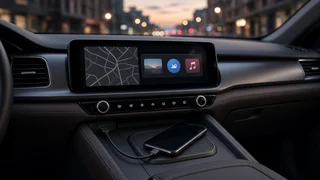
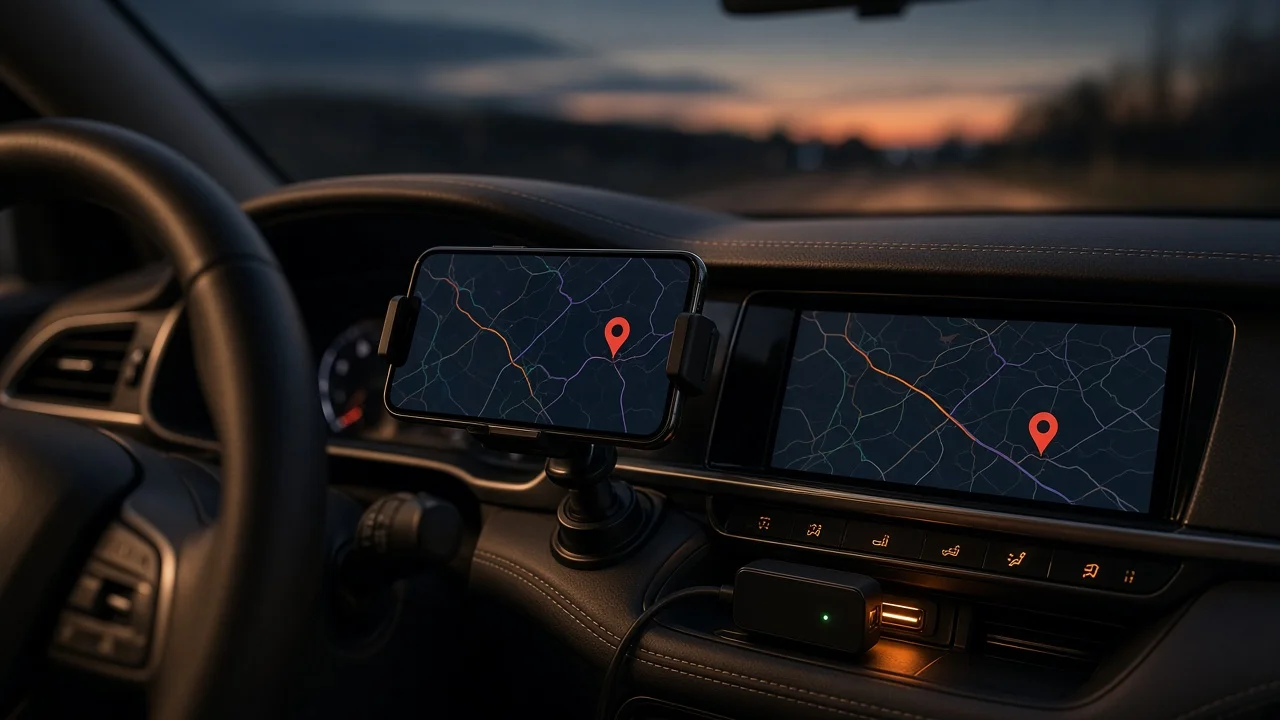
The adapter plugs into the same USB port you would use for a cable. The car treats it as a phone connected by wire. The adapter then talks to your phone without a cable. It uses Bluetooth for the first handshake and Wi-Fi to carry the Android Auto data. This is why the car needs no changes, but the phone needs wireless Android Auto support and a suitable Wi-Fi radio.
Wired vs Wireless: What Changes
Convenience: no plugging in for each trip, and the phone can stay in a pocket or bag. Phone battery: the phone is no longer charged through the Android Auto cable. On long drives, plan to charge it another way, such as a wireless charging pad if your car has one. Phone heat: running Wi-Fi, Bluetooth, navigation and audio together can warm the phone, more so in a hot cabin. Responsiveness: a wireless link can add some delay to touch inputs or audio. How noticeable this is depends on the adapter, the phone and the car. Extra hardware: an adapter is one more device that may need firmware updates and occasional troubleshooting.
Before You Start: Prerequisites
Confirm your car supports wired Android Auto. Check the owner's manual or infotainment settings, or connect your phone with a cable and see whether Android Auto launches. Identify the correct USB port. Many cars have several USB ports, but only one may carry Android Auto data. The others may only charge. Check your phone's compatibility. Google publishes the minimum Android version and hardware needs for wireless Android Auto, including 5 GHz Wi-Fi support. Check the current requirements for your exact phone model, as they can change. Update the phone's software and the Android Auto app. Choose an adapter whose seller states compatibility with your car and phone. Prefer one with a warranty and after-sales support available in India.
Step-by-Step: Setting Up a Wireless Adapter
Steps vary between adapter brands, so follow the instructions supplied with your device where they differ. Do all of this while the car is parked, with the engine or ignition on as your car requires for the infotainment system.
1) Test wired Android Auto first. Connect your phone with a good-quality cable and confirm Android Auto works. Some adapters need the phone to have connected to the car by wire at least once. 2) Disconnect the cable. Plug the adapter into the USB port that supports Android Auto. Some setups need a short USB cable or a USB-A to USB-C converter to suit the car's port. 3) Wait for the adapter to power up. Many adapters show an indicator light. Check the manual for what each light state means. 4) On your phone, turn on Bluetooth and Wi-Fi. Open Bluetooth settings and pair with the adapter, which usually appears under the adapter's brand name. 5) Accept the pairing and permission prompts on the phone and, if shown, on the car's screen. 6) Wait for Android Auto to start on the car display. The first connection can take longer than later ones. 7) Check for firmware updates using the method the adapter maker provides, and install them if available.
How to Confirm It Is Working
Android Auto appears on the car screen with no cable connected to the phone. Navigation, music playback and phone calls work through the car's display and speakers. Steering-wheel controls and voice commands respond as they did with a cable. After switching the car off and on again, the phone reconnects automatically within a short time.
Troubleshooting Common Issues
No connection: confirm the adapter is in the Android Auto data port and not a charge-only port. Repeated drops or no auto-reconnect: in the phone's Bluetooth settings, forget the adapter and pair it again. Remove old, unused car or adapter pairings that may conflict. Audio delay or lag: update the adapter firmware, the phone software and the Android Auto app. If a problem persists, test wired Android Auto again. If the wired connection also fails, the issue is likely the car's port, the cable or the head unit, not the adapter.
Precautions and When to Use a Professional
Pairing and settings changes should be done only while the car is stationary. An adapter is a plug-in accessory and needs no wiring work. Replacing the factory head unit is a different job. It can involve wiring harnesses, steering-wheel control interfaces, reversing cameras and vehicle electronics. That work is better left to an experienced installer. Changing the factory infotainment unit may also affect your warranty or connected features, so check with your dealer first. Software updates that add wireless Android Auto should be done through the manufacturer or an authorised service centre, following their instructions.
What This Guide Cannot Confirm
No verified data was available for specific adapter models, prices in India, car-by-car compatibility lists, or which Indian-market models have received wireless Android Auto updates. Before buying, check compatibility for your car's exact model year and variant and your phone model with the adapter seller, the carmaker or an authorised dealer.