Citroen C4 Cactus dashboard controls
The Citroen C4 Cactus dashboard controls consolidate everyday functions into a deliberately simple layout, but the arrangement can still raise questions for a new owner. This overview explains what those controls do and how they communicate operating status. The instrument cluster, warning indicators, and display messages work together to keep the driver informed without creating visual clutter. Understanding the primary switchgear and its logic helps you respond correctly to a diagnostic check, read the owner manual with purpose, and avoid mistaking normal behavior for a fault.
Essential answer
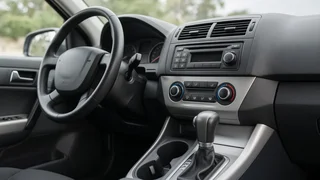
The essential answer is that the C4 Cactus dashboard controls are organized around a central touchscreen and a compact set of physical switches, with vehicle status shown through a small instrument cluster and warning lights. This approach reduces visible buttons compared with more conventional layouts, so some functions that appear as switches elsewhere are accessed through the screen. The display message system also supports this, showing text prompts for doors, key presence, or system checks rather than relying only on illuminated symbols.
When reviewing these controls, it is useful to separate driver adjustments from vehicle information. Controls closest to the steering column typically manage lighting, indicators, and wiper operation, while the touchscreen handles climate, audio, and connected features. The instrument cluster remains the main point for a warning indicator or operating status message. If a display message appears during start-up, it is often part of the normal diagnostic check, but a persistent or repeating message should be compared with the owner manual for model-specific meaning.