How to Choose a Compatible USB Cable for Android Auto
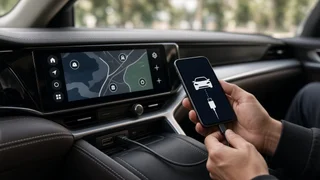
The right Android Auto cable is a short, well-made USB cable that carries data as well as power and has the correct connector at each end: one that fits your phone and one that fits your car's data-capable USB port. For most current Android phones, that means USB-C on the phone end. The car end is either USB-A (the older, rectangular plug) or USB-C, depending on the vehicle. A cable that only charges will not start Android Auto, however good it looks. Long, worn or bargain cables are a common cause of dropped connections, even when they appear to work at first. Two conditions change the answer. If your car's USB port is charge-only, no cable will make Android Auto work through it, and you need to find the data port. If your car and phone both support wireless Android Auto, you may only need a cable for the first setup or for charging.
Why the cable matters more than people expect
Wired Android Auto sends a continuous two-way stream of data between your phone and the car's head unit. The head unit is the infotainment screen and its computer. That stream carries the projected display, touch input, audio, microphone input for voice commands, and signals from the car's controls. Charging only needs power to flow. Android Auto needs a stable data link the whole time. A cable with weak internal wiring, loose connectors or too much length can cause the session to freeze, disconnect or restart, while the phone keeps charging as if nothing is wrong. That is why a cable that is fine for charging overnight can still fail in the car.
What to check before buying an Android Auto cable
1) It must support data, not just charging
Some inexpensive cables, especially those bundled with power banks, small gadgets or sold as charging cables, leave out the data wires entirely. They look identical to full cables. Look for packaging or listings that explicitly mention data transfer or sync. If a cable lets your phone show up as a storage or file-transfer device when connected to a computer, it carries data. A charge-only cable will not.
2) Match the connectors on both ends
Check the phone end first. Most Android phones released in recent years use USB-C, while some older or budget models use micro-USB. Then check the port in your car. Many vehicles use full-size USB-A ports. Newer models increasingly use USB-C, and some have a mix. Port types can differ between model years, trims and even between the front and rear rows of the same vehicle, so look at your actual car rather than relying on a general model description.
Car port | Phone port | Cable to look for; USB-A | USB-C | USB-A to USB-C data cable; USB-C | USB-C | USB-C to USB-C data cable; USB-A | Micro-USB | USB-A to micro-USB data cable; USB-C | Micro-USB | USB-C to micro-USB data cable (less common; check data support carefully)
3) Shorter is usually better
Google's general advice for Android Auto is to use a short cable, roughly 3 feet (about 1 meter) or less. Longer cables lose signal quality and are more likely to cause intermittent drops. The extra length also tends to get pinched in seat rails, console lids and door edges. If you need the phone in a mount farther from the port, choose the shortest cable that reaches comfortably instead of a long one coiled in a cupholder.
4) Build quality and certification
A cable used in a car is plugged and unplugged often, bent around consoles and exposed to heat and cold. Useful signs of quality include:
Reinforced strain relief where the cable meets each plug; Snug connectors that do not wobble in the port; A reputable brand, or the cable that came with your phone; For USB-C cables, certification from the USB Implementers Forum (USB-IF), the industry body that tests cables against the USB specification
A braided jacket can improve durability, but it does not guarantee good internal wiring. Treat it as a bonus rather than proof of quality.
5) Faster USB standards are not required
Android Auto does not need a high-speed USB 3 or USB4 cable. A properly made USB 2.0 data cable is generally enough for the connection. Higher-rated cables will still work if they are well made, but paying extra for speed ratings will not improve Android Auto performance. Build quality and length matter far more.
6) Avoid extensions, hubs and stacked adapters
Each extra link in the chain is another point where the signal can degrade or the fit can loosen. This includes USB extension leads, splitter hubs and small interface adapters, such as a USB-A to USB-C converter plugged onto the end of a cable. Some head units also don't recognize phones correctly through hubs. If your car has a USB-C port and your phone is USB-C, use a single USB-C to USB-C cable rather than adapting a USB-A cable.
Check the car side before blaming the cable
Cars often have several USB ports, and not all of them connect to the infotainment system. Some are charge-only. The data port is often marked with a smartphone icon, a USB symbol with a data indicator, or a different color, and it is usually in the front of the cabin. Your owner's manual or the labeling around the ports will normally show which is which. Using a charge-only port is one of the most common reasons Android Auto fails to start with a perfectly good cable.
Software compatibility matters too. The vehicle's head unit must support Android Auto, which varies by model year, trim and market. Some vehicles also need the feature turned on in the infotainment connection settings. On the phone side, Android Auto needs a supported Android version. On recent phones it is built into the system rather than installed as a separate app. If the car, the phone or the settings are the limitation, a new cable will not fix it.
How to tell whether your current cable is the problem
Before buying a replacement, a few quick checks can show whether the cable is at fault:
Try the original cable that came with your phone, if you still have it. Try a different cable in the same car port. If Android Auto becomes stable, the old cable was likely the issue. Try the same cable in another known data port in the car, if one exists. Inspect the phone's USB port for lint or debris, which can stop a plug from seating fully. Watch for symptoms that point to the cable: disconnections when the phone is moved, sessions that restart over bumps, or the phone charging while Android Auto never launches.
If several good cables fail in the same way, look at device pairing and settings instead. Remove the car from the phone's list of connected vehicles and set it up again, check that Android Auto is allowed in the car's connection settings, and make sure the phone's software is up to date.
Wired cable or wireless adapter?
If you are buying a cable mainly because wired connections keep dropping, consider whether wireless is an option. Some vehicles support wireless Android Auto natively. Others support only the wired version, and aftermarket wireless adapters can bridge the gap: these plug into the car's USB port and connect to the phone wirelessly.
Factor | Wired cable | Wireless (native or adapter); Car requirement | Android Auto support and a data USB port | Native wireless support, or wired support plus an adapter; Phone charging | Charges while connected | Usually no charging unless you add a charger or wireless pad; Connection stability | Very stable with a good, short cable | Can be affected by interference and adapter quality; Startup | Plug in and go | Connects automatically after initial pairing, sometimes with a short delay; Cost | Lowest | Higher if an adapter is needed; Wear points | Cable and connectors wear over time | No cable wear, but the adapter is another device to maintain
A good cable is the simplest and cheapest choice if your car supports wired Android Auto and you want the phone charging on longer drives. Wireless makes more sense if you make many short trips, find plugging in a nuisance, or keep the phone somewhere a cable cannot reach neatly. Expect to manage battery use differently. Adapter compatibility also varies between vehicles and phones, so check the seller's stated compatibility for your specific car and phone before buying.
What a cable will not change
The cable only carries the connection. It does not add features. Steering wheel controls, the car's microphone, the screen layout and how deeply Android Auto integrates with the vehicle all depend on the head unit and its software. A premium cable will not unlock steering wheel interface functions the car does not support for Android Auto, and it will not add Android Auto to a head unit that lacks it. Aftermarket head units and specialist integration modules can change that, but they are a separate and more involved purchase.
Quick buying checklist
The cable explicitly supports data transfer, not just charging; The connectors match your phone port and your car's data port; Length is about 3 feet (1 meter) or less, or as short as your setup allows; It comes from a reputable brand, is USB-IF certified for USB-C, or is your phone's original cable; It has sturdy strain relief and a snug fit in both ports; No extension leads, hubs or add-on adapters in the chain; You have confirmed which car port carries data and that Android Auto is enabled in the vehicle
If all of these are covered and the connection is still unreliable, the cause is most likely the car's port, the phone's port, the software or the pairing settings rather than the cable itself.