Car VIN Lookup: How to Decode a VIN and Find Engine, Transmission and Vehicle Specs

The Short Answer
A car VIN lookup uses the vehicle identification number, a unique 17-character code assigned to each road vehicle, to identify the vehicle's manufacturer, model, model year, assembly plant and key factory attributes. For vehicles built for the US market from the 1981 model year onward, the VIN follows a standardized 17-character format, so any decoder can read its basic structure. You can get factory information from a VIN for free with a decoder. Ownership, title, accident or service history is a separate kind of report, and it is often paid.
Several conditions change what a lookup can tell you. The engine is often represented by one character in the VIN, but the position and meaning of that character are set by each manufacturer and can differ by brand and model year. The transmission is usually not encoded in the VIN at all, so you may need a build sheet, an equipment label or a dealer record to confirm it. Vehicles built before 1981, or built for markets outside North America, may not follow the same rules.
Where to Find the VIN
Lower corner of the windshield on the driver's side, visible from outside the car; Label on the driver's door jamb or door edge; Vehicle title and registration documents; Insurance card or policy documents; On some vehicles, stamped on the engine block, frame or other major parts
Check that the VIN matches in at least two places, such as the dashboard plate and the title. A mismatch can mean a transcription error, replaced body parts, or a vehicle whose identity should be investigated before you buy it.
How a 17-Character VIN Is Structured
A VIN uses only capital letters and digits. The letters I, O and Q are never used because they are easily confused with 1 and 0. The code divides into three main sections.
Positions | Section | What it identifies; 1–3 | World Manufacturer Identifier (WMI) | Country or region of manufacture, the manufacturer and often the vehicle type or division; 4–8 | Vehicle Descriptor Section (VDS) | Manufacturer-defined attributes such as model, body style, restraint system and, often, engine type; 9 | Check digit | A calculated character used to detect errors in the VIN (required for North American vehicles); 10 | Model year | A letter or digit representing the model year, not necessarily the calendar year of production; 11 | Plant code | The assembly plant; 12–17 | Production sequence | The vehicle's serial number within that manufacturer's production
Finding the Engine Code in a VIN
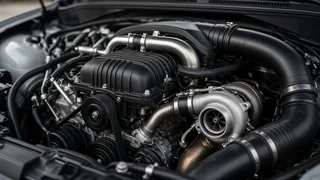
An engine code is the manufacturer's identifier for a specific engine design, such as a particular displacement, cylinder count, fuel type or induction type. Many manufacturers place this information in the Vehicle Descriptor Section, positions 4 through 8. Several US-market brands have commonly used the eighth position as the engine code, but this is a manufacturer convention, not a universal rule. The same character can mean different engines for different brands, or even for the same brand in different model years.
To identify the engine reliably, decode the full VIN with a tool that reads manufacturer-specific data rather than guessing from a single character. Then confirm the result against the engine's own markings or the manufacturer's service information for that model year. The VIN describes the engine the vehicle was built with. It cannot show whether that engine has since been replaced.
Finding the Transmission Code
Most VINs do not identify the transmission. A free decoder may list a transmission type, but treat that result with caution: it may be inferred from the model and trim rather than read directly from the VIN. More reliable sources include:
The original window sticker or build sheet, which lists factory-installed equipment; A service parts or option-code label, which some manufacturers place in the glove box, trunk or door jamb; A dealer or manufacturer service department, which can often pull factory build data by VIN; Identification tags or stampings on the transmission itself
Step by Step: Decoding a VIN and Checking Specifications
1) Copy the VIN exactly from the vehicle and compare it with the title or registration. 2) Confirm it has 17 characters and contains no I, O or Q. 3) Enter it into a VIN decoder. A free government-run decoder from the US federal vehicle safety agency, or a reputable commercial decoder, will return the manufacturer, model, model year, body style, plant and listed engine data. 4) Check the model year character (position 10) against the decoder's result. These codes repeat on a 30-year cycle, so the decoder relies on other parts of the VIN to determine the correct decade. 5) Note the engine information and confirm it with the manufacturer's literature for that model year or with the engine's own identification markings. 6) Confirm the transmission and trim-level equipment using a build sheet, option-code label or dealer records. 7) If you are buying the vehicle, run a separate history report to check title status, reported accidents and odometer records. A specification decoder will not show these.
How to Verify the Result
Most decoders validate the check digit automatically. For North American vehicles, the check digit is calculated by converting each character to a number, multiplying each one by a fixed weight for its position, adding the results and dividing by 11. The remainder is the check digit, and a remainder of 10 is written as X. If a decoder reports an invalid check digit, recheck the VIN for typing errors first. A VIN that still fails after rechecking is a warning sign.
Then compare the decoded details with the physical vehicle. Look at the badging, body style, engine bay and equipment. If the decoder reports a different engine, drive layout or body type from what you see, the vehicle may have been modified, the VIN may have been entered incorrectly, or the VIN may belong to a different vehicle.
Free Lookups Versus Paid Reports
A free VIN lookup usually provides factory facts: make, model, model year, body style, plant, safety equipment and engine data where the manufacturer has encoded it. Free safety recall searches by VIN are also widely available through government and manufacturer services. Paid vehicle history reports compile records such as title brands, reported accidents, odometer readings and ownership changes. Their coverage depends on which records were reported to the provider, so no report can guarantee a complete history.
Limits of a VIN Lookup
Manufacturer-defined positions (4–8) vary by brand and year, so generic character charts can be wrong for a specific vehicle. The VIN records the original configuration. It does not reflect engine swaps, transmission replacements or aftermarket modifications. Vehicles made before the 1981 model year used shorter, manufacturer-specific formats that standard decoders may not support. Vehicles built for markets outside North America may not use a check digit or the same model year coding. Detailed specifications such as horsepower, gear ratios or fluid capacities usually come from the manufacturer's documentation for that exact model year, engine and market, not from the VIN itself.
No vehicle-specific data was supplied for this guide, so it covers the general VIN standard rather than any particular make or model. For exact engine and transmission codes on a specific vehicle, rely on the manufacturer's decoding information or a dealer's build record for that VIN.