Best Microphones for Car Stereo Calls
When callers say you sound distant, muffled or buried in road noise, the microphone is often the cause. Your car stereo's speakers may sound fine to you, but the other person hears only what the microphone picks up. This guide covers the microphone options available for hands-free Bluetooth calls through a car stereo. It explains which type fits which setup and what to check before buying.
What This List Covers and How It Is Ordered
This is a selection of microphone types and setups for in-car calling, not a complete catalog of every product on the market. An option is included only if it captures your voice for phone calls routed through a car stereo, or through a device that stands in for one.
The entries are ordered by how directly they work with a typical aftermarket Bluetooth head unit. The most direct fit comes first, and workarounds for stereos without a microphone input come last. The order is not a quality ranking.
No comparable test data, specifications or prices were available for individual products. For that reason, this guide does not name or rank specific models. Use each entry to decide which kind of microphone to buy, then confirm the product details in your stereo's manual or with the manufacturer.
Terms Worth Knowing
Head unit: the stereo itself, the unit mounted in the dashboard. External microphone: a separate wired microphone that plugs into a dedicated jack on the back of an aftermarket head unit. Many Bluetooth head units ship with one. Hands-free microphone: a common alias for the same component. Car stereo mic, Bluetooth mic and calling mic usually mean the same thing in this context. Directional (unidirectional) microphone: a microphone that picks up sound mainly from the direction it points. This helps reject road and fan noise from other directions. Omnidirectional microphone: a microphone that picks up sound roughly equally from all directions. It is more forgiving of placement but also captures more cabin noise. Noise and echo cancellation: processing that removes background noise and stops the caller from hearing their own voice through your speakers. This processing usually happens in the head unit or phone, not in the microphone itself.
Some search results for car microphones will show CB radio microphones and in-car karaoke microphones. These are not equivalent products. A CB microphone is a push-to-talk handset for a separate two-way radio and does not carry Bluetooth phone calls. A karaoke microphone is meant to be held and sung into, not mounted for hands-free use.
The Microphone Options
1) The Head Unit Manufacturer's Own Replacement Microphone
If your aftermarket stereo has an external microphone jack, the microphone sold by the same brand as a replacement or accessory is the most direct fit. It is designed for the connector and input that brand uses, so it removes most compatibility guesswork.
This is the logical first choice if the original microphone is lost, damaged, or was never installed. It is also the right choice if you are upgrading within the same brand's range. Check the stereo's manual for the correct accessory part, because brands do not all use the same plug.
2) A Compatible Third-Party Wired Microphone
Generic replacement microphones are sold for car stereos as well, often with a longer cable or a different mounting style. They can work well, but compatibility is not guaranteed. Before buying, confirm three things against your stereo's documentation:
Plug size and type: car stereo microphone jacks differ in size and type between brands, so the plug must match the jack exactly. Power requirement: many small electret microphones draw a low bias voltage from the stereo's jack, so the microphone and the input must be designed for each other. Cable length: the cable must reach from behind the dash to where you plan to mount the microphone, with enough slack to route it neatly.
Fit is the main reason to choose a third-party microphone. If the cable is too short for your preferred mounting spot, or you need a mount the original microphone lacks, a compatible alternative can solve that problem.
3) Microphones Built for a Specific Mounting Position
Within the wired options above, the mounting style can matter as much as the microphone. Common styles include:
Visor clip: clips to the sun visor. It is easy to fit, but the microphone moves whenever the visor is lowered. Headliner or A-pillar mount: attaches with adhesive or a small bracket near the driver's head. This keeps the microphone close to your mouth and away from the dashboard vents. Steering column or dash mount: closer to the stereo and simpler to wire, but often nearer to vent and fan noise.
Choose the style that lets you place the microphone closest to your mouth while keeping it out of direct airflow. That placement usually affects call clarity more than small differences between microphones.
4) The Vehicle's Factory Microphone, Retained Through an Interface
Many vehicles that came with factory Bluetooth have a microphone already built in, often in the overhead console or headliner. When the factory stereo is replaced, some installation interfaces and integration modules can keep this microphone working with the new head unit.
Whether this is possible depends heavily on the vehicle's make, model, model year and trim, and on the interface used. It is not a general option. If it is supported for your car, it avoids adding a second microphone and keeps the factory look. Confirm compatibility with the interface maker or your installer for your exact vehicle.
5) Bluetooth Hands-Free Kits with a Built-In Microphone
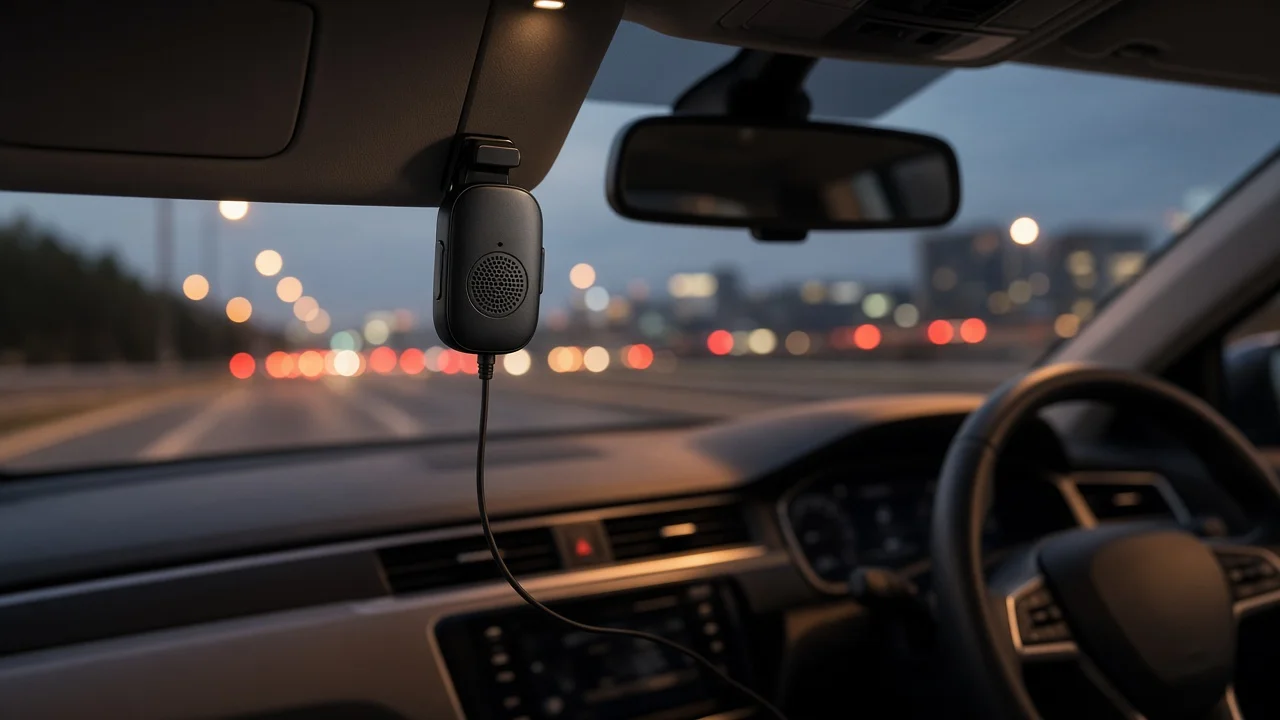
If your stereo has no Bluetooth or no microphone input, a standalone hands-free kit is an alternative. These are usually speakerphone units that clip to the visor, with a built-in microphone and speaker. The kit pairs with your phone directly and handles the call itself, bypassing the car stereo entirely.
Some kits can also send call audio to the stereo through an FM frequency. Call quality then depends on the kit's own microphone and processing rather than the stereo's.
6) Bluetooth Adapters and FM Transmitters with a Built-In Microphone
For older stereos without Bluetooth, small adapters can add Bluetooth calling. These plug into a power outlet, an auxiliary input, or broadcast through an FM frequency, and many include a microphone in the adapter body.
They are a low-effort way to add calling, but the microphone is placed wherever the adapter plugs in, which is often low on the dash or console and far from your mouth. Models that accept a separate wired microphone, or that sit on a short cable you can move, avoid that drawback.
Comparing the Options at a Glance
Option | Best fit | Main check before buying; Same-brand replacement microphone | Aftermarket head unit with a microphone jack | Correct accessory for your stereo model; Third-party wired microphone | Need for a longer cable or different mount | Plug type, power requirement and cable length; Position-specific mount | Improving placement of a wired microphone | Mount location near your mouth and away from vents; Retained factory microphone | Replaced factory stereo in a supported vehicle | Interface support for your exact make, model and year; Hands-free kit | Stereo without Bluetooth or a microphone input | Bypasses the stereo; quality depends on the kit; Bluetooth adapter with microphone | Older stereo needing basic calling | Microphone location and whether a wired microphone can be added
Placement Matters as Much as the Microphone
Even a well-matched microphone will sound poor in the wrong place. A few general principles apply in most vehicles:
Mount the microphone close to the driver's mouth, typically on the headliner near the visor or on the upper A-pillar. Point a directional microphone toward the driver rather than toward the windshield or the cabin. Keep it away from heating and air-conditioning vents, since moving air is picked up as rushing noise. Keep it away from the speakers, which helps the echo cancellation work properly. Route the cable behind trim panels so it cannot snag or interfere with airbags. If you are unsure where the airbags are in your vehicle, follow the vehicle's service information or ask an installer.
What This Guide Cannot Tell You
No product test results, specifications, prices or user reviews were available for this guide, so it does not name individual best models or claim one product sounds better than another. Product-level choices depend on your stereo's microphone input, which only its manual or manufacturer can confirm. Options that rely on keeping a factory microphone also depend on support for your specific vehicle.