Use Kia Stinger steering wheel controls
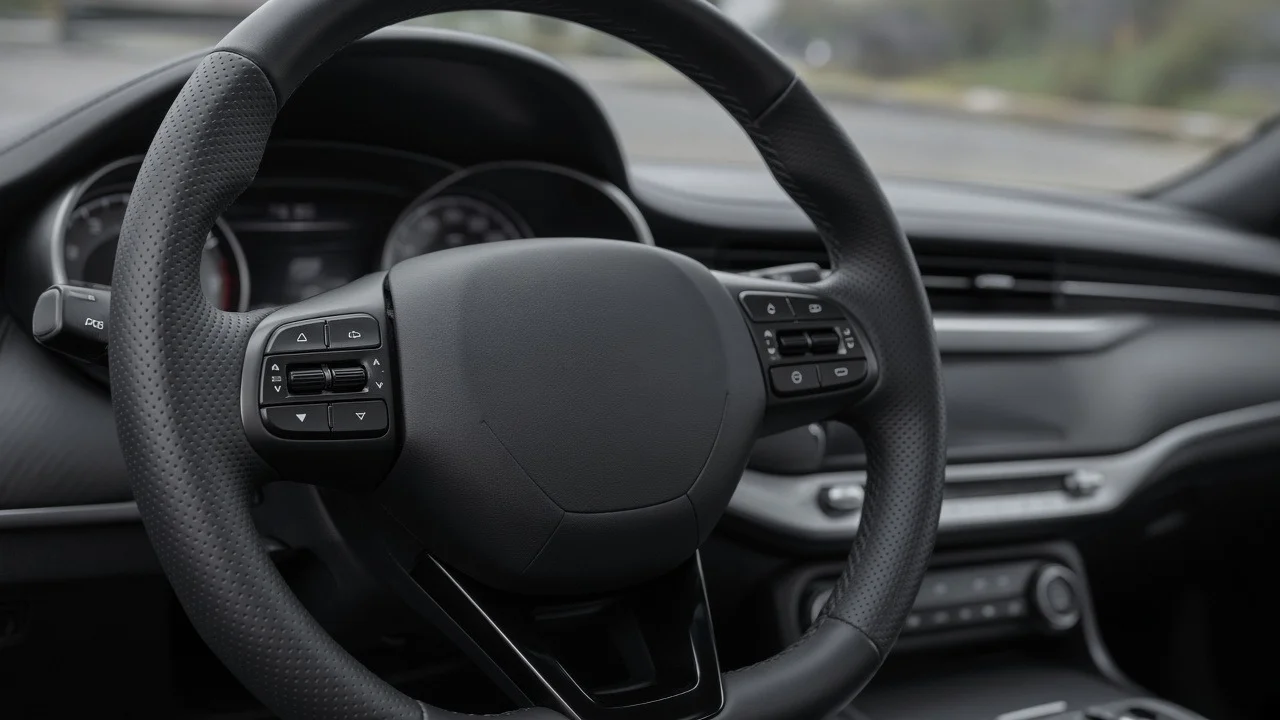
Steering wheel controls in the Kia Stinger put audio, phone, cruise, and driver information adjustments within thumb reach so you can keep your hands on the wheel. Understanding how each switch behaves helps you operate the interface without staring down at the spoke. Because trim levels and infotainment software can vary, exact button labels and menu behavior may differ by model year or market. The practical goal is to learn the general control layout and use the cluster, audio, and communication functions confidently while driving.
Essential answer
The Kia Stinger steering wheel controls let you manage frequently used systems without taking your hands off the rim. The left cluster commonly handles audio source, volume, and track or station changes, along with voice recognition or phone answer and end switches. The right cluster typically controls the instrument panel display and cruise or smart cruise functions, letting you scroll through trip data, vehicle settings, and driver assistance menus. Recognizing this basic split gives you a direct answer: one side handles media and communication, while the other handles vehicle information and speed control.
Exact labeling depends on the Stinger's equipment and infotainment generation, so what appears as a mode button on one model year may be labeled differently on another. For example, phone controls are often integrated through a call button rather than a separate telephone pad, and voice command may require a short press to access the connected phone assistant or the built-in system. Looking closely at the symbols before driving is the fastest way to confirm the layout, because pressing the wrong switch at highway speed can take your attention away from the road.