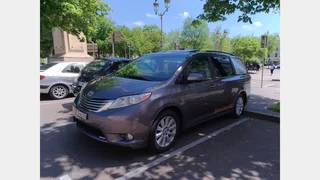
Toyota Sienna Steering Wheel Locked: Why It Happens and How to Release It
The Short Answer
If your Toyota Sienna's steering wheel is locked and the key won't turn or the engine won't start, the steering column lock has most likely engaged. This is a built-in anti-theft feature, not a breakdown. It usually happens when the engine is off and the wheel was turned, often because the front wheels were left angled or someone leaned on the wheel while getting out. The fix is usually simple: take the pressure off the lock by turning the steering wheel gently while you turn the key or press the start button.
The release method depends on how your Sienna starts. Earlier generations use a mechanical key in an ignition cylinder. Later models with a smart key system use a push-button start. Which one you have depends on model year and trim, so check your own vehicle and owner's manual for the exact procedure.
What the Steering Column Lock Does
A steering column lock is a mechanical anti-theft device built into the steering column. When the vehicle is switched off, a locking pin or bolt can engage a notch in the steering shaft. Once it engages, the wheel can turn only slightly before it stops. This makes the vehicle hard to steer without the correct key, even if someone bypasses the ignition.
The lock usually engages when you turn the wheel after shutting the engine off, until the pin drops into place. You often hear a click when it does. When the wheels are under tension, such as when parked against a curb or on a slope with the wheels turned, the pin can bind tightly. That binding is what makes the key or start button seem stuck.
How to Unlock the Steering Wheel on Key-Ignition Siennas
Make sure the shift lever is fully in Park. Insert the key fully into the ignition. Turn the steering wheel gently left and right to find the direction with slight play. One direction usually moves a little more than the other. While holding light pressure on the wheel in that direction, turn the key toward the accessory or on position. Once the key turns, the lock releases and the wheel moves freely.
Use moderate, steady pressure. Forcing the key or wrenching the wheel can bend the key or damage the ignition cylinder or lock mechanism.
How to Unlock the Steering Wheel on Push-Button-Start Siennas
Confirm the shift lever is in Park and the smart key is inside the vehicle. Press and hold the brake pedal. Turn the steering wheel slightly in either direction to relieve pressure on the lock. Press the start button while keeping light pressure on the wheel. If the dashboard shows a steering lock message, repeat the process while moving the wheel gently.
Some push-button vehicles use an electrically actuated steering lock instead of one tied directly to a key cylinder. The basic method is the same, but the system also has to detect a valid smart key. If the smart key battery is weak, the van may not recognize the key. Toyota smart key systems generally have a backup method, often holding the key fob close to the start button while pressing it. The exact procedure varies by model year, so check the owner's manual.
When a Locked Wheel Points to Something Else
If the methods above don't work, the cause may be something other than a bound steering lock.
Symptom | Possible cause | Practical next step; Key inserts but won't turn even with the wheel moved | Worn key or worn ignition cylinder | Try a spare key; a lock or ignition specialist can inspect the cylinder; Key won't turn and the shifter seems out of position | Shift lever not fully in Park | Move the shifter firmly into Park and try again; Push-button start doesn't respond and a key warning appears | Weak smart key battery or key not detected | Use the backup start method and replace the fob battery; Steering lock message stays on after several attempts | Possible fault in the steering lock or smart key system | Have a dealer or qualified technician diagnose it; Wheel feels stiff while driving | Not the anti-theft lock; possibly a power steering issue | Stop driving when safe and have the steering system inspected
The steering column lock should never engage while the engine is running and the vehicle is moving. Heavy steering while driving is a separate problem with the steering system and should be checked promptly.
Built-In Column Lock vs. Aftermarket Steering Wheel Locks
People searching for a locked Sienna steering wheel sometimes mean an aftermarket steering wheel lock. That is a bar or clamp that attaches to the wheel and stops it from turning fully. These are separate from the factory column lock and work as a visible deterrent on top of the vehicle's built-in security.
Factory column lock: built into the steering column, engages automatically when the vehicle is off, and is released by the key or smart key system. Aftermarket wheel lock: installed and removed by hand with its own key, sits visibly on the wheel, and is unaffected by the ignition. If an aftermarket lock's key is lost or the lock jams, the problem lies with that device, not with the Sienna's ignition or steering system.
Preventing the Wheel From Locking Tight
Straighten the front wheels before turning the engine off when you can. Avoid pulling on the steering wheel to help yourself in or out of the driver's seat. When parking on a slope with the wheels turned toward the curb, expect some binding and turn the wheel gently while starting. Replace smart key fob batteries when the vehicle shows a low-battery warning or the key's range seems shorter. If your key-ignition Sienna's key sticks often, have the key and cylinder checked before the problem gets worse.
Bottom Line
A locked steering wheel on a Toyota Sienna is almost always the factory anti-theft column lock doing its job. Turning the wheel gently while you turn the key or press the start button usually releases it. If that doesn't work, check the shifter position, try a spare key, or use the smart key backup method. If the lock still won't release, or a steering lock warning stays on, have a qualified technician diagnose the ignition, smart key or steering lock components.