Tesla Regenerative Braking: Settings, One-Pedal Driving, and Cold-Weather Limits
What is Tesla regenerative braking? It is the slowing Tesla vehicles apply when you lift off the accelerator, recovering energy instead of wasting it as heat. Do Teslas have regenerative braking? Yes. Tesla cars, including Model 3, Model Y, Model S, Model X, Cybertruck, and the Tesla Semi, use regenerative braking in ordinary driving. This guide covers how it behaves, which settings matter, and why winter, charge level, and software can change the feel.
What Tesla Regenerative Braking Does When You Lift Off
Yes, Teslas have regenerative braking, and regenerative braking on Tesla vehicles is the slowing you feel as soon as you ease off the accelerator. The drive motor switches from propelling the car to acting as a generator during deceleration and returns recovered energy to the high-voltage battery. That is how Tesla regenerative braking works in daily traffic. The Tesla regenerative braking system is tied to accelerator lift-off, not only to pressing the brake pedal.
Available regeneration varies during a trip and cannot guarantee a fixed stopping distance or a fixed amount of recovered energy. Drivers must remain ready to use the brake pedal whenever traffic, road conditions, or weaker deceleration require it. Friction brakes remain the backup when lift-off slowing is not enough. Regenerative braking in Tesla vehicles is a driving aid, not a promise that the car will always slow at the same rate.
Regen Behavior in Model 3, Model Y, and Other Tesla Vehicles
Do Tesla cars have regenerative braking across the lineup? Tesla Model 3 regenerative braking and Tesla Model Y regenerative braking both appear as strong slowing on accelerator lift-off, which is why Model 3 and Model Y owners often describe one-pedal driving. Confirm the exact controls in the owner's manual for your configuration. Regenerative braking on Tesla Model S, Model X, and Cybertruck follows the same owner practice: use that vehicle's supported controls and display information rather than assuming another model's menus.
The model name alone does not establish which regen controls or stopping modes you have. Model year, configuration, market, and software can change menus and behavior, so a Tesla 3 regenerative braking setup on an older car may not match a later Model 3. Tesla Model 3 regenerative braking efficiency is not a fixed percentage. Battery conditions and the driving situation affect how much energy returns, and the power display shows instantaneous recovery, not overall efficiency. Tesla Semi regenerative braking is likewise vehicle-specific; operators should use the Semi's own manual and displays.
Which Regen and Stopping-Mode Settings Your Tesla Supports
While parked, open the driving controls described in your owner's manual and see which Tesla regenerative braking settings your vehicle actually lists. Menu location depends on model and software, so do not hunt by memory from another car. Some Teslas document Standard and Low regeneration; others do not offer an adjustable regen level at all. Do not assume every Tesla has that slider. If Standard and Low appear, they change how strongly the motor recovers energy on lift-off, which changes the one-pedal feel without replacing the brake pedal.
Stopping mode is a separate choice where the vehicle supports it. Hold mode is meant to bring the car to rest and keep it from rolling after you stop, which many owners use for one-pedal driving. Creep allows a light crawl when you lift off, closer to a conventional automatic. Roll lets the vehicle move more freely near a stop. Some vehicles also offer a setting to apply friction brakes when regeneration is limited. That option can add slowing when the battery cannot accept much energy, but it does not promise identical deceleration in every condition.
One-Pedal Driving, Complete Stops, and FSD Supervision
One-pedal driving on a Tesla is learned by releasing the accelerator gradually and noticing how Tesla Model 3, Model Y, and other models slow the car through regenerative braking. Practice that lift-off in a safe, familiar setting so you know the deceleration before you need it in traffic. Supported stopping behavior can bring the vehicle to rest and hold it, especially in Hold. A complete stop is not achieved by regeneration alone; friction brakes finish the last bit of slowing and keep the car stationary when the motor can no longer usefully generate.
Does FSD use regenerative braking? FSD (Supervised) can use regenerative deceleration and friction braking as it manages speed, but there is no fixed blend you can count on across software versions. Drivers must supervise assistance features and press the brake pedal promptly when the car is not slowing enough. Pedal feel or perceived slowing alone cannot identify whether the Tesla regenerative braking system or the friction brakes are doing the work. Treat Autopilot and FSD as systems that still require a ready driver, not as a substitute for judging stopping distance.
Why a Cold or Fully Charged Battery Can Limit Regen
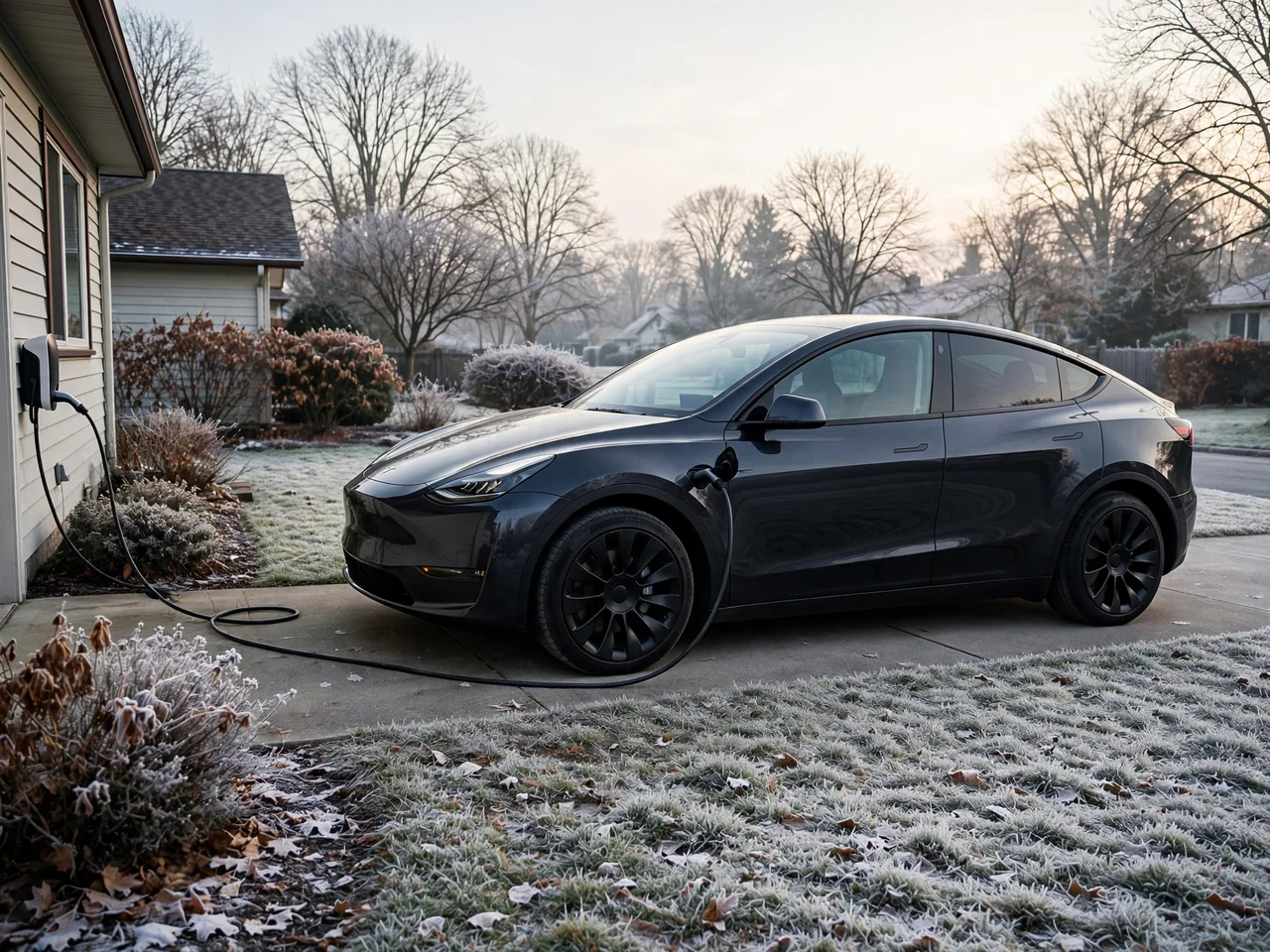
Tesla regenerative braking winter behavior often surprises owners because battery temperature and a high state of charge can restrict how much recovered energy the pack can accept. When the battery is cold or nearly full, limited regeneration is normal: the motor cannot send as much energy back. The owner-visible effect is weaker slowing when you lift off the accelerator. If your vehicle supports brake assistance when regeneration is limited, some of that missing deceleration may be filled in, but lift-off feel can still change from a warmer, mid-charge drive.
Battery preconditioning may help prepare the pack so it can accept more recovered energy, but it does not guarantee full regeneration immediately or in every condition, especially after a hard freeze or a charge to a high state of charge. Allow additional stopping space and use the brake pedal as needed until lift-off slowing returns. There is no universal charge limit or warm-up time that restores regen for every Tesla. Watch the power meter and any limited-regeneration messages rather than assuming a calendar-based winter routine.
Reading the Regen Display and Recognizing a Problem
The Tesla regenerative braking display is the power meter that shows energy use under acceleration and recovery during deceleration. Location and appearance vary by model and software, so verify yours in the instrument cluster or center display rather than copying another owner's screenshot. Limited-regeneration indicators or messages can explain why accelerator lift-off suddenly feels weaker. Do not rely on a universal color, symbol, or exact wording, because Tesla interface language changes with software. The recovery side of the meter shows instantaneous regen, not a health score for the Tesla regenerative braking system.
While parked, check state of charge, recent cold exposure, displayed alerts, and whether the weaker slowing began after charging or a software change. Those observations help separate expected limited regeneration from something that needs attention. Persistent unexplained changes in Tesla regenerative braking warrant a service assessment, especially if slowing remains weak after the battery is warm and not fully charged. Braking warnings, reduced stopping performance, or a car that will not slow as expected are not DIY diagnosis events: stop safely when you can and seek assistance rather than continuing to rely on lift-off feel.
Checking Regen Behavior After a Software Update
A Tesla regenerative braking update can change available controls, interface wording, or braking behavior. Applicability comes from that vehicle's software release notes and owner's manual, not from a general rumor that Tesla changed regenerative braking for everyone. Any claim that a setting was added, removed, or altered must name the supported vehicle and software scope. There is no universal timeline for how Tesla regenerative braking Model 3, Model Y, or other models evolved. How Tesla Model 3 regenerative braking works after an update depends on what that car actually received.
After an update, review regen while parked: read the software release notes, inspect available regen and stopping-mode controls, and check any limited-regeneration brake-assistance setting. Confirm that Hold, Creep, or Roll still match how you intend to stop. An update that lands near a change in slowing does not establish the cause. Battery temperature, state of charge, and alerts remain relevant, especially in winter or after a full charge. Drive with extra following distance until you relearn lift-off feel, and keep using the brake pedal whenever deceleration is short of what traffic requires.