Regenerative Braking Symbol and Indicator Lights: What They Mean
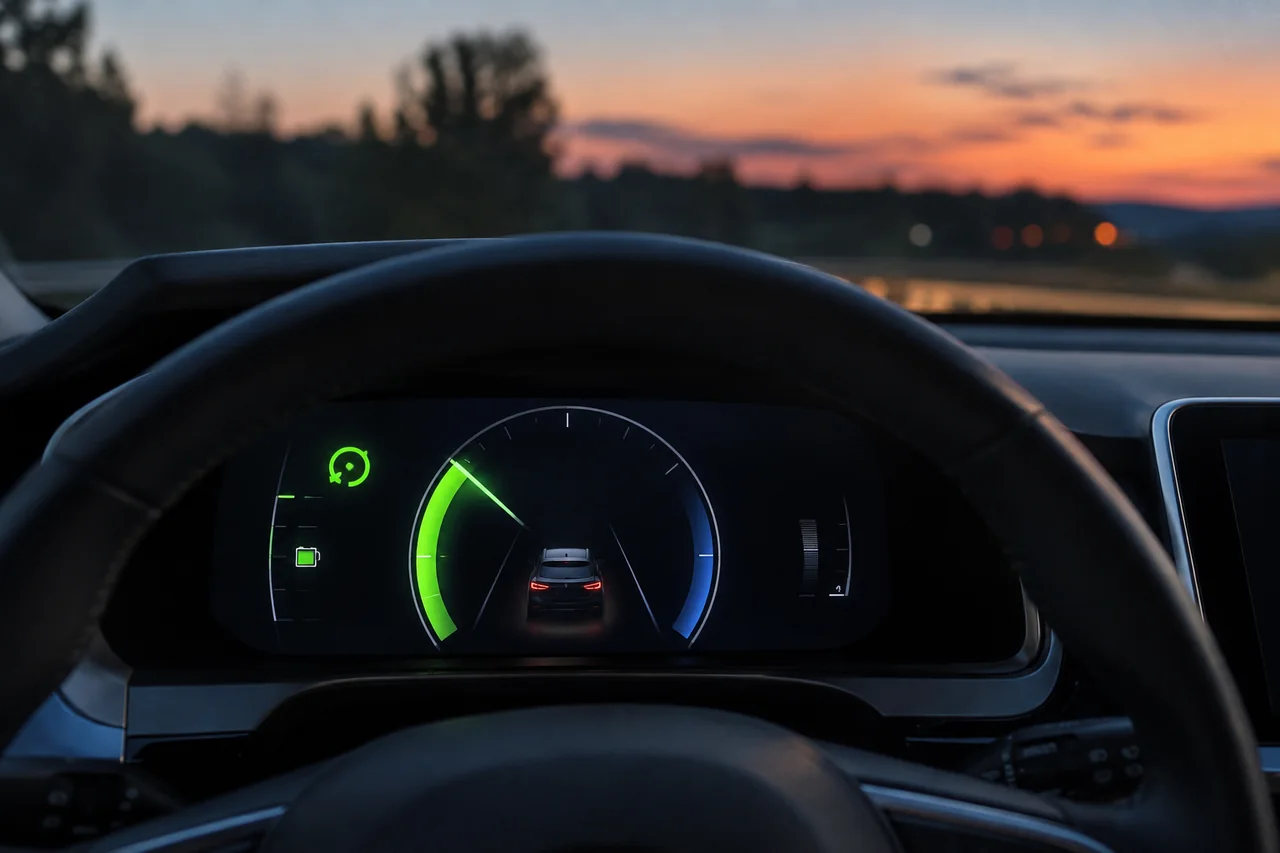
When you lift off the accelerator in a hybrid or electric vehicle, the regenerative braking icon tells you the car is recovering kinetic energy instead of wasting it as heat. This symbol appears in the instrument cluster or on a center screen, often as circular arrows, a battery with an inward arrow, or a highlighted charge segment. Understanding these dashboard icons, power meter movements, and whether brake lights illuminate during strong deceleration helps you drive more smoothly and safely.
What the Regenerative Braking Icon Looks Like on the Dashboard
Automakers use a few common visual themes for the regenerative braking icon. It may appear as a battery outline with an arrow pointing inward, a circular arrow suggesting energy flowing back into the pack, or a gauge segment that briefly turns green. Some vehicles combine a battery shape with a lightning bolt or curved arrows. There is no single universal design, so the icon on a Toyota hybrid may differ from the one on a Ford or Hyundai EV.
You will usually find the regen icon inside the instrument cluster or on a central display within the energy flow screen. When the icon lights up during deceleration, it is normal operating information, not a fault warning. To be certain what the icon on your own vehicle represents, consult the owner's manual or the manufacturer's symbol guide, because shapes and locations vary even between models from the same brand.
Common Regenerative Braking Symbols and What Each One Signals
Regenerative braking symbols can signal different states. A steady icon may mean regen is active, while a changing icon or number might indicate the selected strength level in a one-pedal driving mode. On many hybrids, a highlighted section of the charge zone grows longer as recovery increases. Colors matter too: green and blue typically mean energy recovery is happening, whereas amber or red lamps indicate a system warning unrelated to normal regen operation.
Because each manufacturer uses its own symbol library, the same graphic can carry different meanings. A solid circular arrow might simply show that the hybrid system is active, while a flashing version could point to a selected mode. Informational regen indicators are distinct from warning lights; if you see an amber or red lamp, consult the separate troubleshooting resources in your owner's manual rather than interpreting it as a routine regen symbol.
Reading the Power Meter and Charge Zone While You Slow Down
A power meter in an electrified vehicle usually has a power side and a charge side. When you press the accelerator, the needle or bar moves toward the power side. When you lift off or brake gently, the display swings into the charge zone, showing that the motor is now acting as a generator and sending energy back to the battery. This movement gives you a real-time sense of how much recovery is happening.
Gentle, early deceleration tends to keep the meter deep in the charge zone longer, because the electric motor handles most of the slowing. Sudden hard stops push the system beyond the motor's recovery capability, so friction brakes take over and the regen display drops. On a hybrid energy-flow screen, arrows may animate from the wheels to the battery during regen. Remember this gauge shows energy flow in real time, not a precise efficiency measurement.
Do Brake Lights Come On During Regenerative Braking?
Many electrified vehicles can illuminate the brake lights during regenerative braking even if the driver never touches the brake pedal. This typically happens when the deceleration rate crosses a threshold set by the manufacturer, such as during aggressive one-pedal driving. The logic is not universal; some systems light the brake lamps at lower deceleration than others, and a few may not activate them for mild regen.
Brake lights matter because following drivers need to know when you are slowing sharply. In one-pedal driving, a car can lose speed quickly without the traditional visual cue of a brake pedal movement. A safe way to check your own vehicle's behavior is to have a helper watch the rear of the car while it is parked, or observe a reflection against a wall or window. Avoid any risky driving tests to verify this.
Tesla Regenerative Braking and Brake Light Behavior
Tesla drivers can see regenerative braking activity on the touchscreen power display, often as a green bar or arc that shows energy flowing back to the battery during deceleration. The exact layout varies by model and software version, so avoid assuming a fixed graphic. On many Teslas, strong regen will trigger the brake lights automatically, and the on-screen car avatar may show the brake lamps illuminated as an informational cue.
Because Tesla updates software frequently, brake light behavior and regen-related settings can change. Always confirm current behavior in the owner's manual for your specific model and software release. On-screen brake light indicators, if shown, are informational and not warning messages. Settings related to stopping mode or regen strength can alter how aggressively the car slows, so review the available options in your vehicle's controls.
Why the Regen Indicator May Show Less Recovery Than Expected
When the high-voltage battery is nearly full or very cold, the vehicle may reduce regenerative braking to protect the battery. The dashboard often reflects this with a dashed line on the charge meter, a dimmed segment, or a limit marker that shows the reduced regen ceiling. Seeing less recovery under these conditions is usually normal behavior, not a defect, and the car will adjust as the battery warms up or discharges slightly.
With reduced regen, the car will not slow as quickly when you lift off the accelerator, so be ready to use the brake pedal normally. This change in deceleration feel can be surprising if you are used to strong one-pedal driving. If the reduced regen display is accompanied by a separate warning light or message, look up that specific alert in the manual or have a qualified technician check the system.