OBD2 Scanners for Trucks: How to Check Compatibility Before Buying
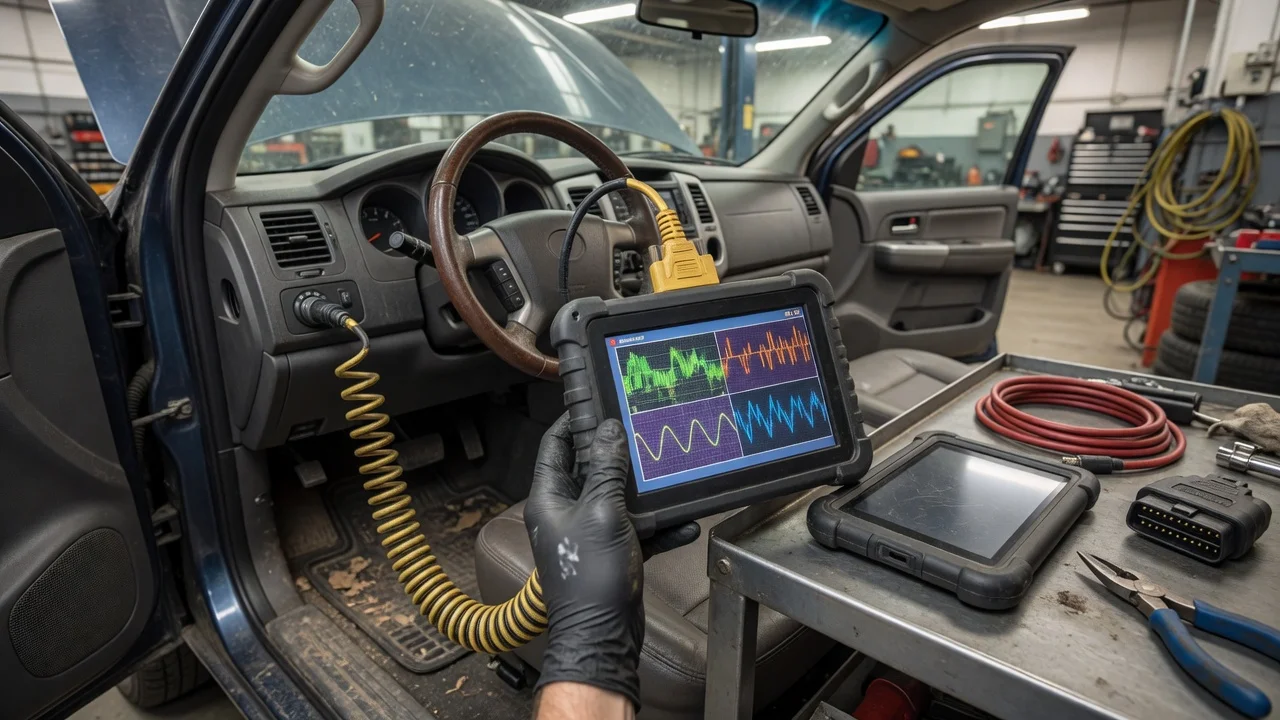
Start with the intended use
Before comparing devices, define where and how the scanner will be used. A personal pickup owner checking an engine light has different needs than a fleet operator gathering data from multiple heavy-duty trucks. Decide whether the tool will stay in one vehicle, move between trucks, or connect to a phone or laptop in the cab. Also note the operating environment: a scanner used outdoors in poor weather or inside a service bay should be easy to hold, read, and connect while working around the vehicle.
The result you need also shapes the choice. Some users only want to read and clear diagnostic trouble codes. Others need live sensor data, readiness monitors, or the ability to identify the vehicle automatically. If the scanner must work with several trucks, compatibility becomes the main filter because light-duty and heavy-duty vehicles do not always use the same diagnostic standard.
Features that matter
Protocol support is the most important specification for truck compatibility. Many passenger vehicles use OBD2 protocols over a standard 16-pin connector. Some trucks use the same connector but communicate through heavy-duty protocols such as J1939 or J1708, which require different decoder support. A scanner advertised only for OBD2 cars may not read those truck networks even if the plug physically fits.
Diagnostic coverage varies by model and vehicle class. Check whether the device lists support for the truck make, model, year, engine, and weight class you plan to scan. Heavy-duty coverage often includes engine, transmission, brake, and emissions modules, while generic OBD2 coverage may be limited to emissions-related data. Read the manufacturer's compatibility notes rather than assuming that a generic scanner works on every diesel or commercial vehicle.
Connection type also matters. Some scanners are handheld with a built-in screen. Others are adapters that communicate with a phone or tablet over Bluetooth or Wi-Fi. Adapters tend to be smaller and less expensive, but their usefulness depends on the companion app. Consider whether you need buttons that can be operated with gloves, a display that is readable in sunlight, or a cable that gives a stable connection in a moving vehicle.
Check compatibility
Start with the vehicle, not the scanner. Identify the truck's model year, engine type, and diagnostic connector. Look for the connector location, which is often under the dash on the driver's side. On heavy-duty trucks, check whether the vehicle has the standard OBD2 connector, a round diagnostic port, or both. A round port usually requires an adapter cable or a scanner built for heavy-duty diagnostics.
Confirm the supported diagnostic standard. Gasoline light trucks from the mid-1990s onward commonly support OBD2. Diesel pickups may support OBD2, but the availability of enhanced manufacturer data depends on the scanner. Medium- and heavy-duty trucks often use J1939 on a 9-pin connector, sometimes with J1708 as an older protocol. Choose a scanner whose listed protocol support matches the truck's system.
If you plan to use a mobile adapter, check the app requirements before purchase. Verify that the app supports the scanner model and the operating system on your phone or tablet. Some apps are limited to certain adapter brands or require an active connection for updates. A Bluetooth adapter needs a compatible Bluetooth version, while a Wi-Fi adapter may affect the phone's internet connection during use.
Power and connector fit are practical limits. The scanner should seat firmly without forcing the connector. In some trucks, the port is mounted in a recess or at an angle, which can make a long adapter difficult to use. Battery-powered handhelds avoid drawing vehicle power, but they need charging or replacement batteries. Adapters that draw power from the diagnostic port should be confirmed to work with the truck's voltage system if the vehicle is not a standard 12-volt passenger platform.
Build a shortlist
Use a checklist to compare only the scanners that fit the vehicle and the intended job. Start with the truck's diagnostic protocol and connector. Then filter by supported vehicle coverage and required functions such as reading codes, viewing live data, or accessing manufacturer-specific modules. Finally, confirm the connection type and app or update requirements.
A useful shortlist answers these questions for each scanner: Does the manufacturer list the truck's make, model, year, and engine as supported? Does the device support the truck's protocol and connector? Can it perform the specific task you need? Will it work with your phone, tablet, or computer if an app is required? Does the power and cable arrangement suit the cab or workshop environment?
Do not rank scanners by specifications alone. A device with broad protocol support may still lack the coverage needed for a particular truck family. A smaller adapter may be easier to carry but less practical for a fleet environment if the app is awkward to use. Keep the shortlist focused on confirmed compatibility and the tasks you need to perform, and treat unsupported or unclear vehicle coverage as a reason to remove a candidate.