How to Use the Chevy Trailer Brake Controller

Using a Chevy trailer brake controller correctly changes how a loaded trailer behaves under braking. The controller in the cab lets the driver set how strongly the trailer’s electric brakes engage relative to the tow vehicle, which can reduce push from the trailer and improve straight-line stability. Because trailer load, axle configuration, and controller design vary, the goal is not one fixed number but a repeatable setup procedure. This explanation covers what the controls do, what the driver should feel, and how to adjust the gain without confusing a stability problem with worn brake pads or rotors on the tow vehicle.
Direct answer
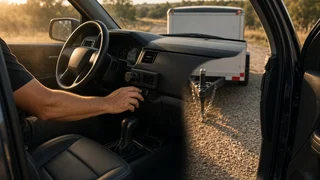
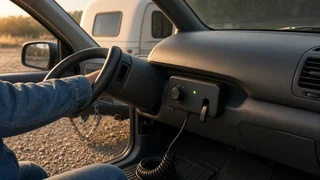
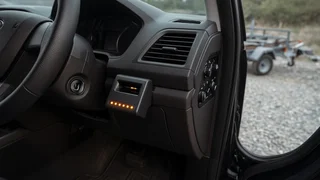
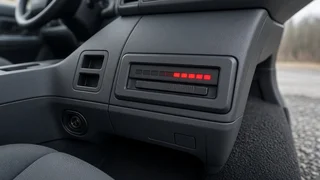
The essential answer is to start with the controller set to a low gain value, drive slowly on a flat surface, manually apply the trailer brakes, and increase the setting until the trailer brakes are firm without locking. The driver may choose a proportional controller that adjusts trailer braking to match deceleration or a time-delayed unit that ramps voltage at a fixed rate. On many Chevrolet trucks the control is integrated into the left dash area, but aftermarket units may be mounted under the dash and wired through a factory connector.
A correct setting should let the trailer brakes engage without a sharp tug when the pedal is pressed. If the trailer wheels skid too easily, the gain is too high; if stopping distance feels long or the truck is pushed forward, the gain may be too low. Because trailer brake friction material wears and loads change, the setting is not permanent. The controller output is only one part of the brake system, so a change in pedal feel on the truck may still point to brake fluid condition or caliper movement rather than the trailer controller.
How to proceed
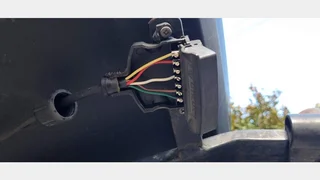
Begin with the vehicle parked, the trailer connected, and the trailer wiring confirmed through the seven-way or appropriate connector. Set the controller to its lowest output and, if available, select the correct trailer type. On an open lot, drive at about 15 mph, squeeze the manual lever fully without touching the foot brake, and note whether the trailer brakes grab, pulse, or feel absent. Increase output in small steps and repeat the manual application until a controlled drag is felt without lockup.
Then test with normal braking at a higher safe speed, watching for the trailer to track straight and for any tendency of the rear of the truck to feel light. Trailer load distribution affects this result, and unloaded trailers often need a lower setting than loaded ones. If the controller has boost or aggressiveness levels, change one variable at a time. Finally, avoid steady application of the manual lever over long distances, since prolonged trailer brake engagement can overheat drums, wear friction material past wear limits, and reduce trailer brake effectiveness.