Choosing an OBD2 Scanner on Amazon
What an OBD2 Scanner Does
An OBD2 scanner reads diagnostic information from a vehicle’s onboard computer through the standardized OBD2 port, which has been required on gasoline vehicles sold in the United States since 1996 and on diesel vehicles since 2008. The tool can retrieve diagnostic trouble codes, view live sensor data, and monitor readiness status for emissions testing. The essential answer to the question is that the right scanner depends mainly on how you plan to use it: a basic Bluetooth adapter with a smartphone app is often the least expensive and most flexible choice for reading codes and viewing live data, while a dedicated handheld scanner can be preferable when you want a tool that works without a phone and gives you physical buttons and an always-ready display.
Main Types of OBD2 Scanners
Amazon listings for OBD2 scanners generally fall into three groups. Bluetooth OBD2 scanners plug into the diagnostic port and communicate with an app on a phone or tablet. Wi-Fi OBD2 scanners use a wireless network connection and are commonly chosen for iPhone use, especially where an app or iOS version has limitations with Bluetooth. Handheld OBD2 scanners have their own screen and controls, so they operate without another device. The choice depends on your vehicle, your phone, and whether you want the app-based extras that Bluetooth and Wi-Fi tools can offer.
Bluetooth vs. Handheld: Which Option Better Fits Your Priorities
A Bluetooth OBD2 scanner is generally the better fit if your priority is low cost, frequent code reading, live gauges, and using a capable diagnostic app. The adapter itself is usually inexpensive, and the app can display trouble codes with plain-English descriptions, chart sensor readings, and let you clear codes. The trade-off is that the experience depends on the app and on phone compatibility, and the phone becomes part of the tool.
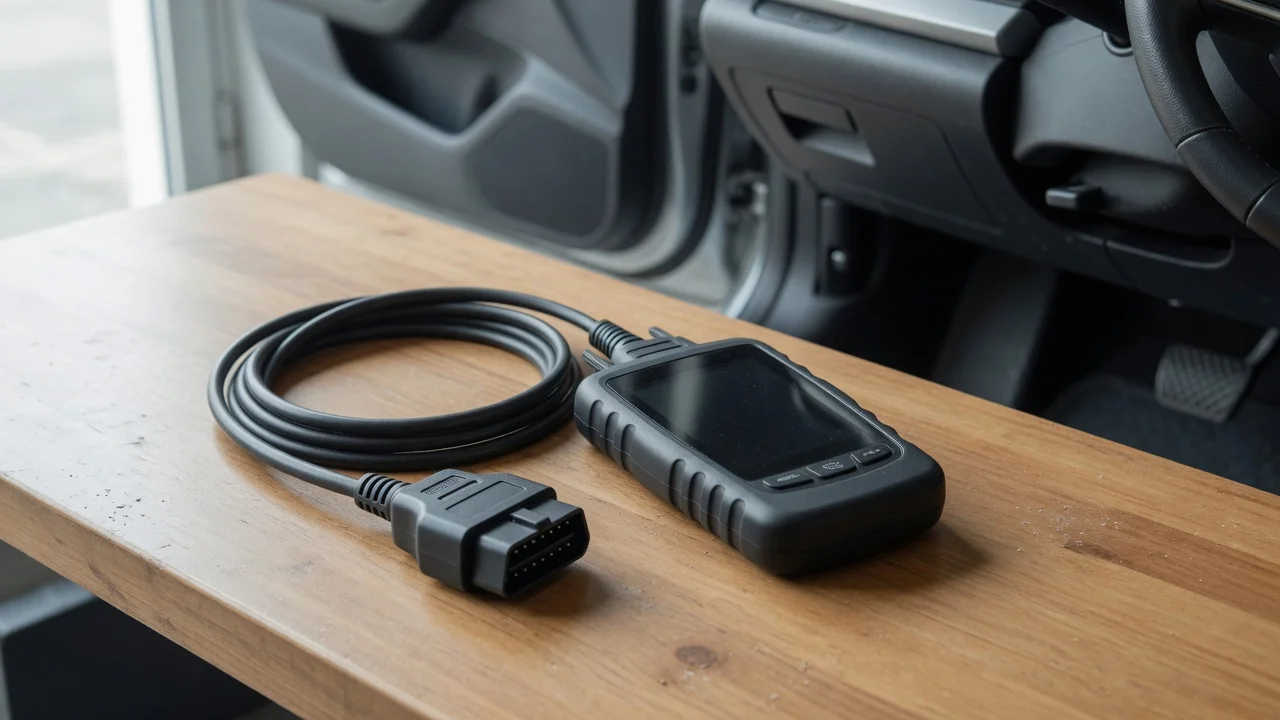
A handheld scanner is often preferable if you want a self-contained device that can stay in the glove box, is ready without pairing or launching an app, and does not rely on a phone battery or software updates. Many handheld models can read and clear codes and show basic live data, but inexpensive units may support fewer vehicle-specific systems than a good app paired with an adapter. Buyers should compare the supported protocols, app requirements, and included features rather than assuming a higher price always means broader coverage.
Compatibility and OBD2 Protocols
Compatibility is the most important qualifying factor. The OBD2 connector is standardized in shape, but the communication protocols have varied by manufacturer and model year. A scanner should state which protocols it supports, commonly including ISO 9141-2, KWP2000, SAE J1850 PWM, SAE J1850 VPW, and CAN. Many current vehicles use CAN, but an older vehicle may require one of the legacy protocols. Check the listing for your vehicle’s year, make, model, and market, and note that a diesel vehicle or a hybrid may use additional diagnostic systems that a basic scanner does not cover.
What to Check Before Buying
Vehicle eligibility: confirm the stated model years, engine type, and protocol support for your specific vehicle. Phone and app compatibility: if the scanner uses Bluetooth or Wi-Fi, verify that the required app supports your phone’s operating system version. Functions offered: distinguish between reading codes, clearing codes, viewing live data, and advanced functions such as ABS or airbag access. Update policy: check whether the app or handheld firmware can be updated and whether updates require a subscription. Readiness checks: if you need the scanner for emissions testing, confirm it can report monitor readiness status.
Realistic Expectations for Basic Scanners
A basic OBD2 scanner on Amazon is best understood as a diagnostic starting point, not a complete factory-level tool. It typically reads powertrain-related trouble codes, known as generic P codes, and clears the check engine light after the underlying issue has been addressed. It may not access manufacturer-specific codes, airbag, ABS, transmission, body control, or advanced bidirectional tests unless the product and supporting app explicitly list those functions. A scanner can clear a code, but clearing it does not repair the fault, and the code will return if the condition remains.
Practical Buying Approach
Start by determining which OBD2 protocols your vehicle uses and whether you prefer a phone-connected adapter or a standalone handheld unit. For a Bluetooth OBD2 scanner on Amazon, verify the adapter’s protocol list, the required or recommended app, and the customer feedback for your vehicle generation. For a handheld scanner, compare the display readability, cable length, update method, and the specific systems covered. The most useful purchase is usually the model that matches your vehicle’s confirmed protocol and the functions you actually need, not necessarily the one with the longest feature list.