Car Controls and Dashboard Instruments for Beginners
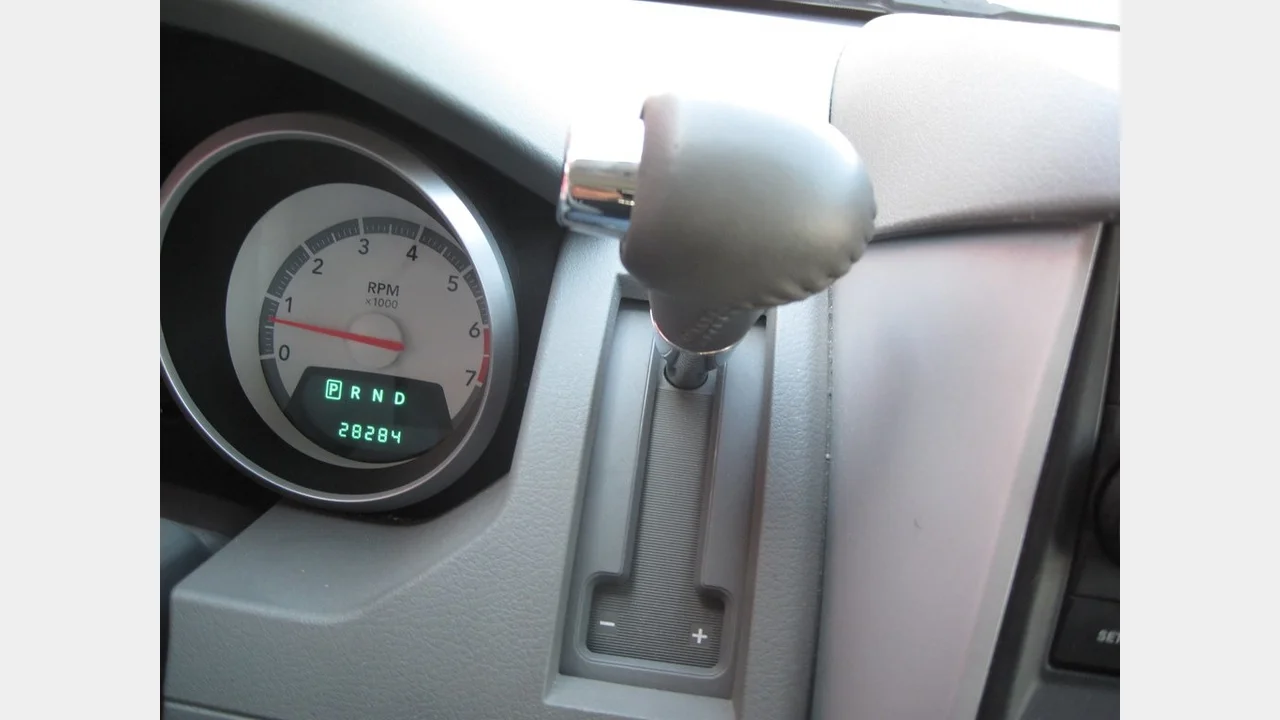
Car controls fall into two groups. Primary driving controls let you move, steer and stop the vehicle: the steering wheel, accelerator, brake, gear selector, parking brake and, in a manual car, the clutch. Secondary controls and instruments help you see, signal and monitor the car: the stalk controls behind the steering wheel, the instrument cluster, warning indicators, climate controls and the infotainment screen. The basic layout is similar across most modern passenger cars sold in the US. Exact placement, labeling and features vary by manufacturer, model year, trim and powertrain. Treat this guide as a general orientation, and use the owner manual for your specific vehicle as the final reference.
Primary driving controls
These are the controls a learner should be able to find without looking before driving in traffic. In US vehicles the driver sits on the left, and the pedals are operated with the right foot. In a manual car the left foot also works the clutch.
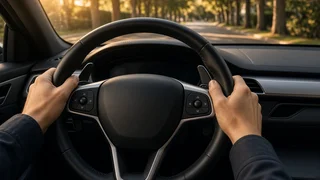
Steering wheel: turns the front wheels. Most wheels can be adjusted for tilt, and many also telescope toward or away from the driver. Adjust it so you can hold the wheel comfortably with a slight bend in your elbows. Accelerator (gas) pedal: the rightmost pedal. Pressing it increases engine power, or motor power in an electric vehicle. Brake pedal: to the left of the accelerator. It slows and stops the car. In an automatic, use your right foot for both pedals and never press them together. Clutch pedal (manual transmission only): the leftmost pedal. Pressing it disconnects the engine from the transmission so you can start, stop and change gears. Gear selector: chooses the direction and drive mode. It may be a floor lever, a column stalk, a rotary dial or a set of buttons, depending on the vehicle. Parking brake: holds the car in place when parked. It may be a hand lever between the front seats, a small pedal to the far left of the footwell, or an electronic switch, often marked with a P inside a circle. Horn: usually activated by pressing the center pad of the steering wheel.
Automatic gear selector positions
Most automatic transmissions use a version of the PRND layout. The vehicle normally requires your foot on the brake before it will shift out of Park.
P (Park): locks the transmission. Select it when you are stopped and ready to turn off the vehicle. R (Reverse): moves the car backward. Come to a full stop before selecting it. N (Neutral): disconnects drive from the wheels without locking them. It is used in specific situations, such as some car washes or towing, and not for normal parking. D (Drive): moves the car forward and shifts gears automatically. Additional positions such as L, S, B, M or +/- vary by vehicle. They may provide lower gears, a sport mode, stronger regenerative braking in a hybrid or EV, or manual gear selection.
Park and the parking brake do different jobs. Park locks the transmission, and the parking brake holds the wheels. Using both is a common habit on hills and slopes. Some vehicles apply an electronic parking brake automatically when you select Park or switch off the vehicle.
Starting the vehicle: key ignition and push-button start
Older and some current vehicles use a key ignition. A traditional key cylinder usually has several positions, often labeled LOCK or OFF, ACC (accessory), ON and START. ACC powers items such as the radio without the engine running. ON powers the vehicle's systems and runs a brief bulb and system diagnostic check on the dashboard. START cranks the engine and springs back to ON once you release the key.
Many newer vehicles use push-button start with a key fob that only needs to be inside the car. In most designs you press the brake pedal, or the clutch in a manual, and then press the start button. Pressing the button without the brake typically cycles through accessory and on modes without starting the engine. Electric vehicles and many hybrids show an indicator such as READY when the vehicle can drive, because there may be no engine sound to confirm it. To switch off, stop the car, select Park and press the button again. The exact procedure differs by manufacturer.
Car stalk controls
Stalks are the levers that stick out from the steering column. They let you operate frequently used functions without taking a hand far from the wheel. In most vehicles sold in the US, the left stalk handles turn signals and lights and the right stalk handles the windshield wipers. Some brands place the gear selector, cruise control or other functions on a stalk, so check your own car rather than assuming the layout.
Turn signals: push the left stalk up to signal a right turn and down to signal a left turn. It cancels automatically after the wheel straightens. A light tap often gives a short sequence of flashes for lane changes. Headlights: a rotating collar on the stalk, or a separate dial on the dashboard, selects off, parking lights, low beams and often an AUTO setting that switches headlights on in low light. High beams: usually engaged by pushing the stalk forward. Pulling it toward you briefly flashes the high beams. Dim them for oncoming traffic and when following another vehicle. Windshield wipers: the right stalk usually selects off, intermittent or automatic, low and high speed. A ring or dial often adjusts the intermittent delay or rain-sensor sensitivity. Washer fluid: pulling the wiper stalk toward you typically sprays washer fluid and runs the wipers. Rear wiper: on hatchbacks, SUVs and wagons, often controlled by a twist section or a forward push on the wiper stalk.
Steering wheel buttons
Most modern steering wheels carry buttons for functions you may need while driving. The specific set depends on the vehicle and trim. Common groups include audio volume and track selection, phone and voice-command buttons, cruise control or adaptive cruise control with set, resume, cancel and following-distance settings, lane-keeping and other driver-assistance toggles, and arrows or a scroll wheel for navigating menus in the instrument cluster. Learning these by feel while parked reduces the need to look away from the road.
The instrument cluster
The instrument cluster is the display directly behind the steering wheel. It shows the vehicle's operating status: how fast you are going, how much fuel or charge remains, and whether any system needs attention. It may use physical needle gauges, a fully digital screen or a mix of both. Many digital clusters let you choose different layouts.
Speedometer: shows road speed. US vehicles display miles per hour, often with kilometers per hour as a secondary scale. Tachometer: shows engine speed in revolutions per minute, usually in thousands. The red zone marks the upper limit. Electric vehicles generally replace this with a power or energy-use meter. Fuel gauge: shows the fuel level from E to F. A small arrow next to the fuel pump symbol on many cars indicates which side the fuel door is on. Charge and range display (EVs and plug-in hybrids): shows the battery state of charge and an estimated driving range. The estimate changes with speed, temperature and climate-control use. Coolant temperature gauge: shows engine temperature on many gasoline and diesel vehicles. Some cars show only a warning light instead of a gauge. Odometer and trip meters: the odometer records total distance driven, and trip meters can be reset to track individual journeys or fuel-fill intervals. Information display: a screen area that shows display messages such as maintenance reminders, tire pressures, outside temperature, average fuel economy or driver-assistance status.
Warning indicators and what their colors mean
Each warning indicator is a symbol that lights up in the instrument cluster. When you switch the ignition to ON, many lights briefly illuminate as a self-test, then go out. A light that stays on or comes on while driving is telling you something. Colors follow a broadly consistent convention, although the exact meaning of each symbol should be confirmed in the owner manual.
Red: a potentially serious problem or a safety issue. Stop safely as soon as practical and investigate. Amber or yellow: a fault or condition that needs attention soon. It is not always an emergency, but it should not be ignored. Green or blue: information only. A system is on, such as headlights, cruise control or high beams (usually blue).
Indicator | Typical color | General meaning | Typical beginner response; Check engine (engine outline) | Amber | The engine or emissions system has detected a fault | Have it diagnosed soon; if it flashes, reduce load and get it checked promptly, as this often signals a more serious condition; Oil pressure (oil can) | Red | Low oil pressure | Stop safely and switch off the engine; check the oil level before driving further; Charging system (battery) | Red | The battery is not being charged properly | Limit electrical use and seek service, as the car may eventually stop running; Brake system (BRAKE or circle with exclamation mark) | Red | Parking brake applied, low brake fluid or a brake system fault | Check that the parking brake is fully released; if it stays on, have the brakes inspected before driving; ABS | Amber | Anti-lock braking is unavailable | Normal brakes usually still work, but have the system checked; Airbag (seated figure with circle) | Red or amber | A fault in the airbag or restraint system | Have it inspected, because airbags may not deploy as designed; Tire pressure (horseshoe with exclamation mark) | Amber | One or more tires may be underinflated | Check pressures and inflate to the figure on the driver's door jamb label; Engine temperature (thermometer) | Red | The engine is overheating | Stop safely and switch off the engine; do not open a hot radiator cap; Seat belt reminder | Red | A belt is unfastened | Fasten the belt before moving; Traction or stability control (car with wavy lines) | Amber | Flashing usually means the system is working; steady can mean it is off or faulty | Ease off if flashing; if steady, check whether it was switched off, and seek service if the light persists
Modern cars increasingly back up symbols with text display messages such as a request to check the engine oil level or a reminder to service the vehicle. When a message appears, read it fully once you are safely stopped. For an intermittent or unclear warning, a repair shop can read stored fault codes with a diagnostic scan tool.
Dashboard and center console controls
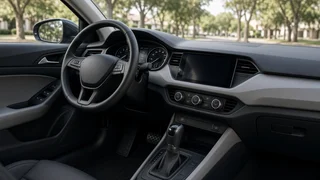
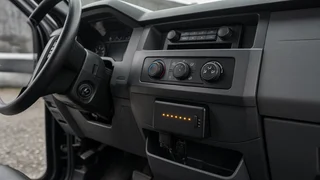
The central area of the dashboard groups controls that both front occupants may use. Layouts range from physical knobs and buttons to touchscreen menus, and many cars mix both.
Hazard warning lights: a button with a red triangle symbol, usually in the center of the dashboard. It flashes all turn signals to warn other drivers when you are stopped or disabled on the road. Climate control: temperature, fan speed and airflow direction (face, feet, windshield). Automatic climate systems maintain a set temperature. Front defrost: directs air to the windshield, usually shown as a curved window with wavy arrows. Many systems automatically run the A/C compressor to dry the air. Rear defrost: heats lines in the rear window, shown as a rectangular window with wavy arrows. It often switches off automatically after a set time. A/C and recirculation: A/C cools and dehumidifies the air. Recirculation reuses cabin air instead of drawing outside air, which can help cool the cabin faster but may fog windows in cold or damp weather. Infotainment screen: audio, navigation, phone connection and often vehicle settings. Set it up before driving rather than while moving. Drive mode selector: on vehicles that have one, it may offer modes such as Eco, Normal, Sport, Snow or off-road settings that change throttle response, shifting or traction behavior.
Other controls on a vehicle worth locating early
Seat adjustment: fore and aft, height and backrest angle. Set your seat first so you can fully press the brake with a slight bend in the knee. Mirror controls: a small switch or joystick, often on the driver's door, adjusts the side mirrors. The interior rearview mirror is adjusted by hand and may dim automatically or have a manual night-tilt tab. Windows and door locks: switches on the driver's door, often with a lock-out button that disables rear passenger windows. Hood release: usually a lever low on the driver's side of the dashboard or footwell, followed by a secondary latch under the front of the hood. Fuel door or charge port release: may be a lever, a button or simply a push-to-open door, depending on the vehicle. Interior lights: on the headliner, often with a door-activated setting.
How controls differ between automatic, manual, hybrid and electric cars
Powertrain | Key control differences; Automatic (gasoline or diesel) | Two pedals; PRND gear selector; tachometer and temperature gauge or light; Manual transmission | Three pedals including clutch; gear lever with a shift pattern printed on the knob; starting usually requires the clutch pressed; much less common in new US vehicles; Hybrid | Similar to an automatic; may show READY instead of an engine start; power or energy-flow display; the engine may start and stop on its own while driving; Electric vehicle | Two pedals; no tachometer; state of charge and range display; regenerative braking settings, and on some models one-pedal driving that slows the car strongly when you lift off the accelerator
How to learn car controls in a new or unfamiliar vehicle
Building knowledge of vehicle controls is mostly a matter of locating and operating each device while parked before you need it on the road. Driving instructors often call this a cockpit drill. A simple routine works for a learner's first car, a rental or a newly purchased vehicle.
With the car parked and switched off, adjust the seat, steering wheel, head restraint and mirrors, then fasten your seat belt. Identify the brake, accelerator and, if fitted, the clutch by feel. Find the gear selector and parking brake and learn how each engages and releases. Switch the ignition to ON or press the start button without the brake, and watch the warning indicators light up and go out during the startup check. Operate both stalks: signal left and right, switch headlights on and off, flash the high beams, and run the wipers and washers. Locate the hazard light button, the horn, front and rear defrost, and the main climate controls. Pair your phone and set up navigation or audio preferences so you do not need to do it while driving. Skim the owner manual sections on controls, the instrument cluster and warning lights, since symbols and procedures can vary by model. Practice operating key controls without looking down until they feel automatic.
Summary
For a beginner, the essential vehicle control instruments are the steering wheel, pedals, gear selector, parking brake and ignition. Next come the turn signal, light and wiper stalks, followed by the instrument cluster gauges and warning indicators. The general principles carry from car to car, including red warnings for urgent problems, amber for attention soon and green or blue for information. The details do not always carry over, so spend a few minutes with each new vehicle and its owner manual before driving it.