Why Does a Digital Car Key Need a Backup Plan?
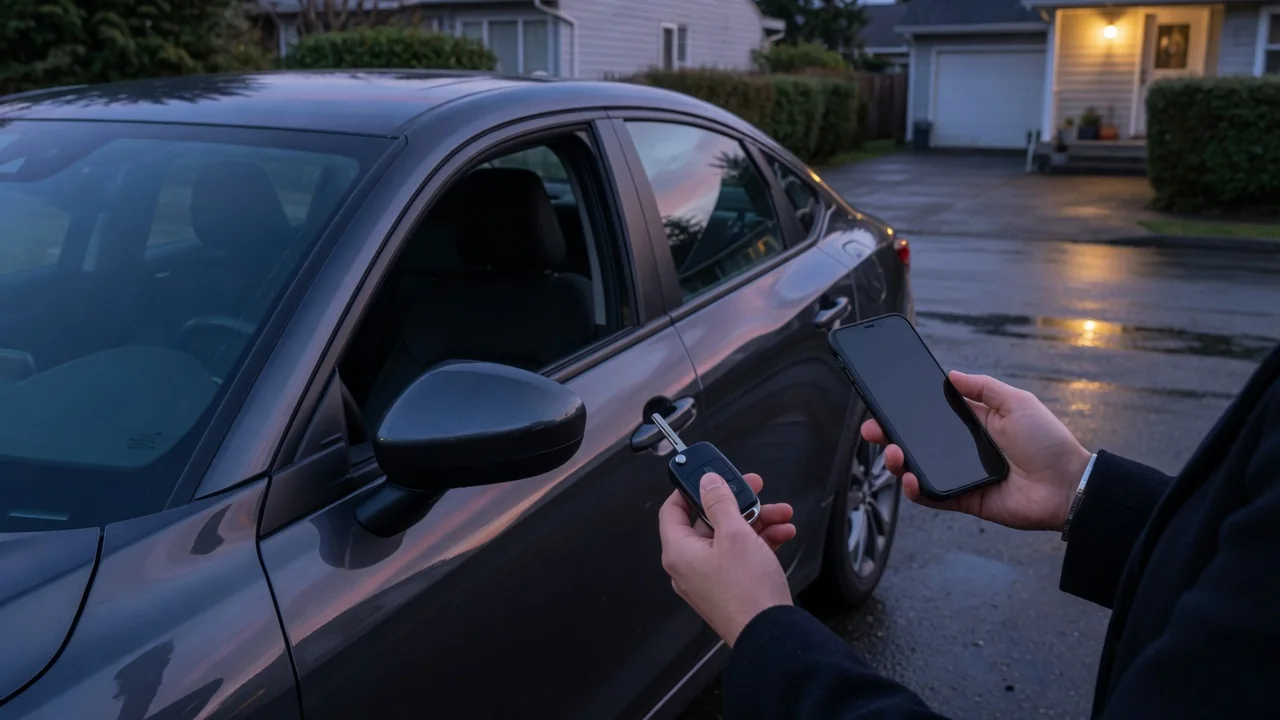
A digital car key turns a smartphone or smartwatch into the credential that unlocks and starts a vehicle. It removes a bulky fob from your pocket, but it also ties access to a device that runs on a battery, depends on software, and can be lost, broken, or locked. So why does a digital car key need a backup plan? Every link in that chain can fail at an inconvenient moment. Digital car key backup access keeps a minor problem from leaving a driver stranded.
Phone battery: the most common point of failure
Most digital key systems communicate with the car over short-range wireless technologies such as NFC, Bluetooth Low Energy, or, on some newer setups, ultra-wideband. Each of these requires the phone to have enough power to run its radios and authenticate the key. When the battery is drained, the phone may have nothing left to offer the car, and the vehicle has no way of knowing that the person standing beside it is the rightful owner. A phone that dies in a parking garage at night is not an unusual edge case. It is the everyday scenario that a backup plan exists to cover.
Some phone platforms provide a limited reserve mode that keeps tap-to-unlock NFC functions available for a period after the phone shuts down for low battery. Where it exists, that feature is helpful, but it is not universal and it typically supports only certain interactions. How long it lasts depends on the device and its condition. Passive features such as walk-up unlocking usually need the phone fully running. Cold weather, an aging battery, or heavy background use can also drain a phone faster than expected, so it is unwise to treat any reserve feature as a guarantee.
A digital key is only as available as the device holding it. Keeping a charger or cable in the car does not help if you cannot get inside, so the backup needs to live outside the vehicle. That can be a physical key card, a conventional fob, or a second enrolled device carried by someone else.
Sharing: convenient, but dependent on accounts and connectivity
One of the biggest advantages of a digital key is the ability to share access remotely. Owners can often send a key to a family member, friend, or other driver through a messaging app or the manufacturer's companion app. Some systems let the owner limit what a guest can do, such as restricting certain driving or vehicle functions. That flexibility is real, but it rests on several conditions being true at the same time.
Sharing generally requires the recipient to have a compatible phone, an updated operating system, and an account in the correct ecosystem. The invitation itself usually travels over the internet, so a sender or recipient without a data connection may not be able to complete setup when it matters. Some systems also require the owner to approve or activate a shared key, and some limit how many keys can be active at once. If a shared key fails to provision, the person waiting at the car has no fallback unless one was arranged in advance.
Sharing can also work against the owner. If the owner's own phone is lost, revoking keys and re-establishing access typically involves account recovery and identity verification, and sometimes a visit to a dealer. A backup plan for sharing means knowing who holds active keys. It also means keeping a physical credential available for drivers who cannot use the digital system and knowing how to revoke access if a device goes missing.
Emergency entry: when the normal path is unavailable
Emergencies rarely happen when the phone is fully charged and has a strong signal. A driver may need to get into the car after an accident, in a remote area with no cellular coverage, or after a phone has been dropped, cracked, or stolen. Where remote unlock through a connected-car app is offered, it relies on several things working at once. The vehicle's own cellular modem and the manufacturer's servers must both be reachable, and the vehicle's systems need enough power to respond. Underground parking, rural roads, and service outages can all break that chain.
Vehicle power matters too. Electronic door latches, keypads, and wireless readers depend on the car's low-voltage battery. If that battery is depleted, a perfectly working phone may not be able to unlock the doors at all. Many vehicles provide some form of mechanical or alternative entry for this situation, such as a hidden key cylinder or a manual release. The location and procedure vary widely, and on some designs the backup path is not obvious without reading the owner's manual first.
Locking a phone inside the vehicle is another familiar emergency. Depending on the system, the car may detect the key inside and refuse to lock, or it may not. Owners should not assume either behavior without confirming how their own vehicle is designed to respond.
Practical implications and limits of a backup plan
A workable plan starts with an inventory. Find out which physical credentials came with the vehicle, whether a key card, fob, or mechanical blade, and where each one is kept. A backup stored in the glovebox defeats its purpose. A card in a wallet, a spare fob at home, and a second credential held by a trusted person each cover different scenarios, so it is reasonable to keep more than one. It also helps to rehearse the emergency procedure once in calm conditions. That way you already know where any concealed key cylinder or manual release is before you need it.
There are limits to what any plan can solve. A backup credential can be lost along with a wallet or bag. Replacing physical keys for modern vehicles generally involves programming that only an authorized service provider can perform. Account-based recovery may take time, and roadside assistance or a dealer may need proof of ownership before helping. Software updates to the phone, the app, or the vehicle can also change how digital keys behave, so review your setup after major updates.
Finally, the specifics depend on the vehicle and the phone, not on general guidance. Supported devices, reserve battery behavior, sharing permissions, and emergency entry procedures differ between manufacturers and even between model years. The owner's manual and the manufacturer's official app documentation are the authoritative references. Checking them once ahead of time is far less stressful than looking for the answer in a dark parking lot.