Why Does a Car Camera Display Change When Shifting Gears?
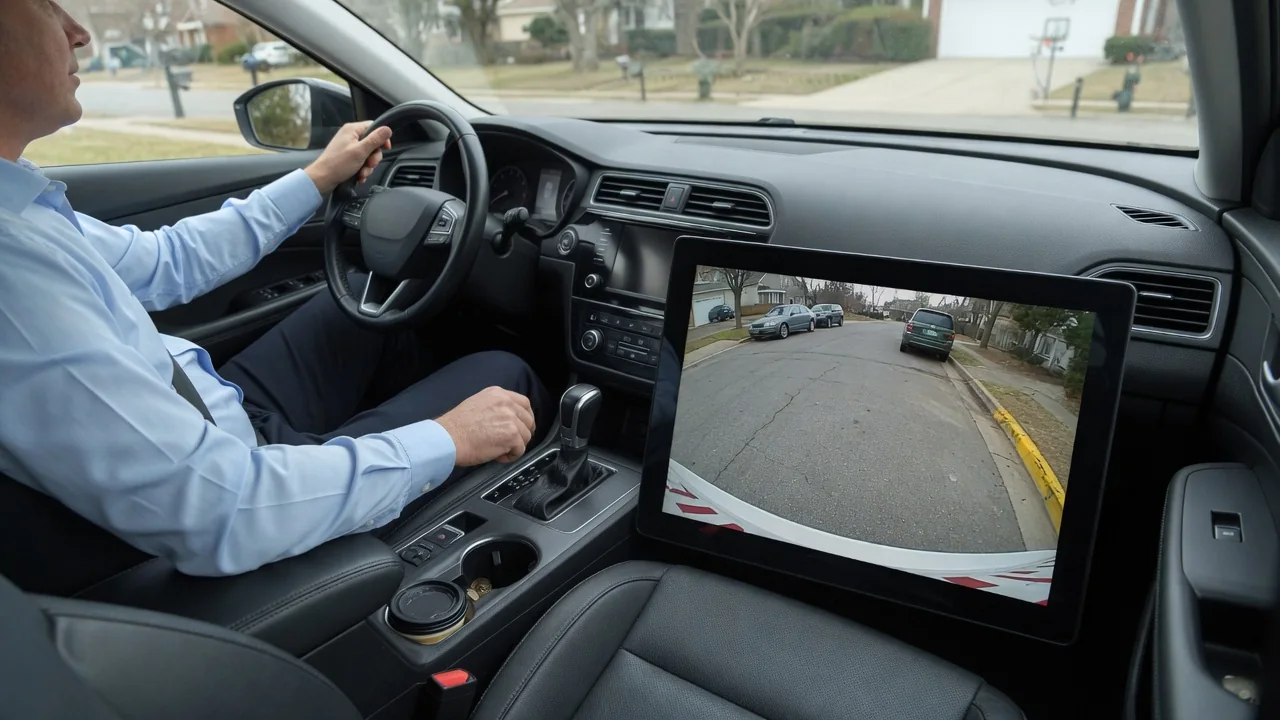
Many drivers wonder why a car camera display changes when shifting gears. The short answer is that the vehicle treats gear selection as a signal of what you are about to do. Selecting reverse, drive, or park tells the infotainment system which view is most useful, so the screen switches automatically to match the maneuver.
Reverse trigger
The most familiar switch happens when you select reverse. The transmission range sensor or shifter module reports the gear position, and that signal reaches the display unit either over the vehicle data network or through a dedicated wire tied to the reverse lamp circuit. The head unit treats the signal as a priority request, interrupts navigation, audio, or phone screens, and shows the rear camera image. This is why the picture appears even when you were in the middle of another menu.
What you see during this switch varies by vehicle. Some screens show the image almost instantly, while others take a moment as the camera powers up and the display changes video sources. Guidelines may be fixed or may bend with steering angle, and some vehicles add parking sensor graphics alongside the image. Aftermarket head units often rely on a separate trigger wire, so their behavior depends heavily on how the installation was done rather than on factory programming.
Front camera options
Vehicles with a front camera or a surround-view system use gear changes in the other direction too. When you move from reverse into drive at parking speeds, many systems switch from the rear image to a forward view, assuming you are completing a back-and-forth maneuver in a tight space. The logic is the same context-sensitive idea: the camera pointed in your direction of travel is the one most likely to show the curb, wall, or bumper you are trying to avoid.
The forward view usually does not stay on for long. Most systems close it once the vehicle exceeds a low speed threshold or after a short time, returning the screen to whatever was showing before. Some vehicles only display the front camera if reverse was selected first, while others open it when front parking sensors detect an obstacle. Top-down composite views, split screens, and wheel-side views are also common, and which ones appear with each gear depends on the manufacturer and trim level.
Driver control
Automatic switching is not the only way the image changes. Many vehicles provide a camera button on the console, a touchscreen icon, or a steering wheel shortcut that lets the driver call up a view manually at low speed. On-screen controls often allow cycling between wide, normal, and overhead angles, or selecting a hitch view when connecting a trailer. In those cases the gear position sets the default image, and the driver refines it for the situation at hand.
Settings menus frequently let owners adjust how the system behaves. Common options include a delay that keeps the rear image visible briefly after leaving reverse, toggles for guidelines, and choices about whether the front view opens automatically. The names and locations of these settings differ widely, and some vehicles offer none at all. The owner's manual for the specific model is the reliable reference, because similar-looking screens from different brands can follow quite different rules.
Everyday Use and Observations
In daily driving, the switching becomes most noticeable during parallel parking or a three-point turn. Shifting between reverse and drive several times can make the screen alternate between rear and front views, with a brief blank or frozen frame during each change. A manual transmission passing through neutral, or an automatic moving past reverse on the way from park to drive, may flash the rear image for an instant. These brief flickers are normal consequences of the gear signal changing.
Other everyday details are worth noticing. Selecting park typically closes the camera view and restores the previous screen, though some vehicles hold the image for a few seconds first. Audio usually keeps playing while the picture takes over, and parking sensor tones may lower the music volume. At night the image can look grainy or brighter than expected because the camera boosts its sensitivity, and the reverse lamps provide most of the light the rear lens has to work with.
Limits and Next Steps
The system has limits that are worth understanding. Cameras have blind areas close to the bumper and at the corners, wide-angle lenses distort distance, and dirt, rain, or low sun can degrade the image. The automatic switch only chooses a view; it does not confirm that the path is clear. Mirrors and a direct look around the vehicle remain necessary, especially for small children, pets, and low objects that may sit outside the camera's field of view.
If the display stops changing with the gear, switches late, shows a black or flickering image, or stays on the camera view while driving, start with simple checks. Clean the lens, review the camera settings, and note whether the problem appears in every gear or only one. Persistent faults can involve the camera, wiring, the gear position signal, or display software, and a stored fault code only points toward an area to investigate. A qualified technician with vehicle-specific information can confirm the actual cause.