Why Does a Car Ask for Location Permission?
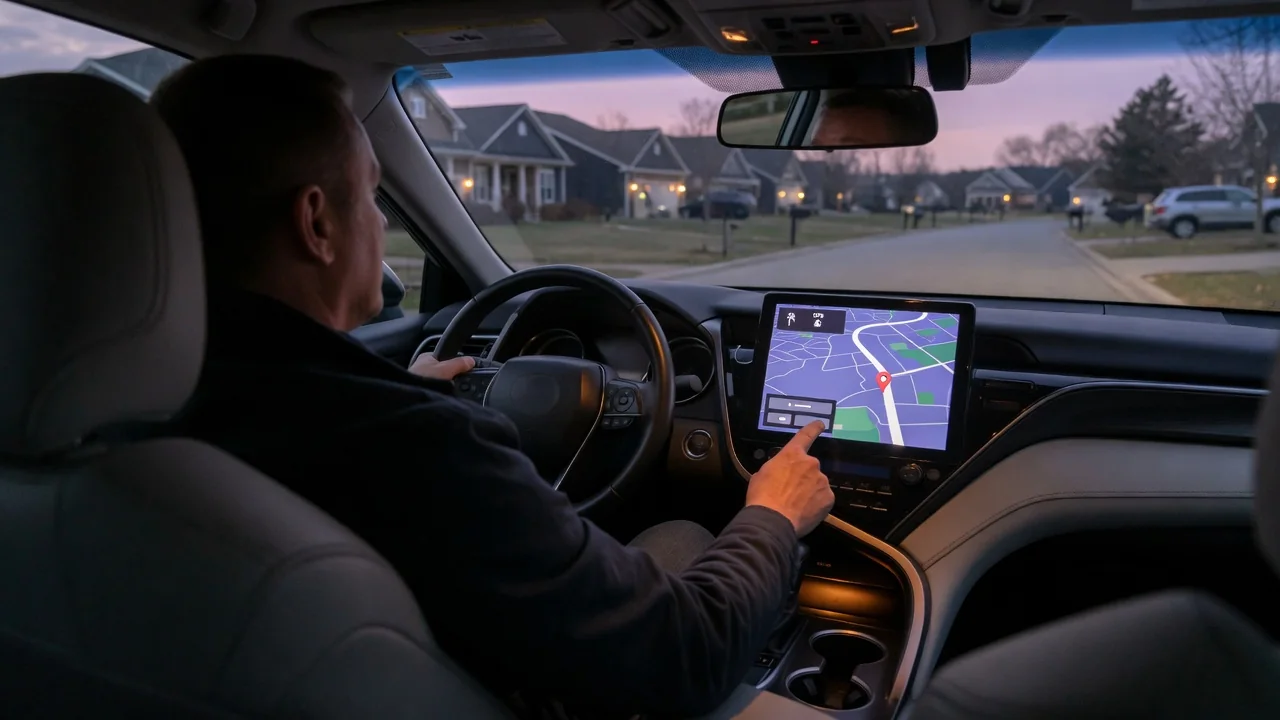
A prompt on the dashboard screen or in a companion phone app can feel intrusive, and many drivers wonder why does a car ask for location permission at all. The short answer is that navigation, connected services, and several safety functions depend on knowing where the vehicle is. Understanding what the request covers makes it easier to decide how to respond.
Feature needs
Built-in navigation is the most obvious reason. To draw the vehicle on a map, calculate a route, and announce a turn at the right moment, the system needs a continuous position fix from a satellite receiver, often refined with wheel speed and steering data when the signal drops in a tunnel or parking structure. Live traffic, rerouting around a closure, and estimated arrival times add another layer, because the car typically has to send its position to a server to receive conditions relevant to the road ahead.
Other features lean on location in less visible ways. Local weather, nearby fuel or charging station searches, and parking finders all start with the current position. On many electric vehicles, range estimates and charging stop planning consider the route and terrain. Emergency calling systems, where fitted, can pass coordinates to responders after a crash, and stolen vehicle tracking or a find-my-car function in a phone app would be useless without it. Which of these exist depends on the make, model year, trim, and any active subscription.
Permission scope
The request may come from different places, and the scope differs with each. A prompt on the infotainment screen usually governs the vehicle's own modem and services. A prompt on a phone often relates to the manufacturer's companion app or to phone projection such as Apple CarPlay or Android Auto, where the phone's mapping apps supply the position and the phone's operating system manages consent. These are separate permissions, so approving one doesn't automatically approve the other, and declining one may leave the other untouched.
Scope also describes how much is shared and when. Some systems separate using location on board, for drawing a map, from transmitting it off the vehicle for traffic, remote services, or analytics. Phone apps commonly offer choices such as only while the app is in use, always, or approximate rather than precise position. Background access is typically what allows a remote app to show where the car is parked. Wording and granularity vary by brand, so the on-screen description and the privacy notice are the reliable guides for a given vehicle.
Review settings
Most modern infotainment systems place these controls in a privacy, connectivity, or data sharing menu, though the names and layout vary widely. Drivers may find a single master switch, separate toggles for individual services, or a privacy mode that suspends transmission for a time. Some vehicles tie the choices to a driver profile, so a second driver with a different key or login may have different settings. The owner's manual or the in-vehicle help pages usually identify where each option lives and what turning it off affects.
The phone side deserves the same attention. In the handset's app permissions, the manufacturer app and any navigation apps each show their current location access level, which can be changed at any time. Within the companion app itself, there may be additional consent screens for trip history, driving data programs, or sharing with third parties. It is worth revisiting these after a software update, a change of ownership, or a new subscription, since updates can add features that bring fresh prompts or reset earlier choices on some systems.
Everyday Use and Observations
In daily driving, the effects of a granted permission are easy to spot. The map centers on the vehicle promptly, traffic coloring appears on the route, searches return nearby results sorted by distance, and the remote app shows the last parked position. Many screens display a small location or connectivity icon in the status bar when position is being used or shared. A prompt that reappears after each start may point to a profile that is not saving preferences or a guest mode being active rather than a fault.
With permission declined, the pattern changes in ways drivers can observe. The map may still follow the car using the onboard receiver, yet traffic data, online search, and weather may be greyed out or show a message asking for consent. A phone app may report the vehicle's location as unavailable. Projected navigation can behave differently again, since it follows the phone's settings. Brief position drift in dense city streets or after a long underground stop is normally a signal limitation, not a permission problem.
Limits and Next Steps
Location settings have limits worth understanding. Switching off sharing in a menu doesn't necessarily stop every transmission; emergency call functions may be handled separately, sometimes under regulatory requirements, and some data may be covered by terms accepted at purchase or subscription. Declining can also reduce functionality that was paid for, such as remote services or connected routing. Only the manufacturer's documentation and privacy policy for the specific vehicle and region can confirm exactly what is collected, how long it is kept, and who receives it.
A sensible next step is to decide which features matter, then grant the narrowest permission that keeps them working, and check the result on a short drive. Anyone buying a used vehicle should ask for previous owner accounts to be removed and the system reset through the proper procedure, so that someone else's app can no longer see the car. If settings refuse to save, or prompts conflict with what the manual describes, a dealer or the manufacturer's customer support can check the software version and account status.