Why Do Some Scan Tools Read More Systems Than Others?
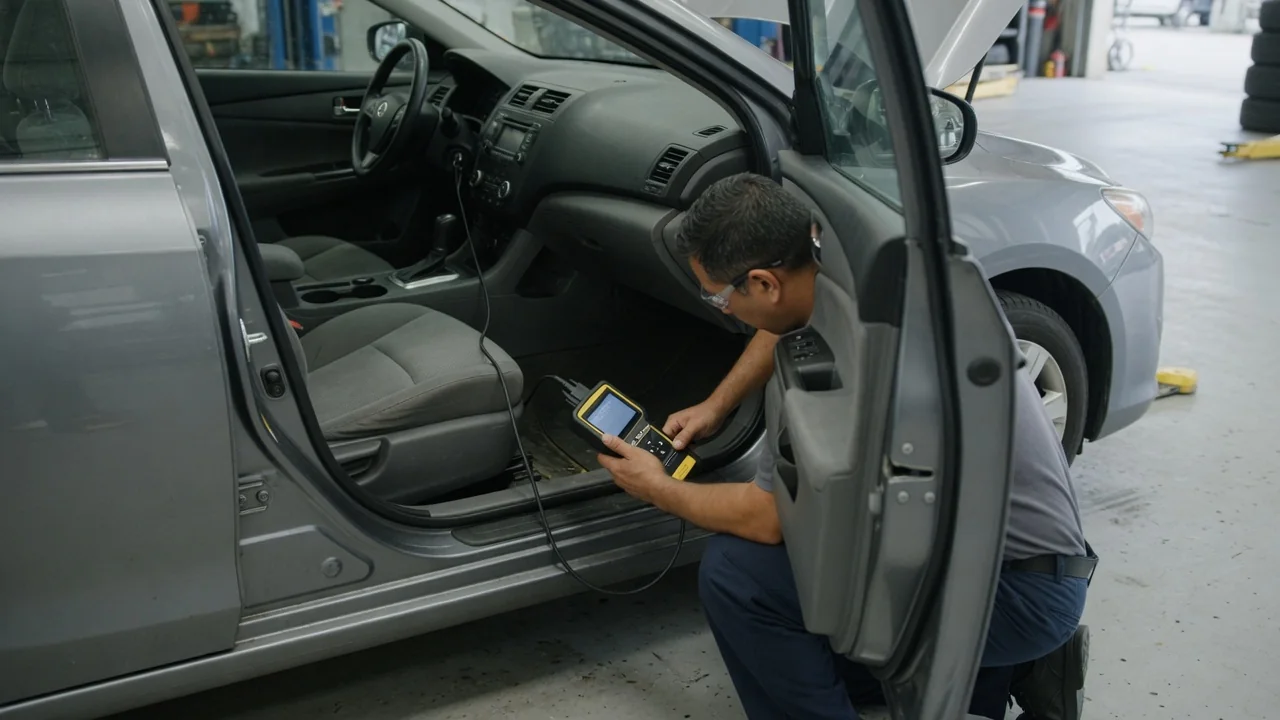
A basic code reader and a professional diagnostic scanner plug into the same port under the dash. Yet one may show only the engine computer while the other lists dozens of control modules. The connector itself rarely explains the difference. What matters is which communication protocols the tool can speak, how much manufacturer-specific information its software contains, and what the vehicle allows an outside device to access. Those layers explain most gaps in scan tool module access.
Protocol support
Every OBD-II compliant vehicle sold in the United States must provide a standardized set of emissions-related data through the 16-pin diagnostic connector. That standard covers generic trouble codes, readiness monitors, freeze frame data and a defined list of live parameters. To reach that data, a tool has to recognize the electrical and message format the vehicle uses. Earlier OBD-II vehicles used several different protocols, including SAE J1850 PWM, SAE J1850 VPW, ISO 9141-2 and ISO 14230, often called KWP2000. Later vehicles moved to CAN under ISO 15765-4, which became the required OBD-II protocol for US vehicles by the 2008 model year. An inexpensive reader that handles these protocols can usually retrieve generic engine and transmission emissions data, because the standard requires the vehicle to expose that data.
The generic standard says little about the rest of the car. Modules for brakes, airbags, body electronics, climate control, instrument clusters and driver assistance features are not required to answer generic OBD-II requests. These modules often sit on separate network segments. Some use different pins of the same connector, and some sit behind a gateway module that routes traffic. To reach them, the tool must use the correct physical channel and the right addressing scheme. It also needs the right diagnostic services, such as Unified Diagnostic Services (ISO 14229) or older manufacturer variants of KWP2000. Some newer vehicles also use Diagnostics over Internet Protocol (DoIP, ISO 13400) through an Ethernet connection at the port. If a tool's hardware or firmware lacks a given channel or service, it cannot start a conversation with the modules that depend on it.
Manufacturer systems
A scan tool that can talk on the right network still needs to know what to ask and how to interpret the answer. Outside the emissions standard, each vehicle manufacturer defines its own module addresses, trouble code formats and data identifiers. It also sets the scaling for live values and the routines for tests or adaptations. Together these are commonly called enhanced or manufacturer-specific data. A tool vendor has to build a software definition for each make, and often for individual model lines and years, before the tool can list those modules and show meaningful information. Without that definition, a module may respond, but the tool cannot name it or decode its data.
This is the main reason two tools with similar hardware can produce very different module lists. One vendor may invest in broad coverage across many makes, while another focuses on a few brands in depth. A budget tool may include enhanced data only for engine, transmission, ABS and airbag systems. Coverage usually arrives through software updates, and some tools tie continued updates or certain makes to subscriptions or licenses. Factory tools, built with the automaker's own engineering data, generally give the most complete access for their own vehicles. Aftermarket tools may come close to that coverage for common functions.
Access can also be restricted on purpose. Some manufacturers have added security gateways or authentication requirements. These can block certain functions unless the tool is registered and the user logs in through an approved service. Writing data, clearing some codes and running active tests are the functions most often affected. Requirements differ by manufacturer and model, so the same tool may read freely on one vehicle and be limited on another.
Expectations
Scan tools are usually sold in rough tiers, and the labels matter. A code reader typically handles generic powertrain codes and readiness status. The next step up adds enhanced codes and live data for several major systems. Full-system scanners aim to query every module the vehicle exposes for its make and year. Bidirectional or professional tools add the ability to command components, run calibrations and perform coding or programming where supported. A phrase such as "all systems" generally means all systems the software supports for a given vehicle. It does not mean every electronic module fitted to that vehicle.
Expect coverage to vary by make, model, year and equipment level. A tool may read the airbag module on one model line but not on a closely related one if the vendor has not built that definition. Optional equipment matters too. A module that was never installed will not appear, so a scan that lists fewer modules than expected does not by itself indicate a fault. The most reliable way to judge coverage before buying is the vendor's published vehicle coverage list or lookup tool. Check it against the exact vehicle and the specific functions you need, rather than trusting a headline system count on the packaging.
Practical implications and limits
When a module fails to show up, the tool is not always the cause. Any of these can prevent communication: • Low battery voltage; • A blown fuse feeding a module or the diagnostic connector; • Damaged network wiring; • An incorrect vehicle selection; • Interference from aftermarket devices on the network; Many enhanced scanners identify the vehicle automatically from the VIN, but some vehicles still need manual selection. Wireless adapters paired with phone apps add another layer. The adapter hardware and the app must both support the relevant protocols and manufacturer data, and a limit in either one caps what you can see.
It also helps to separate reading from doing. Retrieving codes and viewing live data are passive tasks that many tools handle well. Resetting adaptations, registering a new battery, calibrating sensors or programming replacement modules all involve writing to the vehicle. These jobs often require current software and stable power, and on some makes they require manufacturer authorization. This is where tool capability and vehicle restrictions differ most. An unsupported or interrupted procedure here carries more risk than a simple scan.
For an owner, the practical approach is to define the job first. If the goal is checking a warning light or emissions readiness, a basic tool may be enough. If the goal is diagnosing brakes, airbags, body electronics or driver assistance systems, look for confirmed enhanced coverage for the specific vehicle. Consult the vehicle's service information for procedures the tool alone cannot explain. A scanner shows which modules communicate. Making sense of the results still depends on understanding how that vehicle's systems are designed to work.