Why Do Some Cars Hide Climate Controls in a Screen?
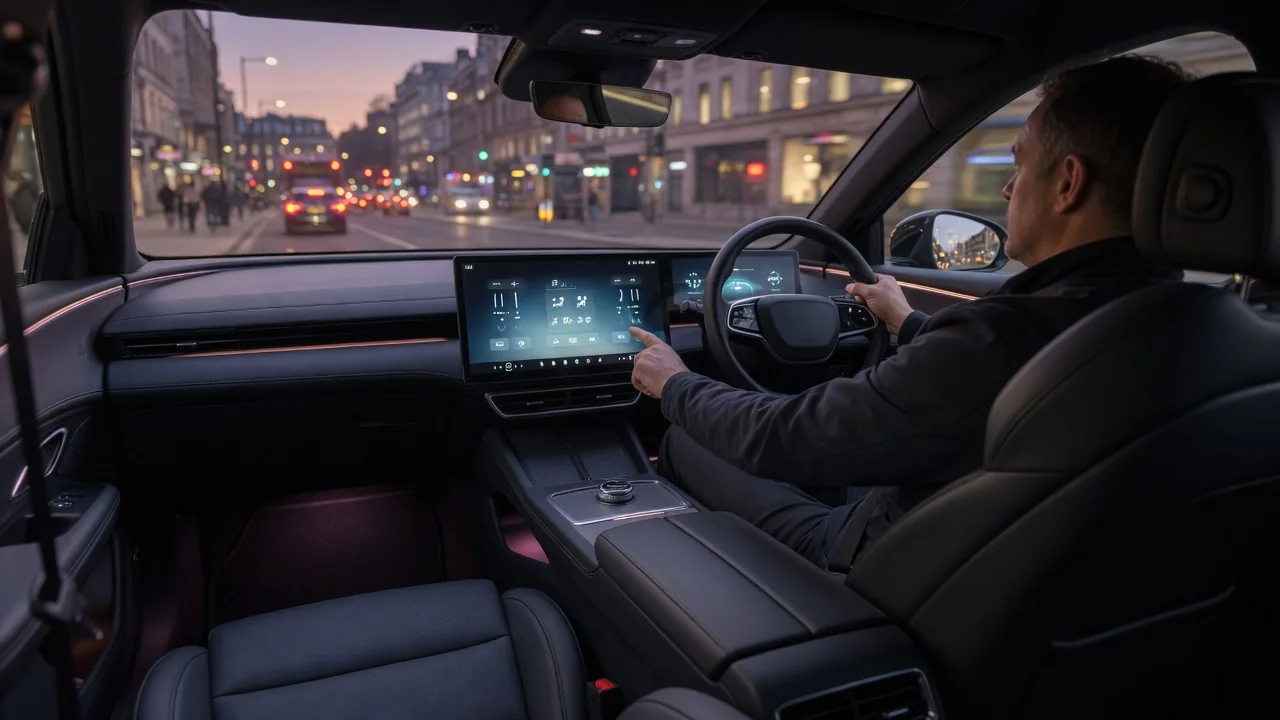
Many recent cars move temperature, fan speed and airflow settings from dedicated knobs into the central touchscreen. Why do some cars hide climate controls in a screen? Usually several pressures act at once: dashboard packaging, parts consolidation, software flexibility and styling. This guide explains the general mechanisms behind touchscreen climate controls design and the tradeoffs that come with it. Exact behavior differs from vehicle to vehicle, so the owner's manual remains the authority for any specific car.
Packaging: What a Screen Replaces Behind the Dash
Moving climate controls into a screen changes the interface, not the heating and cooling hardware. The blower motor, heater core, evaporator, blend doors and their actuators still sit inside the HVAC housing behind the dashboard. What disappears is the physical control panel: the knobs, buttons, switches, indicator lights and the circuit board that usually sits in the center stack. Removing that panel frees space that designers now want for other things, such as a larger display, a wireless charging pad, storage trays, a lower and wider dashboard profile or a cleaner center console.
Consolidation also drives the choice. Every physical control needs its own switch, backlighting, connector and trim opening, and often a separate electronic module or wiring path. A touchscreen gathers those functions into one display and its software. This can reduce the number of distinct parts a manufacturer has to design, source, assemble and validate. It also makes platform sharing easier. The same screen hardware can serve versions with single-zone or multi-zone climate, heated or ventilated seats, or rear controls, with the software showing only what a given trim or market includes. A fixed button panel, by contrast, often needs different versions or blanked-off switches.
Finally, there is design language. Minimalist interiors with horizontal dashboards, slim vents and a dominant display have become a recognizable style, and a row of climate buttons can work against that look. Hiding the controls inside the screen is one of the most direct ways to achieve an uncluttered cabin. The choice is often as much about styling as about engineering.
Interaction: How Touchscreen Climate Controls Work
In a typical screen-based layout, the infotainment or body control software reads a touch on the display. It then sends a request over the vehicle's internal network to the module that manages climate. That module commands blower speed, blend-door positions, recirculation and compressor operation. The screen is effectively a remote control for the same system a knob would have operated, with an extra software layer in between.
Designers use several patterns to keep climate functions reachable. One common pattern is a persistent climate strip along the edge of the display that stays visible over navigation or media. Others include pop-up panels that open when the driver taps the temperature readout, sliders or plus and minus targets for temperature and fan speed, and a full climate page for less frequent settings such as airflow direction or zone syncing. Many systems add secondary routes, such as voice commands, steering wheel shortcuts or customizable favorites. Which of these a particular car offers is vehicle-specific.
The argument for this approach rests largely on automatic climate control. If the system holds a set cabin temperature by itself, the driver should rarely need to touch it, so the controls can move to a less prominent place. Some manufacturers take a hybrid route instead. They keep physical buttons for time-sensitive functions such as front defrost or temperature, and they place seat heating, airflow modes and detailed settings in the screen.
Usability Tradeoffs
The main tradeoff is tactile feedback. A driver can find a knob or rocker switch by feel, and its detents confirm each change without a glance. A flat screen offers no edges to locate, so the driver usually has to look at it. A change that once took one twist may require opening a menu and making several taps. On rough pavement, hand movement makes small touch targets harder to hit, and gloves, glare or a smeared display can add friction. These factors matter most for functions needed quickly, such as clearing a fogged windshield.
Software dependence is the other side of the tradeoff. The display may be slow to start after the car is switched on, or it may freeze or fail. In those cases access to climate settings can be delayed or limited unless the vehicle provides a physical backup. Software updates can also move controls that drivers had already memorized. Some systems try to soften these issues with haptic feedback, raised bezels used as finger rests, large touch targets or physical shortcut keys, but results vary widely.
Screens do have genuine usability strengths. They can show clear text labels instead of small icons, display the state of every zone at once, expose settings that would never fit on a button panel, and allow the layout to be refined after the car is built. Drivers who rely on automatic mode and voice control may find a screen-first design perfectly adequate. Drivers who adjust fan and airflow often may find the same design a step backward.
Practical Implications and Limits
For owners, the practical step is to learn the shortest path to each frequent function before driving. Setting automatic climate at a comfortable temperature reduces how often the screen is needed at all. Check whether your vehicle has dedicated buttons for front and rear defrost and whether climate settings remain visible on every screen page. Also check whether voice commands or steering wheel controls can change temperature and fan speed. Practicing these steps while parked is safer than discovering them in traffic.
It is also worth reading the owner's manual section on the display and climate system. It typically explains what the car does if the screen becomes unresponsive, whether a restart procedure exists, and which functions have physical fallbacks. That information is specific to each vehicle and software version, so general advice cannot replace it. When shopping, a test drive that includes adjusting fan speed, airflow and defrost while moving reveals far more about a layout than a showroom demo.
Any general explanation has limits. Touchscreen climate controls design is not one standard. Implementations range from fully hidden menus to hybrids with several physical keys, and updates can change a car's behavior over its life. An owner cannot easily convert a screen-based layout back to knobs, so the interface a car ships with is largely the one you will live with. Judging that interface against your own habits, climate and driving conditions is more useful than assuming every screen design works the same way.