Why Do Cars Have a Steering Wheel Info Button?
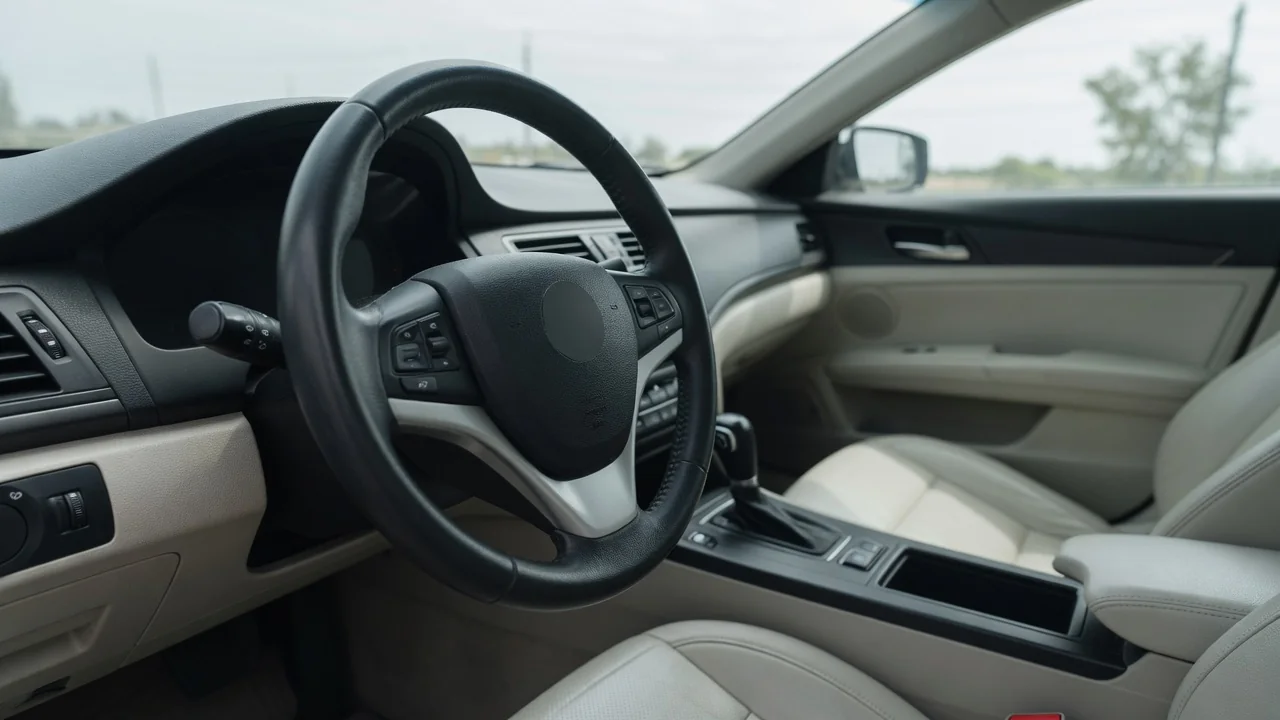
Anyone who has wondered why cars have a steering wheel info button will find the answer in the instrument cluster itself. A modern dashboard holds far more data than it can show at once, so manufacturers give the driver a thumb-reach control for cycling through it. The button keeps hands on the wheel and eyes near the road while the information changes.
Display pages
The small screen between or beside the gauges is usually organized into pages, each devoted to one type of information. One page might show a digital speed readout, another the outside temperature, another fuel range or the status of driver assistance features. Because the screen is compact, showing everything together would make each item tiny and hard to read at a glance. The info button solves that by letting the driver step from one page to the next, with a single item displayed large and legible.
What you see depends heavily on the vehicle. Some clusters use a simple monochrome strip that changes a single line of text, while fully digital panels can redraw the whole layout, swap gauge styles, or show navigation prompts and audio details. The control itself may be labeled with a letter i, the word info, a page icon, or arrows, and some vehicles place the function on a stalk instead. The owner's manual identifies which pages exist and how the control moves through them on your particular model.
Trip data
Trip information is among the most common reasons drivers press the button. Typical pages include one or two trip odometers, average fuel economy, instantaneous consumption, average speed, elapsed driving time, and estimated distance to empty. Each figure is calculated by the vehicle's computers from inputs such as wheel speed, fuel injected, and the fuel level sender. Having two separate trip meters lets a driver track one tank of fuel on the first while logging a long journey or a month of commuting on the second.
These figures are estimates, and it helps to know how they behave. Range to empty is usually based on recent driving, so it can drop quickly when you move from highway cruising to stop-and-go traffic or begin towing. Average economy only means something relative to when it was last reset, and reset methods differ; many vehicles use a long press of the same button, while others reset automatically after refueling or a period parked. Electric and hybrid models often substitute energy consumption, battery range, and regeneration data.
Warning messages
The same display that shows trip figures also delivers text alerts, and the button often plays a role in handling them. A message about low washer fluid, an open door, low tire pressure, or upcoming scheduled service may take over the screen when it appears. On many vehicles, pressing the info control acknowledges the message and returns the previous page, so the driver can see speed or range again. Some systems then store the alert on a dedicated page where it can be reviewed later.
Acknowledging a message does not resolve the condition behind it. Clearing the text simply hides the reminder, and a related warning light usually stays lit until the underlying issue is addressed. Colors generally signal urgency, with red indicating a situation that calls for stopping safely and amber suggesting attention soon, though exact meanings vary by manufacturer. Certain critical alerts cannot be dismissed at all. A message is also a starting point for diagnosis rather than proof that a specific part has failed, so the wording should be checked against vehicle documentation.
Everyday Use and Observations
In daily driving, the button becomes a quick way to match the display to the situation. A driver on a long highway run may leave range to empty showing, then switch to the digital speedometer when entering a zone with strict enforcement. Someone trying to improve fuel economy can watch instantaneous consumption respond to gentler throttle use. In cold weather, the outside temperature page helps flag conditions where ice is possible. The chosen page typically stays in place until changed, and often returns after a restart.
Paying attention to these pages over time can reveal useful patterns. If average economy slowly worsens with no change in route or driving style, that is worth mentioning at the next service visit, since tire pressure, seasonal fuel, added cargo, or a developing mechanical issue could all contribute. A tire pressure page, where fitted, can show one tire drifting lower than the others before a warning appears. It is best to learn the page order while parked, so that later presses on the move require only a brief glance.
Limits and Next Steps
The info button has clear boundaries. It shows what the manufacturer chose to make visible, which is a small slice of the data the vehicle's modules actually exchange. It will not display stored fault codes on most vehicles, and it cannot explain why a warning light is on beyond the short text provided. Displayed values are also rounded and filtered; a trip computer's economy figure may differ from a calculation done by hand at the pump, and coolant or oil readings, where offered, are often smoothed.
When the display raises a question it cannot answer, the next step is outside the cluster. The owner's manual explains each page and message for that specific vehicle, including any settings menu that lets you add or hide pages. Persistent warnings deserve a scan with proper diagnostic equipment, and any code retrieved should be treated as evidence for a technician to interpret alongside testing, since definitions can depend on the manufacturer. If the button itself stops responding, a qualified shop can check the switch, wiring, and cluster.