What to Check After Driving Through Dusty Conditions
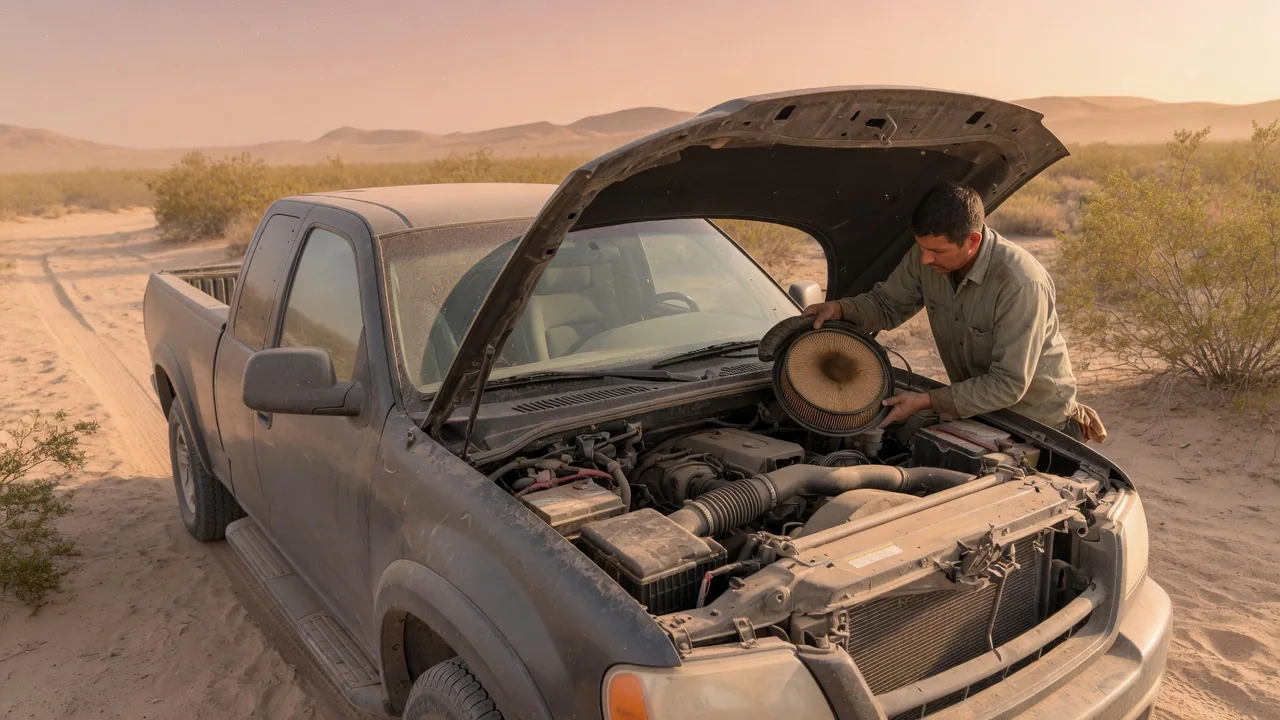
Dust settles into more places than the paint. After a drive on gravel roads, through construction zones, across farmland, or into a windstorm, fine particles can restrict airflow to the engine, scratch glass, and cover the sensors that driver-assistance systems depend on. A short, methodical inspection afterward helps catch small problems before they grow. These dusty drive car checks focus on three areas: the engine air filter, the glass, and the exterior sensors.
Air filter
The engine air filter is the first barrier between outside air and the combustion chambers, so it takes the heaviest dust load on a dirty road. As the pleated media fills with particles, it restricts airflow. On modern fuel-injected engines, the engine management system adjusts fueling based on the air it measures, so a clogged filter usually does not cause dramatic symptoms. Instead, it may show up as slightly weaker acceleration or less eager throttle response, which is easy to miss. That is why many owner's manuals list frequent driving in dusty conditions as a reason to inspect or replace the air filter more often than the standard schedule.
Checking it is usually simple. With the engine off, open the hood, locate the air filter housing, release its clips or screws, and lift out the element. Look at the intake side for caked dust, embedded debris, or pleats that have darkened throughout. Holding a paper filter up to a bright light can help: if very little light passes through, replacement is reasonable. Also wipe out loose dirt inside the housing and confirm that the filter's rubber edge seals evenly, because dust that bypasses a poorly seated filter goes straight into the intake. Avoid blowing compressed air through a disposable paper element, since it can tear the media; reusable cotton or foam filters should be cleaned according to their maker's instructions.
The cabin air filter deserves a look as well. It cleans the air coming through the ventilation system, and after a dusty drive it can reduce airflow from the vents or leave a musty smell. Its location varies widely, often behind the glove box or under the cowl at the base of the windshield, so the owner's manual is the best guide.
Glass
Dust is abrasive, and the most common way to damage glass after a dusty trip is to wipe it while it is dry. Running the wipers over a dusty windshield drags grit across the surface and can leave fine arcs of scratches that become visible in low sun or oncoming headlights. Instead, use plenty of washer fluid before the first wipe, or rinse the glass with water at a car wash or with a hose and then dry it with a clean microfiber cloth. Since dusty driving tends to drain the washer reservoir quickly, top it up afterward.
Next, inspect the windshield for chips, small cracks, and pitting. Gravel thrown up by other vehicles is a frequent cause, and wind-driven sand can leave a frosted, sandblasted texture that scatters light at night. Looking through the glass from inside the car, with light striking it at an angle, makes these flaws easier to see. Small chips can spread with vibration and temperature changes, so having them assessed early often allows repair rather than replacement. Check the side windows and mirrors for the same kind of damage.
Finally, check the wiper blades. Grit can embed itself in the rubber edge and keep scratching the glass long after the road is behind you. Wipe each blade with a damp cloth, and if the blades still streak or chatter, replace them. Dust that enters through the vents can also leave a hazy film on the inside of the glass, which is worth cleaning for clear visibility.
Exterior sensors
Many vehicles now carry several types of exterior sensors, and dust can affect all of them. Depending on the vehicle, these may include rearview and surround-view cameras, a forward-facing camera behind the windshield near the rearview mirror, radar units behind the grille or lower bumper, ultrasonic parking sensors set into the bumpers, and rain or light sensors on the windshield. Exactly which sensors are fitted and where they sit varies by model, so the owner's manual or the driver-assistance section of the infotainment system is the reliable reference.
A film of dust can reduce what a camera sees and can interfere with radar or ultrasonic signals. Some systems display a message that a sensor is blocked or that a feature is temporarily unavailable, but drivers should not assume a warning will always appear before performance degrades. To clean sensors, rinse loose dust away first, then wipe gently with a soft, damp cloth. Avoid abrasive pads, harsh solvents, and holding a pressure washer nozzle close to sensors or camera lenses, since high-pressure water can damage seals or shift a sensor's position.
If a warning persists after cleaning, the cause may not be dirt. A stone strike can crack a camera lens or bumper cover, and an impact can knock a radar unit out of alignment. Driver-assistance sensors generally need to be aimed precisely to work correctly, and realignment or calibration is typically a job for a qualified shop with the proper equipment. The same applies if the windshield ends up being replaced, because a windshield-mounted camera usually needs recalibration afterward.
Practical implications and limits
How urgent these checks are depends on exposure. A few minutes on a dirt driveway rarely calls for more than a careful rinse, while repeated trips through dust storms, desert roads, or active job sites justify a closer look each time. A quick post-drive routine is a supplement to the maintenance schedule in the owner's manual, not a replacement for it. Inspection intervals, filter part numbers, sensor locations, and calibration procedures are vehicle-specific, and the manufacturer's guidance takes precedence over any general checklist.
Visual inspection also has limits. A filter can look discolored on the surface while still flowing adequately, and a light-colored one can hide fine dust deep in the media. A sensor can look clean while sitting slightly out of alignment, and a tiny chip can be hard to judge without close examination. When the evidence is unclear, replacing an inexpensive filter or asking a professional to evaluate glass damage or recurring sensor warnings is usually more sensible than guessing. Treat persistent driver-assistance warnings as a reason to rely on your own attention behind the wheel until the issue is resolved, and keep in mind that dust can also reach areas outside this checklist, such as the radiator, brakes, and door seals.