What Makes a Car Control Easy to Use With Gloves?
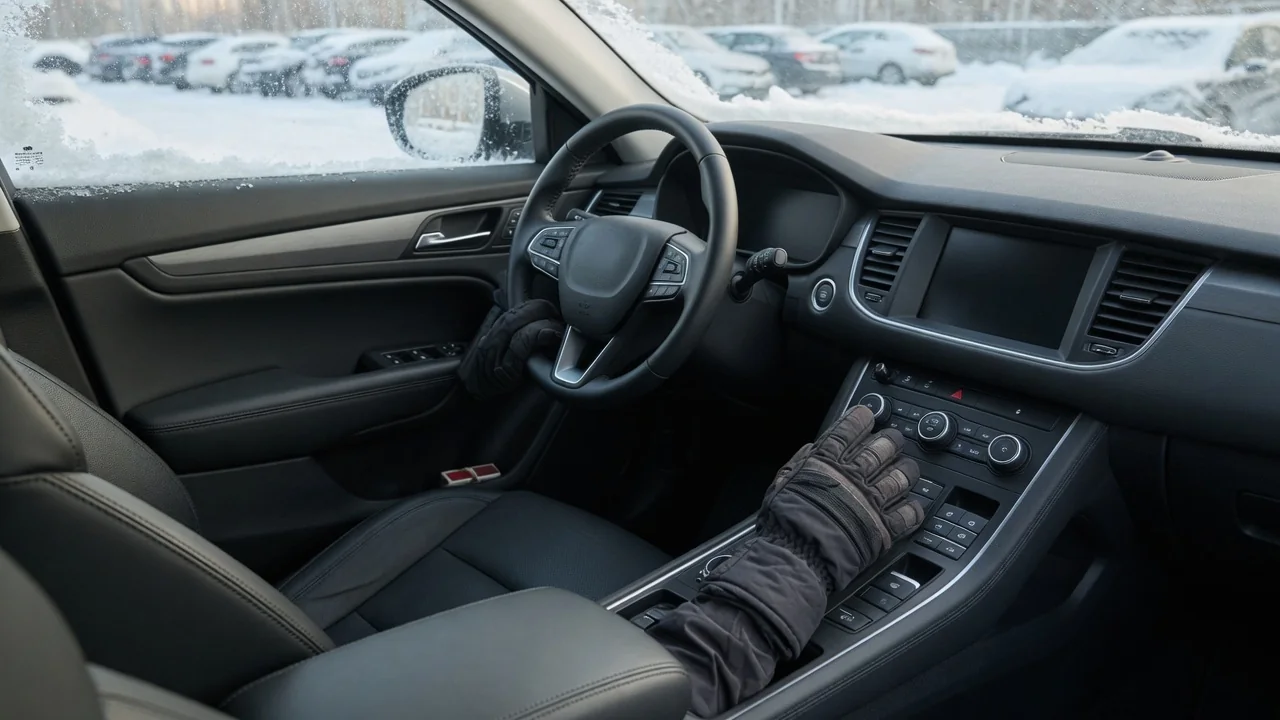
Winter gloves change how a driver interacts with the cabin. Thick fabric dulls fingertip sensation, adds bulk around every finger, and often blocks the electrical contact that touchscreens rely on. Whether a control stays usable depends on a few design qualities working together: how large and well spaced it is, how clearly it confirms activation, and how it behaves in cold, wet conditions. These factors explain what glove friendly car control design looks like and what to check in any vehicle.
Button size
A gloved fingertip is wider, softer at the edges, and less precise than a bare one. The area that touches a control grows, and the driver loses the fine positioning that skin contact normally provides. Small buttons packed tightly together become a problem: a press aimed at one function can easily catch its neighbor. Larger targets tolerate this imprecision, but spacing matters just as much as size. Clear gaps, raised dividers, or grouping related functions into separate clusters give a bulky finger room to land on the intended button without guesswork.
Shape and profile also determine how easy a control is to find. Buttons that stand proud of the surface, or sit in recesses with well-defined edges, can be located by feel even when fingertips cannot sense fine detail. Rotary knobs work best with gloves when they have enough diameter and height to grip between thumb and fingers, plus a textured rim that resists slipping. Rocker and toggle switches are often easier than small push buttons because they respond to a broad push rather than a precise pinch. Steering column stalks benefit from their inherent size and fixed position, which is one reason they remain practical in winter.
Touchscreens are a special case. Virtual buttons can be drawn large, but size alone does not solve the glove problem. Most automotive touchscreens are capacitive, meaning they detect the small electrical effect of skin. Ordinary glove materials are insulating, so the screen may not register a touch at all, regardless of how big the icon is. The same limitation applies to capacitive touch buttons on dashboards or steering wheels. Generous sizing only helps once the input actually registers.
Tactile feedback
Gloves weaken the sense of touch, so any feedback a control provides has to be strong and distinct enough to come through the material. Mechanical buttons with noticeable travel and a crisp click let the driver know a press has registered without looking. Rotary controls with firm detents allow the hand to count steps, which is useful for adjusting temperature or fan speed while keeping eyes on the road. A clear end stop at each extreme of a knob or switch tells the driver when a setting has reached its limit.
Differentiation by shape and texture adds another layer. When controls for different functions have different forms, such as a round knob for volume, a rocker for windows, or a raised ridge on a frequently used button, a gloved hand can identify them by outline rather than by fine surface detail. An audible click supports this, confirming activation through hearing when touch is muffled. Consistent placement matters too: a control that always sits in the same spot relative to the steering wheel or center console becomes easier to reach by memory.
Some touch surfaces use haptic vibration to simulate a button press. This can help confirm input, but subtle pulses may be hard to feel through thick insulated gloves, and the feature still depends on the surface detecting the touch in the first place. Visual confirmation, such as an indicator light or an on-screen change, is useful backup, though it requires a glance away from the road. Physical feedback that the hand can feel directly remains the most reliable signal when gloves are on.
Weather
Cold affects both the vehicle and the driver. Some plastics and rubber compounds become stiffer at low temperatures, and lubricants inside switch mechanisms can thicken, which may make certain controls feel heavier or less smooth until the cabin warms. How much this happens varies from vehicle to vehicle. At the same time, cold hands lose dexterity, and the gloves worn in harsh weather tend to be thicker. The combination means controls that feel effortless in mild conditions can become noticeably harder to operate on a frozen morning.
Moisture introduces a separate set of problems. Snow and rain soak into glove fabric, and a wet or icy glove surface grips smooth plastic poorly. Knobs and switches with knurled, ribbed, or rubberized surfaces hold traction better under these conditions than polished or glossy finishes. Touchscreens can behave unpredictably when moisture or condensation is present, sometimes registering unintended inputs or ignoring deliberate ones. Water carried in on gloves and sleeves can make capacitive controls less dependable just when the driver needs them, such as when clearing a fogged windshield.
Exterior controls face the weather directly. Door handles, tailgate release buttons, and key fob buttons are often operated with gloves on, sometimes while coated in ice or slush. Small or flush-mounted buttons can be difficult to press through a thick glove and may be obstructed when frozen. Controls with larger pressing areas and a definite mechanical action generally remain easier to use when conditions are at their worst.
Practical implications and limits
For owners, the most useful step is identifying which winter-critical functions rely on physical controls and which are buried in a touchscreen menu. Defrost, rear window heating, fan speed, and seat or steering wheel heating are the functions most often needed in cold weather. Many vehicles offer alternatives worth learning, such as steering wheel shortcuts, voice commands, automatic climate settings, or remote preconditioning, though availability depends on the specific vehicle and trim. The owner's manual is the authoritative reference for what a particular car supports. Configuring settings before setting off reduces the need to adjust anything with gloves while moving.
Glove choice is the other half of the equation. Gloves with conductive fingertips are designed to work with capacitive screens, but results vary with glove thickness, fit, and screen sensitivity. Thinner driving gloves improve precision and feedback at the cost of warmth, while heavy insulated gloves do the opposite. Removing gloves or looking away from the road for long periods to operate a control is a safety trade-off worth avoiding, which makes planning ahead more valuable than improvising in traffic.
No single feature guarantees that a control will work well with gloves. Usability depends on how size, feedback, materials, and placement combine, and on the hands and gloves of the individual driver. The mechanisms described here are general principles rather than a description of any particular vehicle. When glove usability matters, the most reliable approach is to sit in the car wearing the gloves actually used in winter and try the controls that matter most.