What Is a Car Audio Head Unit? Sources, Processing, and Controls
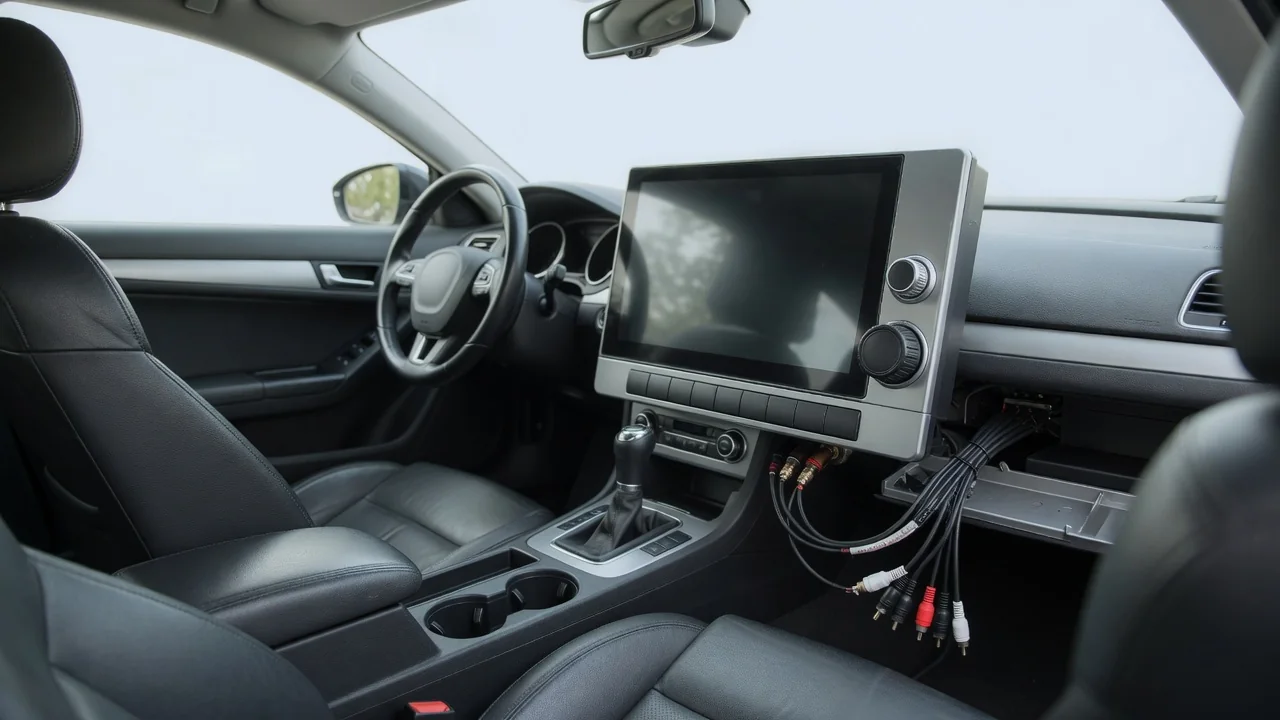
A car audio head unit is the control center of a vehicle's sound system. It is usually mounted in the dashboard, and it selects what you hear, prepares the audio signal, and lets you adjust it. Depending on the vehicle, it may be a standalone stereo with buttons and a small display, or part of a larger infotainment system with a touchscreen. The car stereo head unit's role comes down to three jobs: gathering sources, processing signals, and providing controls.
Sources: Where the Sound Begins
The most basic role of a head unit is to select the audio source. Traditionally, that meant a built-in radio tuner for AM and FM broadcasts, paired with a tape or CD mechanism. Many current units have dropped physical media entirely and rely on digital inputs instead. Depending on the unit and the market, the tuner may also receive digital radio broadcasts, and some vehicles include provisions for satellite radio subscriptions. Each source arrives in a different form. The head unit accepts it, decodes it if necessary, and routes it into a common audio path.
Connected devices are now a central part of the picture. A USB port can play stored music files or carry audio from a connected phone. Bluetooth streams audio wirelessly and often handles hands-free calling. An auxiliary jack, where present, accepts a simple analog signal from almost any portable player. Many head units also support smartphone projection, in which the phone runs navigation, music, and messaging apps while the head unit's screen and speakers act as the display and output. In that arrangement, much of the content and interface logic comes from the phone rather than from the head unit itself.
In factory-installed systems, the head unit often handles more than entertainment. Navigation guidance, phone calls, voice assistant responses, and in some vehicles warning or parking-sensor chimes may share the same speakers. The unit or the wider infotainment system decides which sound takes priority. It commonly lowers music volume while a navigation prompt plays, or mutes it during a call. How this mixing works, and which alerts pass through the head unit at all, varies by vehicle.
Signal Processing: Shaping the Audio
Once a source is selected, the head unit prepares the signal for the speakers. Digital sources such as files, streams, and digital broadcasts must be decoded and passed through a digital-to-analog converter before they can drive an amplifier. Analog sources skip that conversion but still pass through the same volume and tone stages. Most modern units make these adjustments with digital signal processing. That approach allows precise control over level, frequency balance, and timing without the noise and drift of older analog circuitry.
The familiar user adjustments are all forms of processing. Bass and treble controls, or a multi-band equalizer, raise or lower specific frequency ranges. Balance shifts sound between the left and right speakers, and fader shifts it between front and rear. Loudness compensation boosts low and high frequencies at lower volumes, because human hearing is less sensitive to those ranges when sound is quiet. Some units also offer speed-sensitive volume, which raises the level as road and wind noise increase. Preset sound modes apply a stored equalization curve.
More advanced head units add features once found only in dedicated processors. Crossover filters send only suitable frequencies to each speaker group, for example keeping deep bass out of small door speakers or routing it to a subwoofer output. Time alignment delays the signal to nearer speakers so that sound from every speaker reaches the listener at roughly the same moment. This improves stereo imaging from an off-center seat. After processing, the signal either feeds a small amplifier built into the head unit or leaves through line-level preamp outputs to external amplifiers. In many factory premium systems, some or all of this processing happens in a separate amplifier module rather than in the dashboard unit.
Controls: How the Driver Interacts with the System
Controls are the part of the head unit most people think of first. Older and simpler designs use physical knobs and buttons for volume, tuning, source selection, and presets, which can be operated by feel without looking away from the road. Touchscreen units move most functions into on-screen menus. This allows more features and richer displays of track names, station information, album art, and settings, though it often demands more visual attention. Many designs combine both and keep a physical volume control next to the screen.
Control is not limited to the dashboard. Steering wheel buttons commonly adjust volume, skip tracks, change sources, and answer calls. They send commands to the head unit through dedicated wiring or the vehicle's data network. Voice control lets the driver request a song, a phone contact, or a destination by speaking, using either the head unit's own speech recognition or a connected phone's assistant. Some vehicles also provide rear-seat controls or let audio settings be stored in driver profiles.
Behind the visible controls sits a settings layer that defines how the system behaves. This is typically where users pair Bluetooth devices, set equalizer curves and speed-sensitive volume, choose whether audio resumes at startup, and adjust navigation and phone prompt volume separately from music. In integrated vehicles, the same menus may also hold non-audio settings, which is one reason the head unit increasingly serves as a general interface for the car.
Practical Implications and Limits
A head unit sets the starting quality and flexibility of a system, but it cannot exceed the limits of the components after it. Equalization can tame peaks or fill modest gaps. It cannot make a small speaker reproduce deep bass it was never designed to play, and heavy boosting may introduce distortion or stress the speakers. Cabin acoustics, speaker placement, road noise, and amplifier capability all shape what the listener finally hears. When a system sounds poor, the cause may lie in the speakers, wiring, or installation rather than in the head unit.
Replacing a head unit is more involved in modern vehicles than it once was. Aftermarket units are commonly built to standardized dashboard openings known as single-DIN and double-DIN. Many factory units, however, use custom shapes and are tied into climate controls, vehicle settings, backup cameras, steering wheel controls, or factory amplifiers. Swapping such a unit may require interface adapters, dash kits, and careful configuration, and some functions may be lost if they cannot be replicated. If an external amplifier is planned, the availability and quality of preamp outputs matter more than the built-in amplifier.
Features and behavior differ widely between systems. The vehicle's owner's manual or the head unit's documentation is the reliable reference for what a particular system supports, how its settings are organized, and whether software updates are available. In some systems, updates can add features or fix compatibility problems with phones. Older units may gradually lose compatibility as phone software changes. Knowing which of the head unit's jobs a planned upgrade affects makes it easier to predict whether that upgrade will actually change the listening experience.