Tesla Regenerative Braking Settings: Model 3, Model Y and More
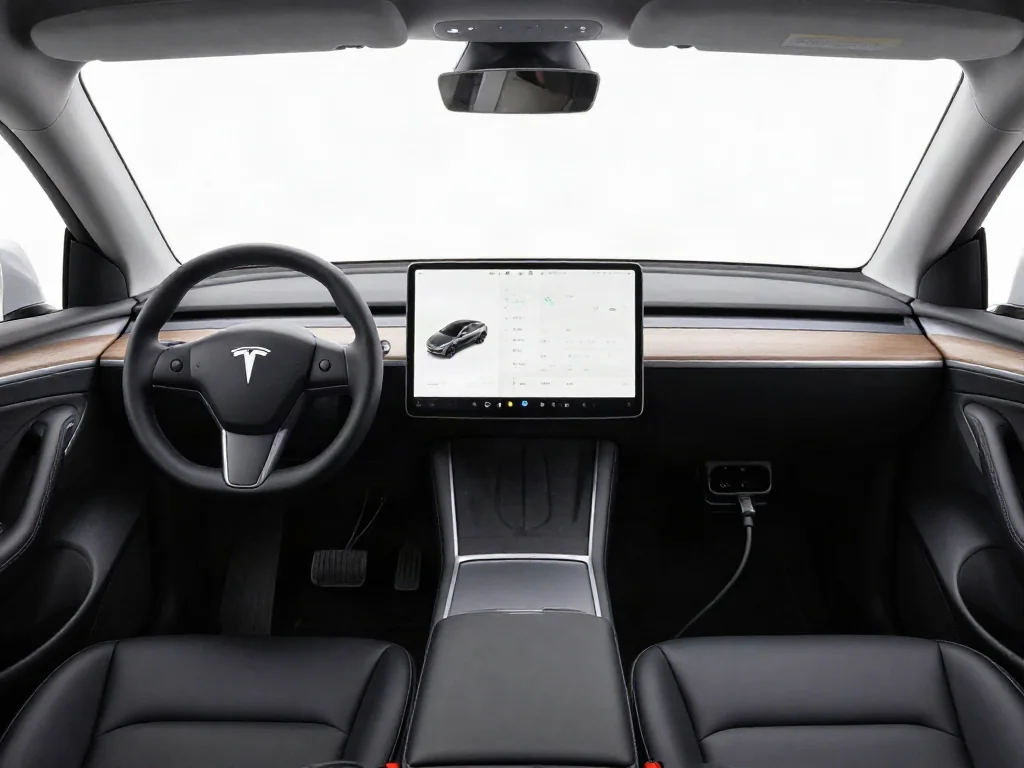
Tesla regenerative braking settings differ by vehicle configuration and software version, so Model 3, Model Y, and Model X cars do not all share the same menu. Many drivers want to turn off regenerative braking or switch between Low and Standard, yet factory controls may only soften the effect or change stopping mode. Use the in-car menus to see what that software actually offers.
Can You Turn Off Regenerative Braking on Your Tesla?
You cannot turn off regenerative braking on many Teslas because there is no driver-selectable Off control in the factory driving menus. Asking whether you can turn off Tesla regenerative braking, disable it on a Model Y, or turn it off on a Model 3, Model X, or a 2023 or 2024 car is the same practical question: regeneration usually stays active whenever the vehicle is designed to recapture energy. A Low regenerative braking setting, when offered, reduces regenerative deceleration; it does not switch regeneration completely off.
Available regenerative braking settings depend on the vehicle software version and how that car was configured, not on the model badge alone. A 2024 Model Y, a 2021 or 2022 Model 3, or a Highland refresh can present different Driving Dynamics or Pedals & Steering pages. Stay inside factory driving controls. Do not use workarounds that interfere with vehicle systems, shift to Neutral while driving, or disable related functions to turn regenerative braking off.
Find the Regenerative Braking Controls Available in Your Car
Begin with the vehicle safely parked, then open Controls on the touchscreen and look for Driving Dynamics or Pedals & Steering, depending on the interface your software displays. On that page, locate Regenerative Braking if the entry is present. When Low and Standard appear, select the option using the descriptions shown on that vehicle rather than assuming every Tesla regenerative braking setting matches another car. Low reduces the effect; Standard is the stronger factory regeneration choice when both are listed.
If Regenerative Braking is missing, some configurations omit adjustable regeneration, including cars where Tesla Model Y regenerative braking settings appear missing after a software change. That absence is not a hidden menu or a software fault. Use the in-car owner's manual to confirm whether you can adjust regenerative braking. How to change regenerative braking on a Tesla is then limited to the controls that actually appear.
Check Regenerative Braking Settings on Model 3
For Tesla Model 3 regenerative braking settings, park first, open Controls, then inspect the applicable driving settings page and look for a Regenerative Braking selector. How to change regenerative braking on a Tesla Model 3, how to adjust regenerative braking on a 2021, 2022, or later car, and how to turn it on all start at that same screen. Changing to Low regenerative braking Tesla behavior requires that Low option to be present. There is no universal Model 3 procedure for disabling regeneration.
The 2024 Tesla Model 3 regenerative braking settings question, including Highland cars and later 2025 or 2026 software, still requires confirmation of that vehicle's available controls. Do not assume Low or Off because the car is a Model 3. If the selector is absent, menu adjustment ends. Use accelerator pedal modulation and any stopping mode controls instead of searching for a way to turn off regenerative braking on a Tesla Model 3 2024 or Highland that does not offer Off.
Check Regenerative Braking Settings on Model Y
Tesla Model Y regenerative braking settings follow the same parked walkthrough: open Controls, find the applicable driving settings page, and inspect the regeneration controls that actually appear. How to adjust regenerative braking on a Tesla Model Y, how to change it, or how to turn regenerative braking on all depend on whether Low and Standard are listed. Select Low only when the vehicle offers it. That Low choice does not disable regenerative braking on a Model Y; it only reduces the deceleration when you lift off the accelerator.
2024 Tesla Model Y regenerative braking settings, and 2023 cars, cannot be predicted from model year alone. How to turn off regenerative braking on a Tesla Model Y 2023 or 2024 still depends on that car's software. A missing selector means you cannot complete the requested menu adjustment. A later software update will not necessarily add Low or restore a missing setting, which is why some owners ask why Tesla removed regenerative braking as a selectable item.
Set Creep, Roll or Hold Where Stopping Modes Are Available
Stopping mode governs behavior near a stop and is not a regenerative-braking Off switch, even if Tesla regenerative braking feels annoying during everyday slowing. Creep, Roll, and Hold change what happens as speed falls; they do not turn off regenerative braking at mid-range or highway speeds. Choose the mode only where Stopping Mode is offered, with the vehicle parked, from the same Controls pages used for Pedals & Steering or Driving Dynamics.
Where available, Creep applies drive torque for low-speed movement after brake release, similar to a conventional automatic creeping forward. Roll allows the vehicle to roll freely near a stop, including movement on a slope, so you must control that motion with the brake pedal. Hold brings the vehicle to a stop and holds it under the conditions specified in that car's manual. None of these modes is how to turn off regenerative braking in a Tesla; they only shape the last few moments of a stop.
Soften Deceleration Through Accelerator Control
When Low is unavailable and you still want to reduce regenerative braking feel, use gradual accelerator release instead of lifting off abruptly. Accelerator pedal modulation meters how quickly regeneration builds, which is how to use regenerative braking in a Tesla without an Off control. Practice in a clear, level area at low speed, keeping attention on the surroundings. That technique helps when Tesla regenerative braking is annoying and Low is not on the screen.
Accelerator technique changes the immediate driving feel without changing the vehicle's regeneration setting, so it is not how to turn on regenerative braking in the menu. Use the brake pedal whenever needed to complete a stop or control speed on a grade. Do not shift to Neutral while driving, deliberately change battery charge, or disable vehicle systems as adjustment methods. Those actions are outside factory driving controls and are not a safe way to turn regenerative braking off.
Return to Standard Regeneration or Confirm It Is Already Automatic
For vehicles with a regeneration selector, return to the same Controls page while parked and choose Standard regenerative braking to restore the stronger factory effect. That is how to turn on regenerative braking on a Tesla Model 3 or Model Y when Low was previously selected. Confirm the selected control on the touchscreen before you drive. If labels differ, consult the vehicle's manual rather than matching another owner's 2024 Model 3 Highland or Model X regenerative braking setting.
On Model 3 and Model Y vehicles without a selector, regeneration normally operates automatically and does not require an On switch. Driving is how to turn on regenerative braking Tesla Model 3 or Model Y in that case; there is nothing to enable. Keep missing-menu guidance separate from unexpected braking behavior. If deceleration still feels wrong after you confirm the available settings, take the concern to Tesla service rather than treating a missing Low option as a failed component.