OBD2 Scanner Not Connecting to the ECU: Causes and Safe Checks
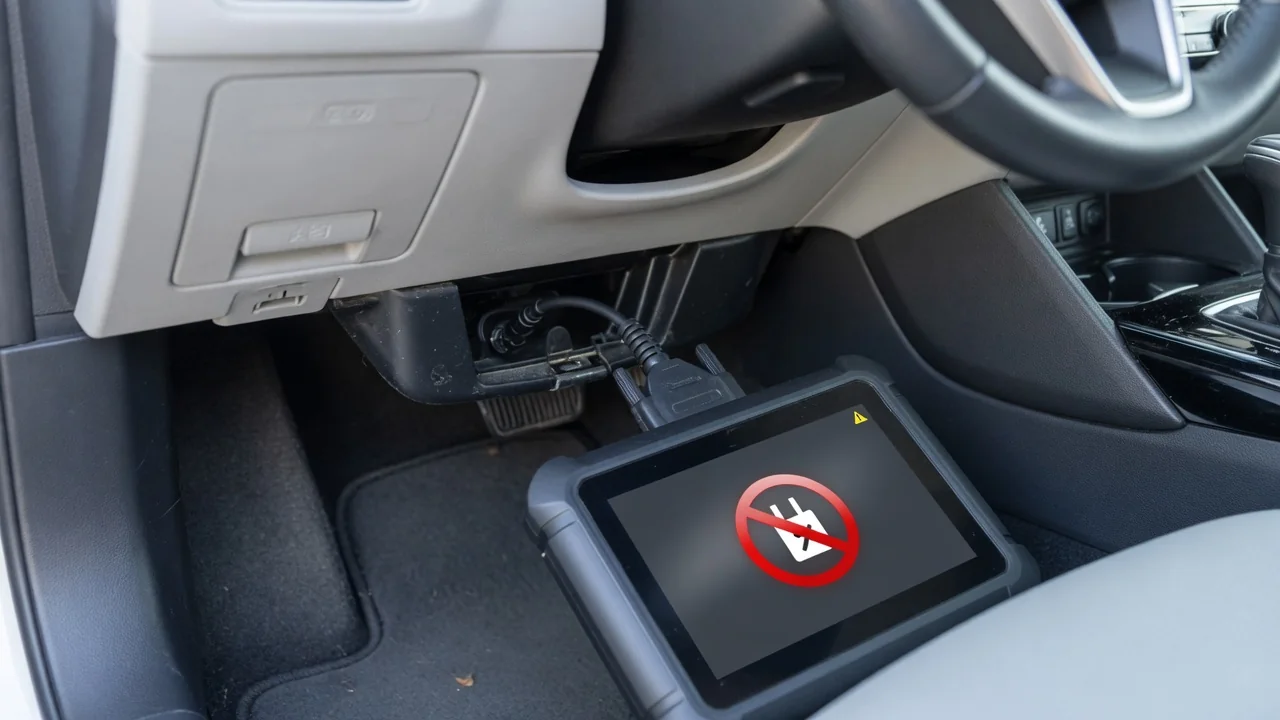
When an OBD2 scanner is not connecting to the ECU, the cause is usually something ordinary: the ignition state, a poorly seated plug, a missing power feed or a tool that does not support the vehicle. Working through safe checks in a logical order helps separate a scanner problem from a vehicle problem before anyone assumes a control module has failed.
What a Failed Scanner-to-ECU Connection Actually Means
A scanner that stays dark when plugged in and a scanner that powers on but cannot talk to the ECU are two different problems. The first points toward the power supply at the OBD2 port, since most handheld tools draw their power from the diagnostic link connector itself. The second means the tool is alive and sending requests, yet no module is answering in a way it understands, which shifts attention to setup, compatibility or the vehicle's data lines.
Messages such as link error, no communication with vehicle or unable to connect all describe that silence; they report that a conversation did not start, not why. An ECU communication error after a single attempt does not prove the engine computer is faulty, and most cases trace back to simple setup or compatibility issues. Wording also varies by brand, so the scanner's manual is the right place to learn what a particular message means for that tool.
First Checks: Ignition Position, Port Fit and Cable Condition
Many vehicles keep their modules asleep until the ignition is switched on, so a scanner connected with the key off may find nothing to talk to. Some tools expect ignition on engine off, while others ask for the engine running for certain functions, and the scanner's instructions state which condition applies. Push-button vehicles deserve extra care here, because accessory mode and full ignition-on mode are not the same and may wake different modules.
Next, look into the port with a flashlight for bent or pushed-in pins, debris or green or white corrosion, without poking at the contacts with tools or fingers. The connector should slide fully home and feel firm; a loose plug or a worn cable with internal breaks can drop the link mid-session. If an attempt fails, unplug the scanner, turn the ignition fully off, wait a moment, then switch it back on and reconnect instead of retrying repeatedly while plugged in.
When the Scanner Gets No Power From the Diagnostic Port
A scanner that shows no lights or screen activity at all is usually not receiving power from the port, which is a supply problem, not a communication fault. The port's power feed is commonly protected by a fuse that may also serve accessory circuits such as a power outlet. The owner's manual identifies the diagnostic port fuse and its location, and it should be inspected only with the ignition off, replacing it solely with one of the same rating.
If a replacement fuse blows again, something on that circuit is drawing excessive current, and that calls for professional diagnosis instead of another fuse. Battery condition matters as well. A weak or discharged battery can let system voltage sag, causing a scanner to reset, freeze during linking or fail to connect even though it lights up. When a vehicle has been cranking slowly or sitting unused, low voltage belongs on the list of suspects before the tool or the ECU is blamed.
Protocol, Vehicle Coverage and Scanner Compatibility
Vehicles do not all speak the same language over the diagnostic port. Depending on age and manufacturer, a vehicle may use CAN bus or one of several older OBD2 protocol types, and a basic code reader may not support every vehicle or every module. Rather than assuming compatibility, check the scanner vehicle coverage list published by its maker for the specific make, model, year and sales region, since the same model can differ between markets.
Some tools need the protocol or vehicle chosen by hand, and manual selection occasionally succeeds where auto-detect gives up. It also helps to know that generic OBD2 functions, such as reading emissions-related codes and live data, are separate from manufacturer-specific access to modules like ABS, airbag or transmission controllers; a scanner may handle one and not the other. When the manufacturer offers a scanner firmware update or new app software, installing it can add coverage and fix linking bugs.
Bluetooth and Wi-Fi Adapter Pairing Problems
A wireless adapter involves two separate links, and either can fail. The first is between the adapter and the phone, through Bluetooth pairing or joining the adapter's Wi-Fi network. The second is between the app and the vehicle through the adapter. A phone can show a Bluetooth OBD2 adapter as paired while the app still reports no connection, because the app has not been told which adapter to use or lacks the permissions it needs.
Practical steps include confirming the adapter selected in the app's settings, removing old pairings and pairing again, closing other apps that may be holding the connection, and checking Bluetooth, nearby-device or location permissions. Some low-quality or clone adapters may not handle every protocol reliably, even when they pair without complaint. Testing the adapter on another vehicle, or a different scanner on the same vehicle, is the quickest way to learn which side the problem sits on.
Signs the Problem Is in the Vehicle's Communication Network
When several known-good scanners all fail on the same vehicle, the tool becomes an unlikely culprit and the vehicle's wiring or network deserves attention. Details worth noting include dash warning lights, gauges that sweep, drop out or behave strangely, and other electrical oddities such as accessories working intermittently. None of these confirms a specific fault, but together they suggest that modules may be struggling to communicate with one another, not only with the scan tool.
Aftermarket devices can also interfere. Insurance trackers, remote starters, alarm systems or telematics dongles plugged into or wired near the diagnostic port sometimes disturb the data lines, so unplugging removable add-ons and trying again is a reasonable observation. In addition, some vehicles use a gateway module or security module that limits what an unauthorized tool can reach. How that behaves depends on the manufacturer, so it needs to be confirmed for the specific vehicle.
When to Stop and Get Professional Diagnostic Testing
Home checks should end at looking, reseating and retrying. Probing port pins, back-probing connectors or disconnecting modules without proper training and tools can spread terminals, short circuits or damage electronics. A technician can verify power and ground at the port and test network integrity using vehicle-specific procedures and wiring information, which is how an open circuit, a shorted data line or a module pulling the network down gets identified properly.
A connection failure that arrives alongside drivability problems, warning lights or electrical symptoms warrants a prompt professional inspection, not more attempts at home. Before the appointment, write down the scanner model, the exact error messages, the ignition state during each attempt and everything already tried, including other tools or vehicles tested. Those notes help the shop skip repeated steps and narrow down why the scanner will not connect.