Nissan Automatic Emergency Braking Malfunction: Causes, Checks and Next Steps
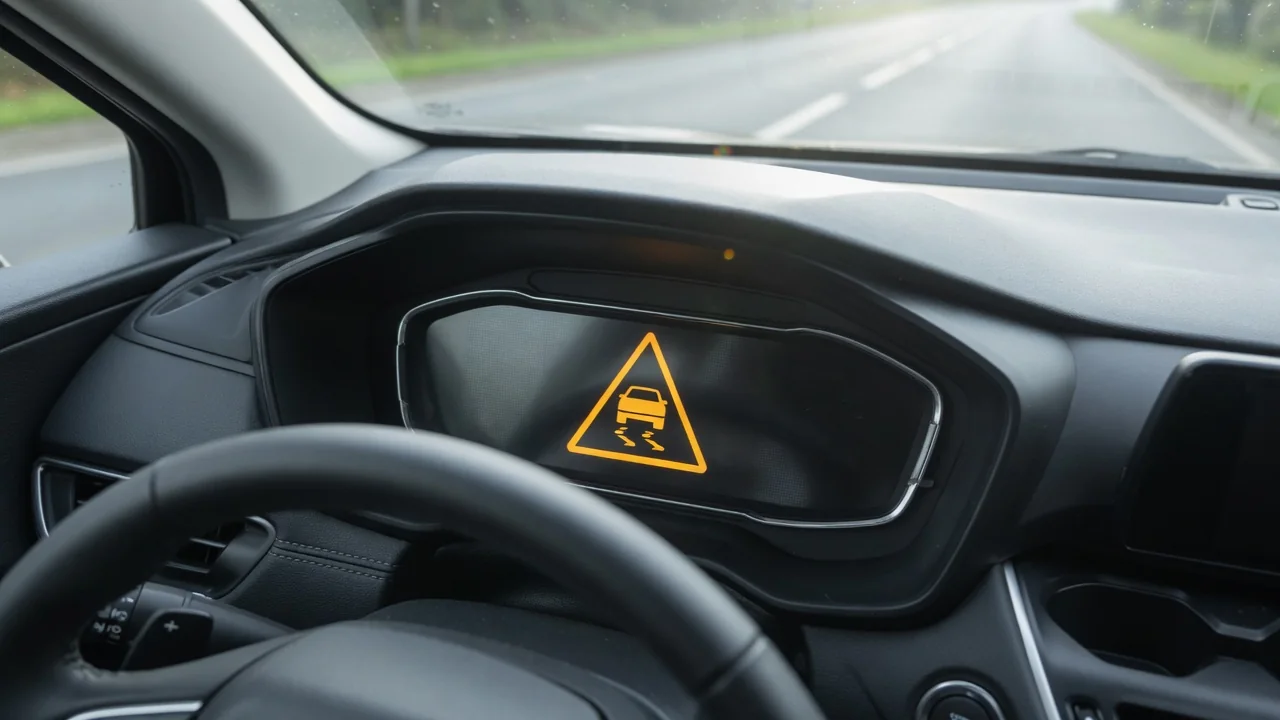
An automatic emergency braking malfunction warning on a Nissan can be unsettling, but it does not mean the car has lost its brakes. It usually means the intelligent emergency braking system cannot work as designed. Depending on the model, that system uses a front radar sensor, a windshield camera, or both. The steps below cover what triggers the warning, which checks are safe to make at home, and how a shop diagnoses and repairs it. They also cover what Nissan Rogue drivers should know.
What the Automatic Emergency Braking Malfunction Warning Means on a Nissan
When this warning appears, the vehicle has found a fault or a condition that limits the automatic emergency braking system. The feature may be partly or fully unavailable. The regular brakes rely on the pedal, the hydraulics and the brake booster, so they should still work normally. Forward collision warning and pedestrian detection may also be affected because they usually share the same sensors. On some models, other driver assistance features that use the radar or camera can shut off at the same time, so you may see more than one indicator.
Nissan displays can show a temporary message, such as a sensor blocked notice or system unavailable, that tends to clear once conditions improve. A malfunction warning that comes back on every drive is more serious and suggests a real fault. The wording and indicator symbols vary by model and year, so check the owner's manual to see exactly what your dashboard is telling you. Until the cause is found, leave extra following distance, stay fully alert and drive as though the car has no automatic braking at all.
Common Conditions That Can Trigger the Warning
The most common trigger is simply a blocked view. Dirt, snow, ice, slush, road salt film or a layer of bugs on the front sensor area can keep the radar from reading the road. Grime or fog on the windshield in front of the camera does the same. Heavy rain, dense fog, low sun glare and strong reflections from wet pavement can also limit performance for a while. That is why the message sometimes appears only in certain weather and disappears later.
Accessories are another common cause. Front license plates and frames, bike racks, bull bars, grille covers, and windshield tint strips or stickers near the camera can all interfere with detection. A front-end impact, recent bodywork, or a bumper or windshield replacement can knock sensors out of alignment, which needs professional checking. A weak battery or charging problem can also bring on several warning lights at once. When many systems complain together, an electrical check usually makes more sense than blaming one sensor.
Safe Checks You Can Make Before Visiting a Shop
Before booking an appointment, park somewhere safe and turn the vehicle off. Gently wipe the front sensor area and the outside of the windshield in front of the camera with a soft, clean cloth. Avoid scrubbing hard or holding a pressure washer close to the sensor, because force can damage or shift it. Remove any recently added covers or accessories in front of the sensors. Then restart the vehicle and take a short drive to see whether the warning clears.
Also open the vehicle settings menu and confirm the system has not been switched off, following the steps in the owner's manual. If the warning stays on or comes back, write down when it appears: the weather, your speed, whether it followed rain or a car wash, and whether it shows up after a cold start. These details help a technician reproduce the fault. Do not remove, adjust or unplug the radar sensor, camera or wiring yourself. Even slight misalignment can make the system brake when it shouldn't or miss a real hazard.
How a Nissan AEB Malfunction Is Diagnosed and Fixed
Fixing an automatic emergency braking malfunction on a Nissan starts with a proper diagnostic scan at a dealer or qualified shop. A basic engine code reader usually cannot see the driver assistance and brake-related modules, so the shop needs a tool that can communicate with those systems. Any stored fault codes have Nissan-specific meanings and must be checked against Nissan service information for the exact vehicle. A code tells the technician which circuit or condition to test. It does not prove that a sensor or camera has failed.
After testing, the fix might be as simple as clearing an obstruction. It could also mean repairing wiring or a connector, installing a software update, recalibrating the driver-assist sensors, or replacing a part. Calibration after windshield, bumper or sensor work usually needs special targets, equipment and a controlled setup, so a dealer or a shop that specializes in driver-assist systems is often the right choice. Ask whether the repair is covered by warranty. Also check for open recalls or service campaigns by VIN through official Nissan or government channels.
Nissan Rogue Automatic Emergency Braking Malfunction: What Owners Should Know
If you have a Nissan Rogue with an automatic emergency braking malfunction warning, start with the owner's manual for your exact model year. Sensor locations, warning messages and system names can change between generations, and some versions group these features under Nissan Safety Shield 360. The same basic checks apply to the Rogue: clean the front sensor area and the windshield in front of the camera, remove anything mounted in front of the grille, and note whether weather or road spray seems to bring the message on.
If the warning comes back after cleaning and a restart, have the Rogue scanned and inspected by a Nissan dealer or qualified shop rather than ignoring it. If your Rogue brakes unexpectedly or gives false alerts, record the date, speed, road type and conditions, and report those events to the dealer. If you believe the behavior is a real safety problem, file a report with the national vehicle safety authority. That creates a record that can help reveal patterns across many vehicles.
When to Stop Relying on the System and Get Professional Help
If the vehicle suddenly brakes hard with nothing ahead, treat it as a safety concern and get it inspected promptly. Until then, you may need to turn the system off as the owner's manual describes, and drive with extra following distance while watching traffic behind you. If the automatic emergency braking warning appears together with ABS, brake or stability control warnings, have the vehicle professionally inspected before driving it normally again. Those systems share brake components, so the problem may be bigger than the sensors.
A warning that stays on after cleaning, restarting and driving in good weather is unlikely to go away by itself and needs proper testing. Clearing the message or erasing stored codes with a scan tool may make the dashboard look normal, but it does not repair the system. It can also hide a real fault that comes back at a bad moment. Finding and fixing the root cause restores the protection the system is meant to provide and stops the repeated, confusing warnings.