How to Turn Off Lane Keeping Assist (and Turn It Back On)
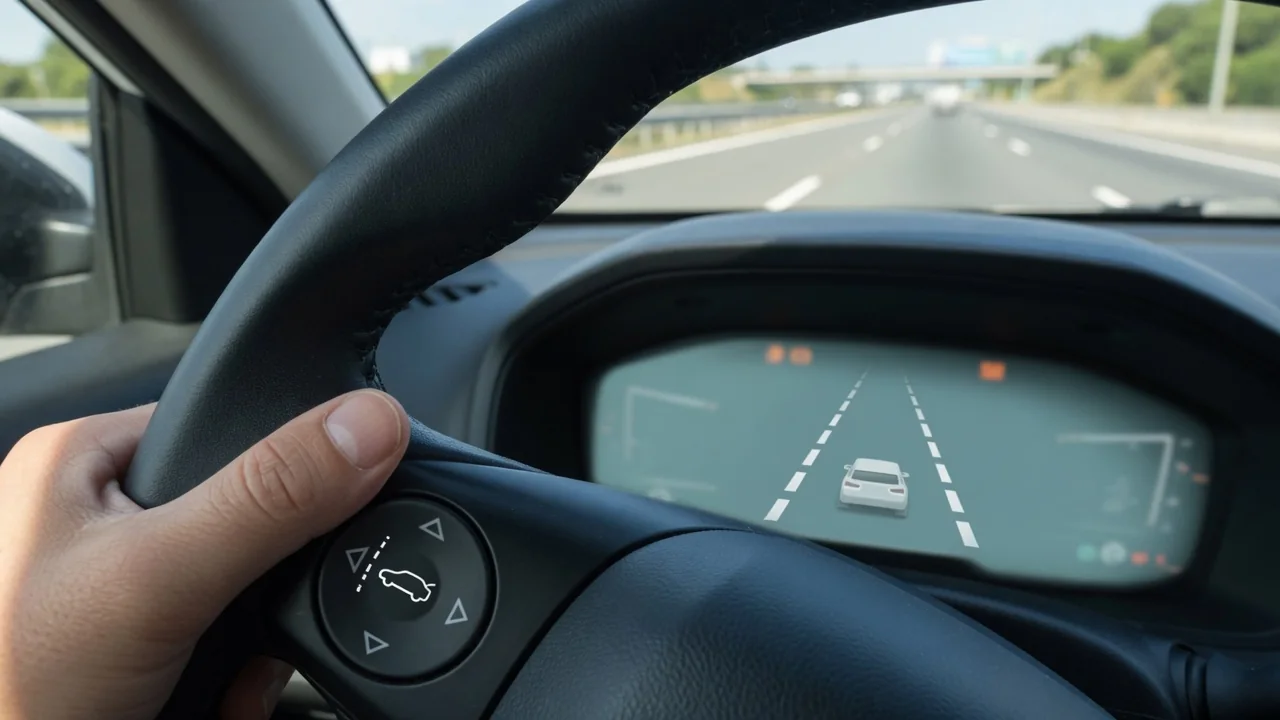
Lane Keeping Assist can be a welcome nudge on a long highway drive, yet it can feel intrusive in roadwork zones or on faded pavement. Knowing how to turn off lane keeping assist, and how to turn on lane-keeping assist again when conditions improve, lets you set your car's driver assistance settings to suit the road instead of fighting the steering wheel.
What Lane Keeping Assist Does and Why Some Drivers Switch It Off
Lane Keeping Assist relies on a forward-facing camera, usually near the rearview mirror, to read painted lane lines. If the car drifts toward a line without a turn signal, it applies a gentle steering correction to guide you back. A lane departure warning only alerts you with a chime, flashing icon, or vibration and never steers. Some cars offer both, and some include a warning only mode.
Drivers switch it off for practical reasons. Narrow construction-zone lanes, temporary lines painted over old ones, worn markings, and tar seams can confuse the camera and produce unwanted tugs. Towing a trailer changes how the vehicle tracks, and some people simply dislike the steering feel. Whatever the name, whether lane keep assist, lane keeping system, or lane centering, it remains a driver aid rather than self-steering, and you stay responsible for lane position. This guide covers the general approach, not every model.
Common Ways to Turn Off Lane Keeping Assist
The quickest method is usually a lane keep assist button on the steering wheel or lower dash, marked with a car between two lane lines. Some vehicles toggle with a single press; others need a press-and-hold. The second route runs through the infotainment screen or instrument cluster, under menus labeled driver assistance, safety, or ADAS, where some vehicles let you choose warning only, assist, or off.
After making the change, confirm it in the instrument cluster indicator area. The lane icon may disappear, turn gray, or display a brief off message. Because button locations and menu paths differ by make, model, and year, the owner's manual is the reliable reference. Also note that many vehicles separate steering assist from the lane departure warning, so switching off the steering function can leave alerts active, and turning off the warning may not disable a lane centering feature.
Turning Off Lane Keeping Assist on a Kia
Many Kia models offer two controls for lane features: a steering wheel button and a driver assistance settings menu. Labels, menu wording, and options vary by model and model year, so a newer SUV may not match an older sedan. To turn off lane keeping assist on a Kia, look in the cluster or infotainment settings for driver assistance or lane safety, then choose warning only or off where offered.
Once you have made a selection, watch the lane icon in the instrument cluster to confirm the change took effect. If the icon still shows, the button may control a different feature than you expected. Some Kia models keep separate lane-related functions, such as Lane Following Assist, which centers the car in its lane and may need its own adjustment. Your specific owner's manual is the safest guide, since assuming one method fits every Kia can leave a feature active.
How to Turn Lane Keeping Assist Back On
Turning the system back on usually reverses whatever you did to switch it off. Press the same steering-wheel button, using a press-and-hold if your car needs one, or return to the driver assistance menu and select the assist setting again. When it is on, a lane icon typically appears in the cluster, often gray or white while it searches for markings and changing color, commonly green, once it detects lane lines and is ready to help.
Restart behavior varies by manufacturer. Some vehicles return to the default setting every time the engine starts, which is why the system may reappear after you shut it off the day before. Others remember your last choice until you change it. If the button does nothing or the menu option looks grayed out, check the owner's manual, since some cars restrict changes while moving, require another feature to be active first, or display an unavailable status when the camera's view is limited.
Activating Lane Keeping Assist and Checking That It Is Working
To activate lane keeping assist so it actually steers, certain conditions usually apply. Lane markings must be clearly visible, and many systems only intervene above a minimum speed that differs between vehicles. Assistance can pause when you signal, take a sharp curve, make a quick steering input, or trigger hands-off detection by loosening your grip too long. None of this automatically means the system is faulty.
Reading the cluster indicator helps you tell standby from active. In general terms, a gray or outlined icon means the system is on but waiting, while a colored icon or highlighted lane lines indicate it is tracking the lane and ready to correct. Your manual explains the exact icons and colors for your vehicle. Get used to how it feels on a familiar, well-marked road in light traffic rather than testing its limits in heavy traffic or poor weather.
When Lane Keeping Assist Won't Stay On or Off
When lane keeping assist won't stay on, the camera's view is often the reason. Dirt, snow, ice, bug splatter, sun glare, heavy rain, or anything mounted on the windshield in front of the camera can make the system unavailable and trigger a warning message. Safe checks are simple: clean the outside of the glass near the camera, clear frost, and remove anything blocking its view, without removing trim or adjusting the camera itself.
Windshield replacement, collision repair, or alignment work can shift the camera's aim, and the vehicle may then need camera calibration performed by a qualified shop with the proper targets and scan tools. If a system fault warning stays lit, the car steers unpredictably, or settings will not save, arrange professional diagnosis. Any stored fault code is evidence to interpret, not proof a part has failed, and disconnecting components to silence the system can disable other safety features.
Driving Safely With Lane Keeping Assist Turned Off
With the system off, the car will no longer correct a drift, so steady attention matters more. Keep your eyes moving between the road and mirrors, and take breaks on long drives, since fatigue is often when lane wander starts. Other driver aids, including blind-spot warning and forward collision warning, usually have separate settings and are not necessarily switched off along with lane keeping assist, so check what remains active before relying on any of them.
Treat turning it off as a temporary choice tied to conditions. Once you leave the roadwork zone, unhitch the trailer, or return to clearly marked highways, turning lane keeping assist back on restores its corrections. It also helps to read the full driver-assistance chapter in your owner's manual so you understand each feature, its default behavior after a restart, and how its indicators look, giving you a clear picture of what is active every time you drive.