How to Turn Adaptive Cruise Control On and Off
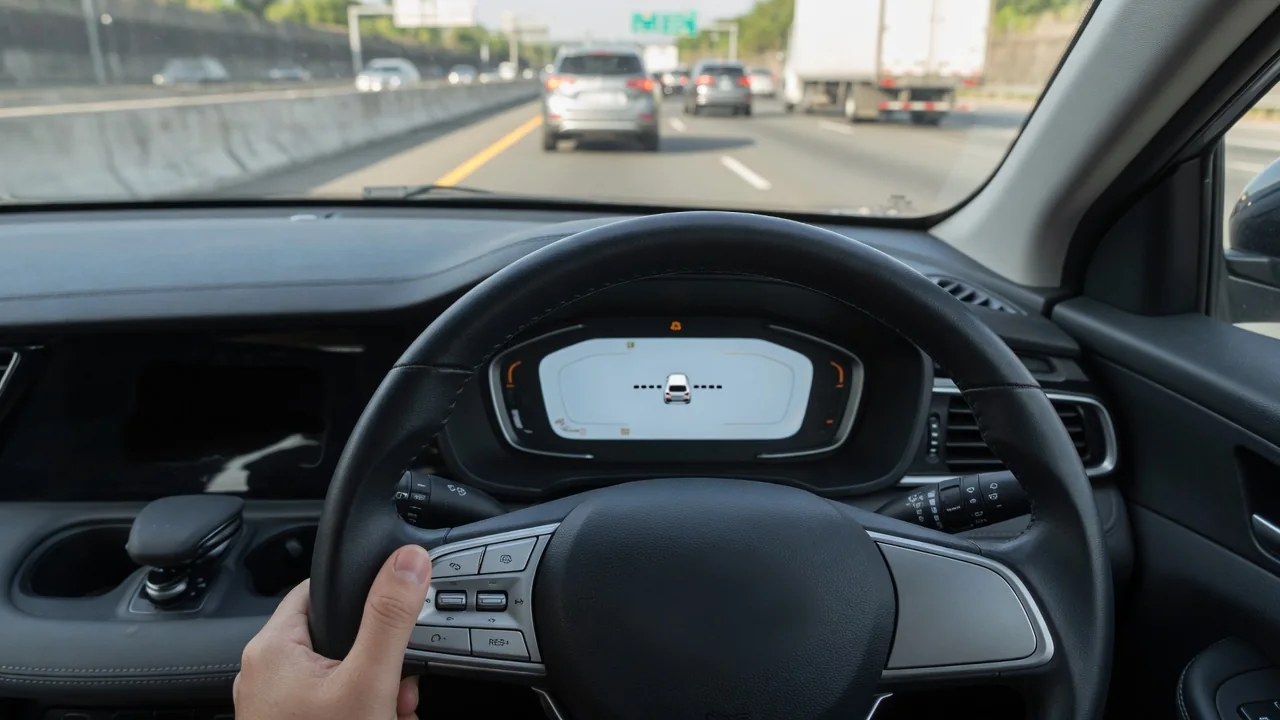
Knowing how to turn adaptive cruise control on and off matters as much as knowing how to use it. This radar cruise control feature holds a chosen speed and following distance behind the vehicle ahead. Drivers also need to know how to cancel it quickly, switch it fully off or fall back to conventional cruise mode. The basic steps are similar across brands, but button labels and options vary.
How to Turn On and Set Adaptive Cruise Control
To activate adaptive cruise control, press the cruise main or power button on the steering wheel or stalk and wait for a ready indicator in the instrument cluster. Accelerate to the speed you want, then press set. The icon usually changes to confirm that the system is holding speed. After that, the set and resume buttons typically raise or lower the speed. A distance button cycles through following distance settings, which are often shown as bars behind a vehicle symbol.
If you are wondering how to enable adaptive cruise control and nothing happens, check the operating conditions. Many systems won't engage below a minimum speed, with a door ajar or seatbelt unfastened, when the front radar sensor or forward-facing camera is blocked, or when traction control is switched off. Controls, labels and minimum speeds differ by make, model, year and trim. The owner's manual or the infotainment help menu is the most reliable guide.
Turning Off, Canceling or Disabling Adaptive Cruise Control
There are three ways to stop the system, and each works differently. Canceling releases control immediately but leaves the system armed, so pressing resume can restore your last set speed. You usually cancel with the cancel switch or a tap of the brake. Pressing the main button turns the system fully off. After you brake, the cluster indicator typically returns to its ready state or disappears, which shows the vehicle is no longer managing speed or distance.
So can you turn off adaptive cruise control completely? Many vehicles let you keep it switched off or choose conventional cruise mode, which holds a fixed speed without reacting to traffic. However, the radar and camera hardware often keep running for other driver assistance features, such as forward collision warning. Never unplug, cover or reprogram sensors to disable adaptive cruise control. Doing so can also disable emergency braking and other safety functions.
Chevrolet, GMC and Cadillac Adaptive Cruise Basics
Chevy, GMC and Cadillac models typically use a cruise on/off button paired with set and resume switches, though the layout varies by model and year. Before you try to turn on adaptive cruise control in a Chevy Traverse, Chevy Silverado, GMC Yukon or Cadillac Escalade, confirm that the vehicle actually has it. Some trims have only standard cruise. The window sticker, owner's manual and cluster icons are the quickest ways to check your equipment.
When adaptive cruise is active on a GM vehicle, the cluster or head-up display, where equipped, usually shows a vehicle-ahead indicator once a car is detected, along with the current gap setting. Icon designs vary, so compare what you see with the manual. Hands-free driving features and broader driver-assistance packages are separate from basic adaptive cruise. They have their own controls, operating limits and attention requirements, so turning on one does not turn on the other.
Toyota and Lexus: Turning Off Dynamic Radar Cruise
Toyota and Lexus generally call the feature dynamic radar cruise control. Yes, you can turn it off, and some models also offer a constant-speed mode that works like traditional cruise. If you need to turn off adaptive cruise control on a Toyota Tacoma or Lexus RX 350, first find the cruise controls on the steering wheel or stalk. Canceling suspends control and keeps the system ready, while the main switch shuts it off completely. Your manual describes the exact method.
Dynamic radar cruise may also switch itself off and display a message during heavy rain or snow, or when the front sensor area is dirty or iced over. Once you are safely parked, cleaning snow, mud or bugs off the sensor area in the grille or bumper often brings it back. Depending on the vehicle, following distance settings and constant-speed mode may reset or stay set after a restart, so check your setting at the start of each drive.
Honda Adaptive Cruise: Off, Cancel and Standard Cruise
Honda groups adaptive cruise with its other driver assistance features, and the controls and options differ by model year and trim, including on the Honda CR-V. Typically, a main button arms the system, and the cancel button or a tap of the brake suspends it while keeping it ready. Pressing the main button again turns it off. Whether your vehicle also has a standard cruise option depends on the vehicle, so the owner's manual has the final answer.
To confirm the change worked, watch the instrument cluster indicator. Honda displays usually show whether the system is ready, active or off, often with a vehicle icon and distance bars that appear only when it is engaged. Turning off adaptive cruise control in a Honda does not turn off lane keeping or collision mitigation braking. Those functions usually have separate settings, controlled either by dedicated buttons or through the vehicle settings menu.
Hyundai, Subaru, Mazda and Mercedes-Benz Controls
Hyundai, Subaru, Mazda and Mercedes-Benz each name and arrange their cruise controls differently, from steering-wheel buttons to a separate stalk. On a Hyundai Tucson or Mazda CX-5, look for a cruise on/off button among the steering wheel cruise controls, and check whether your trim offers a standard-cruise option. Button layouts and procedures have changed between generations, so follow the manual for your exact year and trim instead of instructions written for another version.
Subaru adaptive cruise may rely on the camera-based EyeSight system behind the windshield. Glare, fog, heavy rain or a dirty windshield can limit the feature or turn it off. Keeping the glass in front of the cameras clean helps, and you turn the system off with the main button, as on most vehicles. On Mercedes-Benz models, distance-assist features may be part of a larger driver-assistance package, so confirm what your vehicle includes before following any steps.
Safety Limits and When to Get the System Checked
Adaptive cruise control is a driver aid, not a self-driving system. It may not respond correctly to stopped vehicles, sudden cut-ins, pedestrians, sharp curves or traffic patterns its sensors cannot detect. Switch it off in heavy rain, snow or ice, in construction zones, on winding roads and on steep downhill grades. Also switch it off in heavy stop-and-go traffic if your vehicle does not support low-speed following. Keep your hands on the wheel and your eyes on the road.
If the system reports that it is unavailable, read the warning message, check for dirt, snow or ice covering the sensor area, and look for front-end damage. Do not take sensors apart. Recurring faults, stored warnings and possible misalignment after a collision, bumper repair or windshield replacement need professional diagnosis and sensor calibration. Even a slight aiming error can change how the system judges distance to the vehicle ahead.