How to Read an EV Charging Station Listing
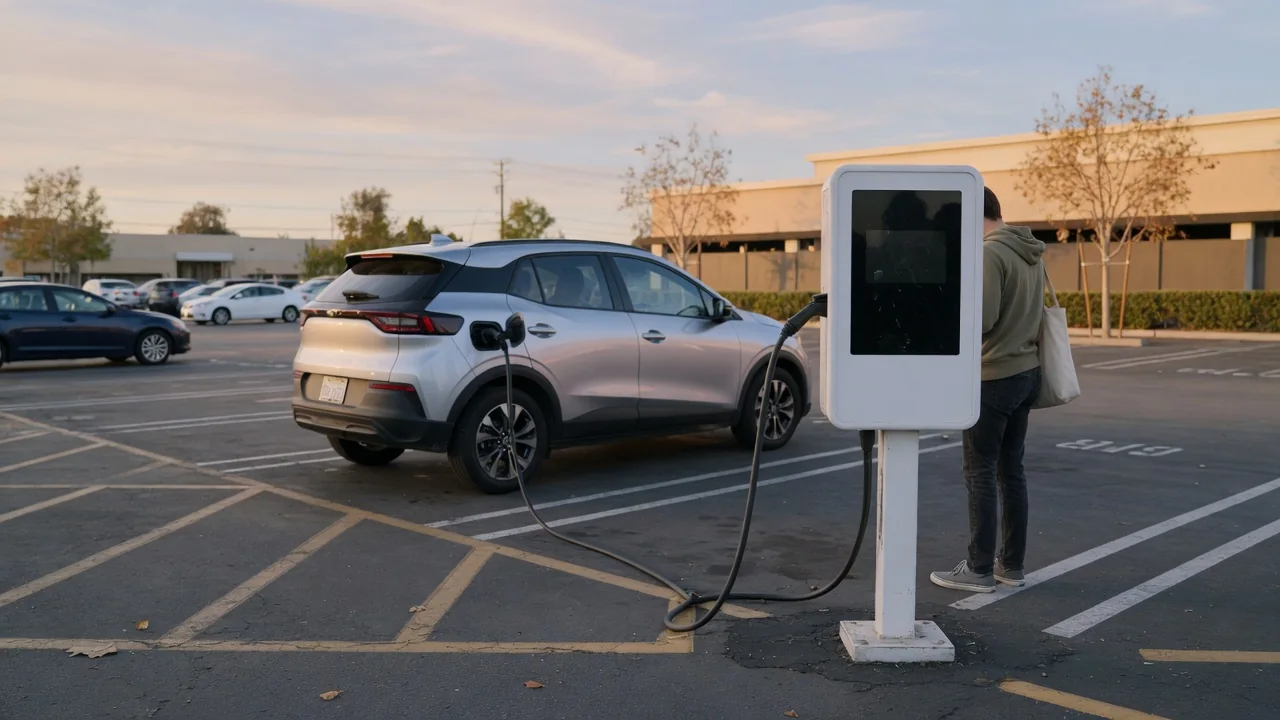
Learning how to read an EV charging station listing saves time and avoids arriving at a plug your car cannot use. A typical entry in a map app or network directory packs connector types, power output, access rules and live status into a few lines. Knowing what each detail means, and where your own vehicle changes the answer, makes every stop more predictable.
Connector fit
The connector line is the first thing to check, because a station is only useful if its plug matches your vehicle's charge port. In the United States, listings commonly name J1772 for Level 2 alternating current charging, CCS for direct current fast charging, and NACS, also labeled J3400, which handles both in one compact plug. Some listings still show CHAdeMO, a fast charging standard used by a smaller group of vehicles. Each name refers to a physical shape, so a mismatch cannot simply be forced.
Your own port is the reference point. Open the charge door and compare what you see with the icons in the listing; a CCS inlet, for example, looks like a J1772 socket with two large pins added below it. Adapters can bridge some combinations, but whether one is approved, and whether a given network permits it, depends on the vehicle maker and the site. Listings also note whether the cable is attached or whether you must bring your own, which is common at some Level 2 locations.
Power rating
Power is shown in kilowatts, and it describes the most the equipment can deliver, not what your car will necessarily receive. Level 2 stations are usually listed with single-digit or low double-digit kilowatt figures and suit stops lasting hours, such as work, shopping or overnight parking. Direct current fast chargers carry much higher ratings and are meant for shorter stops on longer trips. Reading the number alongside the charging level tells you roughly what kind of visit the site is designed for.
The vehicle sets the other half of the equation. On alternating current, the onboard charger caps the rate, so a powerful Level 2 unit gives no advantage to a car with a modest onboard charger. On direct current, the battery's accepted peak, its temperature and its state of charge shape the session, with power typically tapering as the pack fills. Some sites also share output between stalls, so a listing's headline figure may drop when a neighboring vehicle plugs in. Your owner's manual lists your car's limits.
Access and status
Access details answer whether you can actually use the station when you arrive. Look for wording such as public, restricted, customers only or residents only, along with opening hours, since chargers inside parking garages, dealerships or gated lots may be unreachable after closing. Payment notes matter just as much: some sites accept a credit card at the unit, others require a network app, membership card or plug-and-charge capability. Parking fees, time limits and idle fees after a session ends are often tucked into the same part of the listing.
Status indicators show what is happening right now. Available, in use, and out of service or offline are typical labels, usually given per stall rather than for the whole site, so a location with six ports may have only two working. This data comes from the network and can lag or be wrong, which is why the timestamp of the last update and recent driver check-ins deserve a glance. A stall marked available but with several recent failed-session reports is worth treating with caution.
Everyday Use and Observations
In daily driving, a listing is best read against your plan for the stop. For a grocery run, a nearby Level 2 station with free parking may add useful range without any waiting. On a highway trip, the number of fast charging stalls matters more than a single high rating, because more stalls mean better odds of plugging in immediately. Amenities listed nearby, such as restrooms, lighting and food, also say a lot about how comfortable a twenty or forty minute wait will be.
Photos and user comments fill gaps the formal fields leave open. They can reveal that the cable is short and your charge port sits on the opposite corner, that stalls are pull-in only and awkward with a trailer, or that the units hide on an upper garage level. Port location varies widely between vehicles, so a layout that suits one driver may force another to park at an angle. Pricing structure, by the kilowatt-hour or by the minute, also appears here and affects slower-charging cars differently.
Limits and Next Steps
No listing is a guarantee. Equipment can fail between updates, a stall can be blocked by a parked gasoline car, and the delivered power can fall short of the rated figure in cold weather or when the site is busy. Listings also cannot know your battery's condition or temperature on arrival, so time estimates built from the headline rating are approximate. Treat the entry as a well-informed forecast and keep enough range in reserve to reach a second option if the first disappoints.
The practical next step is to confirm your own vehicle's details once and keep them in mind: the connector type, the maximum alternating and direct current rates, and any adapters the manufacturer supports. Many vehicles' navigation systems and network apps can filter stations by those criteria, which removes most guesswork. Before a longer trip, pick a backup charger near each planned stop and check status shortly before leaving. If a station behaves differently from its listing, reporting it helps the next driver who reads it.