How to Keep a Road-Trip Plan Useful When Navigation Fails
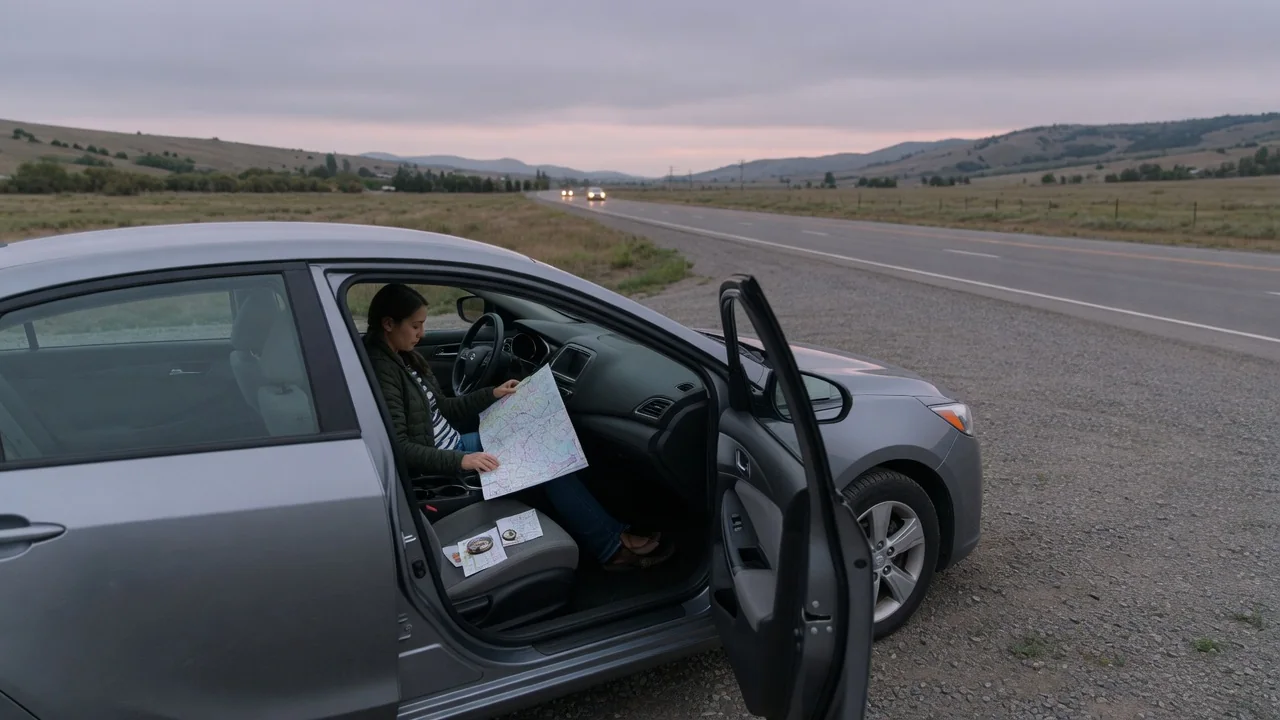
Phone navigation can fail for ordinary reasons: a dead zone, a drained battery, an app that lost its downloaded map, or a detour the software does not know about. A road-trip plan stays useful in those moments only if it was built to work without live guidance. This guide explains how to prepare an offline road trip backup plan around three things: a saved route you can follow on your own, key stops you can find without a screen, and communication that keeps others informed.
Saved Route: A Plan That Works Without a Live Signal
The first layer is a route stored on your device before departure. Many navigation apps let you download map regions for offline use, and a phone can often determine its position without a cellular data connection, so a downloaded map may keep showing where you are when data drops. Offline features vary by app and device, however. Before the trip, confirm that the downloaded area covers the whole corridor, including likely detours, and that the app opens and routes with mobile data turned off. Live traffic, closures and searches for new places usually need a connection, so treat the offline map as a position and road reference rather than a complete replacement.
The second layer does not depend on electronics at all. Write a short route summary in the order you will drive it: highway numbers and directions, the cities that appear on guide signs, the junctions where you change roads, and the approximate distance between them. Highway signs are organized around route numbers and destination cities, so a list built the same way is easy to match against what you see through the windshield. A printed road map or atlas for the region adds what a list cannot, such as parallel routes and the overall shape of the road network if you need to work around a closure.
If the vehicle has factory navigation, it may store map data on board and keep working when a phone does not, but that depends entirely on the system. Check the owner's manual for whether maps are stored locally and how they are updated, because outdated map data may not reflect newer roads or interchanges.
Key Stops: Anchor the Trip to Places You Can Find Without a Screen
A route is easier to recover when it is divided into segments that end at known points. Decide in advance where you plan to stop for fuel or charging, meals, rest and the night, and record each one with enough detail to find it without a search: the street address, the highway exit or junction it is near, and the next town in your direction of travel. If you lose your bearings between stops, the task shrinks from rebuilding the whole trip to reaching the next anchor point.
Plan for gaps as well as stops. Rural stretches can have long distances between fuel stations or public chargers, and opening hours are not guaranteed, so note an alternative for each important stop and the point on the route where you should refuel or recharge rather than push on. For an electric vehicle, record the charger location and the connector type the car needs, since a charger found by chance may not suit it. Your own vehicle's range readout and what you already know from daily driving are a better guide here than any general rule.
Overnight stops deserve extra care. Keep the reservation confirmation, address and phone number in a form that does not require logging in to an account, such as a screenshot saved on the phone plus a paper copy. Arriving late, with a dead phone, at a place you only know by name is exactly the situation these written details are meant to prevent.
Communication: Keep People Informed When Your Phone Is Unreliable
Before leaving, share the plan with at least one person who is not traveling: the route summary, planned overnight stops, rough arrival times, and a description of the vehicle with its plate number. Agree on check-in points, such as each overnight stop or the end of a long remote segment, and on what your contact should do if a check-in is missed by an agreed margin. A shared plan turns a missed message from a vague worry into a defined trigger for action.
Assume coverage will be patchy and write down anything you might otherwise look up. Keep a short paper list of key phone numbers, including your contact person, each lodging, your roadside assistance provider with the membership or policy number, and your insurer. A short text message can sometimes get through when a call or data session will not, so agree to use brief texts for check-ins. When you reach an area with good signal, send an update before you actually need to.
Power is part of communication. A phone running navigation drains faster, so carry a vehicle charger and cable that fit the device, and keep a charged power bank as a backup. Some phones and dedicated devices offer satellite messaging where there is no cellular coverage; whether yours does, and under what plan, depends on the device and provider. If the vehicle has an emergency assistance or connected service, check the owner's manual or the provider for whether it needs an active subscription and what network it relies on, because these features differ widely between vehicles.
Practical Implications and Limits
The value of these layers shows up in how decisions change on the road. With a written route and known stops, a navigation failure becomes a short pause rather than an emergency: pull over somewhere safe, find your place on the paper map or route list, identify the next anchor point and continue toward it. Entering destinations or reading a map while moving is a distraction, so the planning belongs before the trip, and any re-checking should happen while stopped or be handled by a passenger.
A backup plan also has clear limits. Offline maps and printed atlases go out of date, and neither shows live closures, construction or weather, so roadside signs, detour markings and directions from officials take priority over anything you saved. A route list cannot anticipate every alternative, and planned stops can close or be fully booked. The plan reduces how much you depend on a working screen; it does not replace judgment, sensible fuel or charge margins, or a willingness to wait for conditions to improve.
Finally, the plan is only as useful as its most recent review. Test the offline maps before departure, update the route list whenever the itinerary changes, and tell your contact about the change. A quick check each evening at the overnight stop keeps all three layers aligned with the trip you are actually taking.