How to Check a Public Charger Before Starting a Session
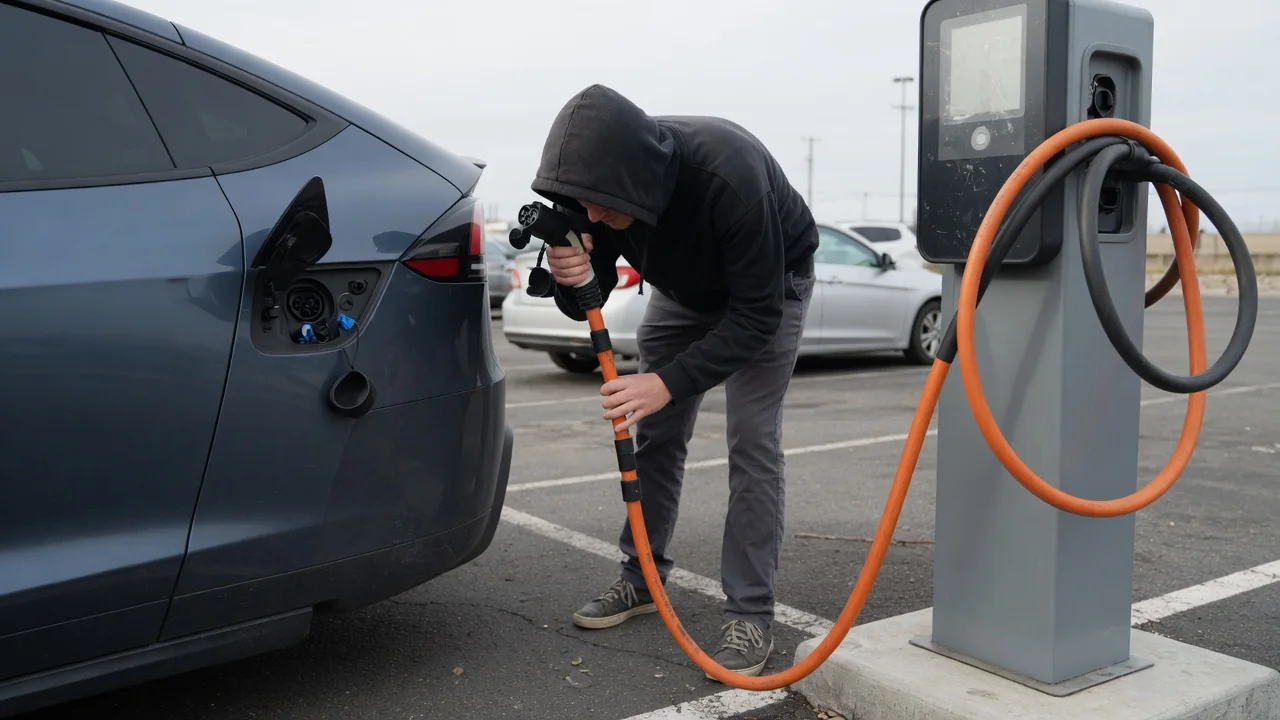
Knowing how to check a public charger before starting a session can save time, money and a stranded afternoon. A station that appears available in an app may still have a damaged cable, a dark screen or pricing you did not expect. A short look at the hardware, the terms and your alternatives lets you plug in with realistic expectations instead of assumptions.
Inspect connector
Start with the part that actually touches your vehicle. Lift the connector from its holster and look into the face of the plug. The pins should be straight, clean and evenly seated, with no green or white corrosion, melted plastic, scorch marks or packed-in dirt. A cracked housing, a missing latch or a handle that rattles suggests the plug has been dropped or driven over. Any of these signs is a good reason to choose a different stall rather than test the damaged one with your charge port.
Follow the cable back to the cabinet as well. Cuts in the outer jacket, exposed wiring, sharp kinks or a liquid-cooled cable that looks swollen or leaking are worth walking away from. Then confirm the plug type matches your car. Connector standards differ between vehicles and regions, and some drivers rely on an adapter that must be approved for their model and for fast charging. Your owner's manual identifies which connectors your port accepts and whether an adapter is supported.
Confirm terms and access
Before authorizing anything, read what the station tells you about cost. The screen, a posted label or the network app normally shows whether billing is by energy delivered, by time connected, or a combination, along with any session fee. Time-based pricing matters more for vehicles that accept power slowly, because the meter keeps running as charging tapers near a full battery. Idle fees for staying plugged in after charging ends, and separate parking charges or time limits set by the property owner, are also worth looking for.
Access is the other half of this check. Some stations accept a contactless bank card at the unit, others require a network account, an app with a loaded payment method or a membership card, and some start automatically when a compatible vehicle is plugged in. That last option depends on both the car and the network supporting it. Check also that the site is truly public at that hour, since chargers in garages, dealerships and workplaces may sit behind gates, restricted hours or customer-only rules.
Have fallback
Even a charger that passes every visual check can fail to start, so decide on your alternative before you need it. While you still have comfortable range, identify a second station you could reach, ideally on a different network or at a different site, since a single power or communications outage can take down every stall in one location. Arriving with a nearly empty battery removes that choice, which is why many drivers plan stops with a margin rather than running to the minimum.
Fallback also applies to how you pay and how you connect. A second app already set up, a physical payment card and a network access card give you options if cellular coverage is weak or one method is declined. Where your vehicle allows it, a slower alternating-current station nearby can add enough range to reach a working fast charger. If the first stall fails, trying a neighboring one at the same site is often faster than driving on, since faults are frequently limited to one unit.
Everyday Use and Observations
App information is useful but should be treated as a clue rather than a guarantee. A stall listed as available only means the network has not registered a fault or a connected vehicle; it cannot see a broken latch or a blocked parking space. Recent successful sessions and dated driver comments tend to say more than a status icon. On site, look at the display for error messages, a frozen or blank screen, and the indicator lights, whose colors and meanings vary by manufacturer.
Other everyday details shape the experience too. Check that the cable reaches your charge port without strain, since port locations vary and some stalls are laid out for a particular parking direction. Note the lighting, whether the area feels safe at night, and whether standing water or snow surrounds the unit. Once a session begins, watch the first minute or two on the charger screen and in your vehicle display to confirm power is actually flowing and climbing as expected.
Limits and Next Steps
A pre-session check has clear limits. You cannot see inside the cabinet, and no inspection predicts the power you will receive. Charging speed depends on the station's rating, whether it shares output with a neighboring stall, your vehicle's maximum acceptance rate, battery temperature and the current state of charge. A cold pack or a nearly full battery will charge slowly on perfectly healthy equipment, so a modest rate alone does not prove the charger is faulty. Some vehicles can precondition the battery on the way to a station.
If a session will not start or stops early, end it properly, reseat the connector once and then move to another stall instead of repeating attempts. Reporting the problem through the app or the support number on the unit helps the next driver and creates a record if you were billed incorrectly. When the same vehicle fails at several unrelated stations, the cause may lie with the car's charge port or software, and a dealer or qualified electric vehicle technician should examine it.