How Did Car Dashboards Change With Screens?
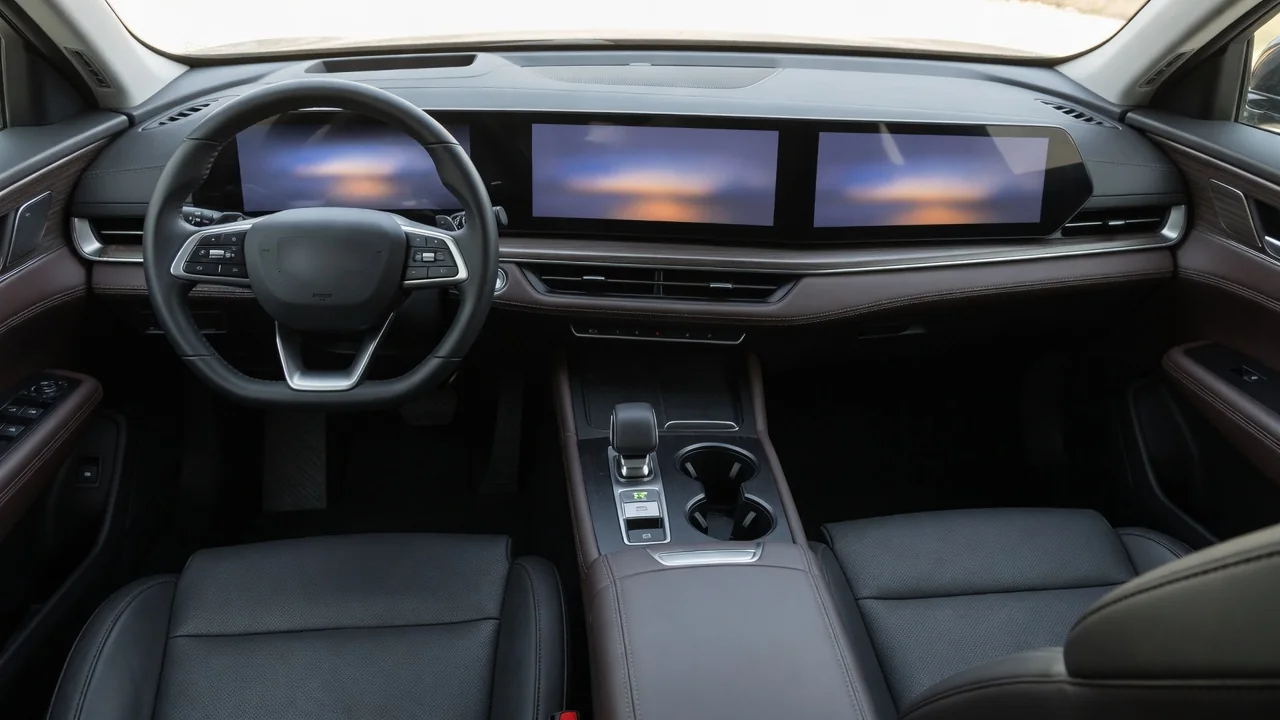
For most of automotive history, a dashboard was a fixed arrangement of needles, warning lamps, knobs and switches, each tied to one job. Screens changed that logic. Instead of dedicated hardware for every function, many modern dashboards use reconfigurable displays driven by software, which can show different information at different times. Understanding how car dashboards changed with screens means looking at three linked shifts: how gauges were absorbed into displays, how physical controls moved onto touch surfaces and menus, and what that means for everyday usability.
Gauge integration: from needles to digital clusters
Traditional instrument clusters were built from separate gauges. A speedometer might be driven mechanically by a rotating cable from the transmission, while fuel and temperature gauges responded to electrical signals from sending units. Each instrument had its own face, needle and markings, and its layout was fixed when the dashboard was designed. Adding a new piece of information usually meant adding another gauge or warning light, and space behind the steering wheel was limited.
As vehicles adopted electronic control units and shared data networks, the cluster increasingly became a receiver of digital information rather than a set of independent instruments. Speed, engine speed, fuel level and coolant temperature could be calculated or reported by control modules and sent to the cluster over the vehicle network. That made it practical to replace individual dials with a single display. Earlier digital readouts, such as segmented numeric speed displays, showed the idea was possible, but full graphical screens allowed far more flexibility: the same panel can draw conventional-looking dials, a minimal speed readout, navigation prompts, driver-assistance status or trip data.
Integration also changed how warnings are presented. Instead of relying only on fixed symbols printed behind colored lamps, a screen can show text messages, diagrams and prioritized alerts. Many systems still keep standardized telltale symbols for critical warnings, because drivers recognize them quickly and regulations in many markets govern how certain warnings appear. The result in many cars is a hybrid: reconfigurable display content combined with familiar warning conventions that stay consistent across vehicles.
Controls: from dedicated switches to menus and touchscreens
The second major change concerns the center of the dashboard. Older designs gave each function its own physical control: a radio knob, a temperature slider, a fan switch, and buttons for defrost or seat heating. Drivers could learn their positions and operate them by feel. As infotainment, navigation, phone integration and vehicle settings multiplied, there was not enough room to give everything a dedicated button, and adding hardware for every feature increased cost and complexity.
Central screens addressed that by moving many functions into software menus. Early approaches often combined a display with a rotary controller, joystick or a set of hard keys around the screen. Touchscreens later became common because they let the interface change depending on the task, and because software can be revised or extended without redesigning the physical panel. In some vehicles, climate, audio, driving modes and basic settings are handled largely through the touchscreen, while others keep physical controls for frequently used or safety-related functions.
Steering-wheel buttons and voice control developed alongside screens as ways to reduce reliance on reaching for the center display. Steering-wheel controls typically navigate cluster menus, adjust volume or manage calls, and voice systems can handle tasks such as entering destinations. How well these alternatives work depends heavily on the specific system, so the general trend is toward layered control: a screen for depth, with buttons and voice for shortcuts.
Usability: what screens improved and what they complicated
Screens brought clear usability gains. A large map is easier to follow than a small text prompt, a reversing camera image is only possible with a display, and configurable clusters let drivers choose the information they care about most. Software can hide rarely used settings until they are needed, which keeps the visible interface cleaner. Updates can sometimes fix bugs or refine menus after purchase, depending on the manufacturer and the system.
The trade-offs relate mainly to attention. A physical knob gives tactile feedback and stays in the same place, so many drivers can adjust it without looking. A touchscreen button has no physical edge, may move between menu pages and usually requires a glance to confirm the target. Deeper menu structures can turn a one-step action into several steps, and glare, fingerprints, slow response or small touch targets can make this worse. Human factors work on driver distraction generally emphasizes short glances and simple tasks, which is why many designers now pair screens with physical controls for the most frequent adjustments rather than treating the display as the only interface.
Practical implications and limits for drivers
For owners, the shift to screens means that learning a car's dashboard is partly a matter of learning its software. It is worth spending time while parked to set up cluster views, favorites, shortcut buttons and voice commands, and to find where climate and defrost functions live. Owner's manuals often describe how to customize or reset displays, and some functions may be reachable in more than one way, such as a hard key, a steering-wheel button or a menu entry.
Screens also introduce new kinds of faults. A display or control module that freezes, reboots or loses backlighting can affect access to functions that once had dedicated switches. Some systems receive software updates through a dealer or over a data connection, and behavior can change after an update. Diagnosing these issues usually requires the manufacturer's procedures or diagnostic tools rather than simple mechanical repair, and repair costs vary widely from one vehicle to another.
Any general description has limits. Screen size, layout, the balance of touch and physical controls, and the availability of features such as head-up displays or configurable clusters differ by brand, model, trim and market. Regional regulations and safety assessment programs may also influence how much functionality ends up on screens. The broader automotive dashboard screen evolution is still under way, so the most reliable guide to a particular vehicle remains its owner's manual and hands-on familiarity gained in a safe, stationary setting.