How a Car Infotainment System Works
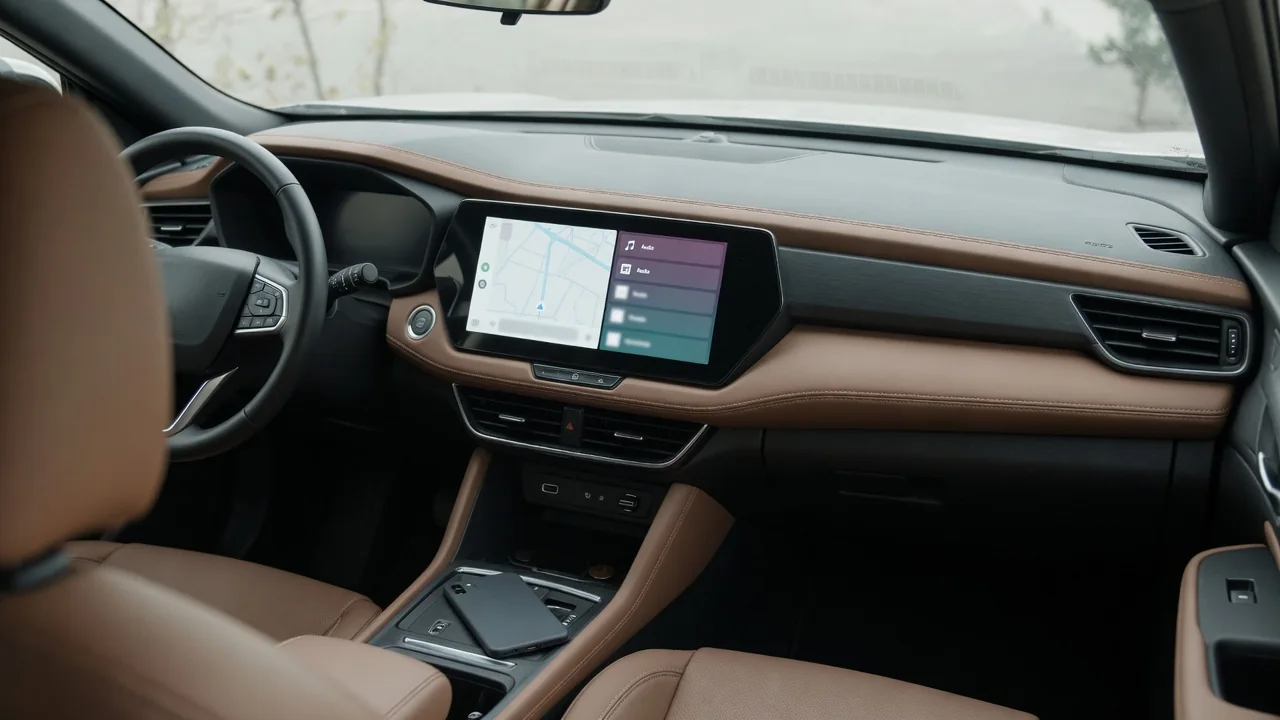
An infotainment system brings audio, phone, navigation and vehicle settings together on one screen with one set of controls and the software behind them. This guide explains what an infotainment system in a car actually is and how it works behind the dashboard. It also covers how to find out which version your vehicle has and how to turn it off safely, with the right places to check for answers about your exact car.
What an Infotainment System Is and What the Term Means
In plain English, an infotainment system is the single interface a car uses to deliver both information and entertainment. The word itself is a blend of those two words. Automakers prefer it to radio or stereo because the modern unit does far more than play music. It handles phone calls, maps, messages, vehicle settings and sometimes apps. Calling it a radio would undersell what has become the driver's main way of interacting with the car's electronics.
Most drivers use it through a touchscreen in the center of the dash, backed up by physical knobs or buttons, steering wheel controls and voice control. Some vehicles add a rotary controller or touchpad on the center console. Because the term covers a broad category rather than one product, layouts and features vary widely by make, model, year and trim. Two cars from the same brand can have very different screens, menus and capabilities.
What an Infotainment System Does Inside a Car
The exact features depend on the vehicle, but the main jobs are similar across most cars. The system manages audio sources such as radio, streaming and USB media, and it routes hands-free calls through the car audio system. It runs a built-in navigation system or a phone-based map, reads and replies to messages, and holds menus for settings like lighting, locks and display preferences. On some models the same screen also shows the backup camera, climate controls or driver-assistance settings, though not every car does this.
It is separate from the instrument cluster, which sits directly in front of the driver and shows speed, engine data and warning lights. Some cars combine the two into one wide panel, but they still do different jobs. The infotainment screen pulls many controls into one place and cuts down on separate buttons across the dash. That convenience still requires care, because looking at menus or typing a destination while moving takes your eyes and attention off the road.
How the Hardware and Software Work Together
Behind the trim, the core hardware is the head unit, or control module, which holds the processor, memory and audio circuits. It connects to the display, the speakers and often a separate amplifier. It also connects to microphones for calls and voice commands, antennas for radio, GPS and cellular signals, and USB ports for charging and data. On top of this hardware runs an operating system, much like a phone's, which draws the menus, launches apps and runs the voice assistant.
The head unit rarely works alone. It talks to other parts of the car over the vehicle's internal network. That link lets it show fuel or tire information, change lighting settings, and receive the gear position that switches on the camera view in reverse. Every input follows a similar path. The software reads a touch, knob turn or spoken command, then tells the right part of the system what to do, such as tuning a station or starting route guidance.
Phone Integration, Connectivity and Software Updates
Infotainment features fall into two groups. Native features are built into the car's own software, such as the factory navigation and radio. Phone projection platforms like Apple CarPlay and Android Auto instead show your phone's apps and data on the car's screen. Check your specific car to confirm whether it supports either platform and whether the connection is wired or wireless. Bluetooth pairing handles calls and audio streaming without full projection.
Some vehicles have their own cellular connection, which may enable live traffic, remote locking or other connected car features through a subscription or app. Depending on the manufacturer, software updates may arrive over the air, at a dealer visit or by USB. The owner's manual or a dealer can tell you which applies. Privacy matters too, because the system may store contacts, call logs and location history. Clear your personal data and unpair your phones before selling or returning a car.
How to Find Out Which Infotainment System You Have
If you want to know which infotainment system you have, start with the most reliable sources. The owner's manual usually names the system and describes its features. The settings or About menu on the screen often shows the system name and software version. The original window sticker may list the audio or navigation package. The manufacturer's owner website or app may also list your car's equipment once you register the vehicle.
Automakers often give their systems a brand name, but the same model can have different versions depending on year, trim or optional packages. The name alone may not answer the question. The settings menu may also show whether phone projection is available, though what appears varies by car. If you still can't confirm the trim or package, contact a dealer with your VIN. That is more reliable than guessing from photos or online listings, which may describe different equipment.
How to Turn Off or Dim an Infotainment System Safely
How you turn off an infotainment system depends on the vehicle, and the owner's manual has the final word. Common options include a display-off setting, pressing the power or volume knob, a toggle in the settings menu, or night and dimming modes that cut glare after dark. Muting stops the sound, turning off the screen darkens the display, and a full shutdown stops the unit itself. Many systems switch back on automatically the next time you start the car.
Some functions should stay on. The screen may also show the backup camera image or important warning messages, so don't disable those. Don't pull fuses, unplug modules or disconnect the battery to silence the system. Doing so can affect other electronics and create new problems. If the unit won't turn off with its normal controls, have a dealer or qualified technician inspect it. Only change these settings while parked, or when it is safe and legal to do so.
Common Infotainment Problems and When to Get Professional Help
Common problems include a frozen or black screen, a touchscreen that doesn't respond, Bluetooth dropouts, no sound and random reboots. Start with simple, safe checks. Turn the vehicle fully off and restart it, delete and re-pair your phone, and try a different good-quality cable. You can also use any soft reset method the owner's manual describes. These steps clear many temporary software glitches and phone connection problems without removing panels or touching wiring.
Symptoms alone can only tell you so much. Software bugs, wiring faults, antenna problems and failing modules can look almost the same from the driver's seat. A stored fault code is a clue to interpret, not proof that a part has failed. Take persistent problems to a dealer or qualified technician, especially if the backup camera, warnings or other safety displays are affected. Ask the dealer to check your VIN for software updates or service campaigns that may already address the problem.