Diagnose or replace Ford F-150 engine control module
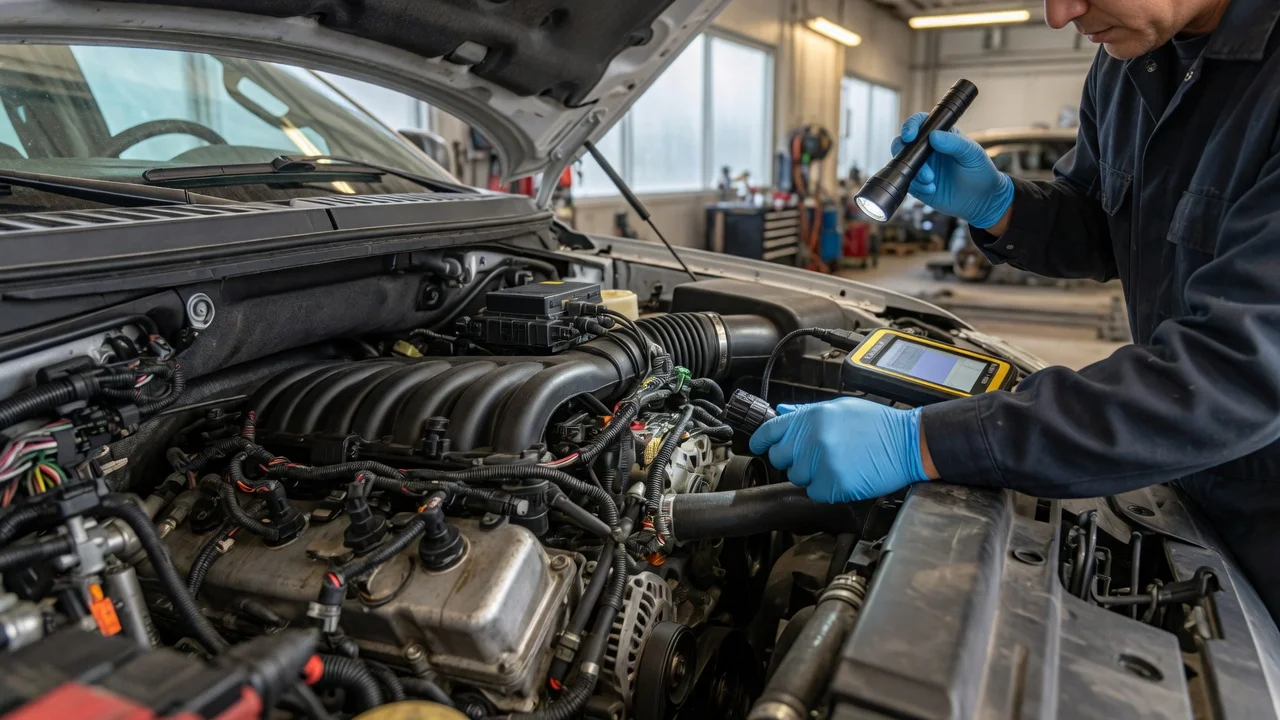
The short answer
The engine control module on a Ford F-150 is rarely the first part to replace. Many symptoms blamed on the module come from power supply, ground, wiring, connector, fuse or sensor problems. Rule those out first. Replace the module only after testing points to the module itself, and plan for programming, because a replacement unit usually has to be configured to the truck before the engine will run properly.
Ford usually calls this unit the powertrain control module (PCM), especially on trucks where one computer manages both the engine and the automatic transmission. Owners and parts sellers often use engine control module (ECM) and PCM to mean the same thing. When you shop for a part or read service information, check which term and part applies to your truck.
Why the answer depends on your truck
The F-150 has been built across many generations, engines and model years. These details can vary between versions:
Module location; Connector design; Part number; Software calibration; Programming procedure; Anti-theft integration
No model-year-specific specifications, locations, part numbers, procedures or prices were provided for this article, so none are stated here. Before buying parts or unplugging anything, confirm the details for your truck by VIN using Ford service information or a qualified technician.
What a fault code does and does not tell you
An OBD-II fault code, or diagnostic trouble code (DTC), records a condition the vehicle's computers detected. It does not prove a particular part has failed. Some codes do refer to the module directly. For example, the generic SAE definitions of P0605 and P0606 describe internal control module memory or processor faults, and U0100 describes lost communication with the ECM/PCM. Even these can be set by low system voltage, a poor ground, a damaged network wire or a corroded connector.
Treat any code as a starting point. Record every stored code, including codes in other modules if your scan tool can read them, along with any freeze-frame data. Note whether each code is current or historic. If several unrelated codes appear in several modules at once, a shared power, ground or network problem is more likely than several failed computers.
Possible causes and what to check next
Work from the simplest and most common causes toward the module itself. The table pairs each check with what the result suggests.
Check | What to look for | What the result suggests; Battery condition and charging | Weak battery, poor charging voltage, loose or corroded terminals | Low or unstable voltage can cause erratic module behavior and false module codes; fix and retest before suspecting the module; Main grounds | Loose, corroded or damaged engine-to-body and battery ground connections | A bad ground can mimic module failure; a repaired ground that clears symptoms points away from the module; Fuses and relays feeding the module | Blown fuses, failed relays, heat damage at the fuse box | A blown fuse that blows again suggests a short circuit that needs tracing before any module is replaced; Module connectors | Corrosion, bent or pushed-back pins, moisture, loose locking tabs | Contamination or poor contact can cause intermittent faults; water intrusion may also have damaged the module; Wiring harness | Chafing, rodent damage, melted insulation, previous poor repairs | Damaged wiring can cause communication codes or sensor faults unrelated to the module; Scan tool communication | Whether a scan tool can communicate with the PCM at all | No communication with the PCM while other modules respond narrows the problem to the PCM's power, ground, network wiring or the module itself; Sensor and circuit codes | Codes naming a specific sensor or circuit | Usually points to that sensor or its wiring rather than the module; Software status | Whether a calibration update applies to the truck | Some drivability or shifting complaints are addressed by reprogramming rather than replacement; a dealer can check by VIN
Check the module's own power and ground circuits under load, using the wiring diagram for your truck. A module with confirmed good power, good grounds and intact network wiring, but that still fails to communicate or keeps setting internal fault codes, is a stronger replacement candidate. Without wiring diagrams and the right test equipment, this step is best left to a professional.
When to stop driving or get professional diagnosis
Stop driving and arrange inspection or towing if any of these occur:
The engine stalls while driving. The engine suddenly loses power. The check engine light flashes, which usually indicates a misfire severe enough to damage the catalytic converter. The transmission shifts erratically or drops into a limited mode at speed. You smell fuel. You smell burning plastic or see melted wiring. The engine overheats.
Get professional diagnosis if any of these apply:
The truck cranks but will not start and the security light behaves unusually. Several modules report faults at once. The basic checks above do not explain the symptoms.
What replacement involves
A replacement module typically needs to be programmed to the truck. Depending on the model year and equipment, that can include:
Loading the correct software calibration; Entering the VIN; Transferring vehicle configuration data; Completing the Passive Anti-Theft System (PATS) procedure so the module accepts the truck's keys
If PATS setup is skipped or fails, the engine may not start or may start and immediately shut off. Programming generally requires Ford dealer-level software or a professional tool with equivalent capability.
Common replacement options include:
New modules from Ford; Remanufactured units; Used modules from salvage vehicles
Used and some remanufactured modules may carry another vehicle's data or the wrong calibration, so they still need professional setup. Matching the part number alone may not be enough. Confirm compatibility by VIN with the supplier, and confirm before purchase that a shop can program the unit you plan to buy.
Practical next steps
Read and record all stored codes and freeze-frame data. Test and correct battery, charging and ground condition, then clear codes and retest. Inspect fuses, relays, module connectors and visible wiring for damage or moisture. Ask a dealer whether a software update applies to your VIN. If the module is still suspected, have its power, ground and communication circuits tested before buying a replacement. If replacement is confirmed, buy a part that matches by VIN and arrange programming, including anti-theft setup.
Information gaps
No evidence was supplied on these points, so this guide stays general:
Module location, connector layout or part numbers for any specific F-150 generation or engine; Failure rates or known problem model years; Recalls or technical service bulletins; Repair or programming costs; Exact voltage specifications
Use VIN-specific service information or a qualified technician for these details.