Fix Jeep Liberty back glass latch
The short answer
The 2003 Jeep Liberty belongs to the first-generation Liberty (KJ). Its rear window is a separate flip-up glass panel on the liftgate. If that glass will not stay latched, the cause is usually at the latch and striker. The latch may be stuck in the wrong position, gummed with old grease and dirt, corroded, blocked by debris or ice, or the glass may no longer line up with the striker. The electric release can also be the cause if it is binding or does not return to rest. Most of these can be checked by eye and by hand before you buy parts. If the glass is loose at its hinges, cracked near the mounting points, or cannot be secured at all, stop using it and have it inspected.
One qualification matters. How the glass is released, and how its latch and wiring are arranged, can differ by trim and equipment. No service manual procedures, part numbers, wiring diagrams, recall notices or technical bulletins were available for this guide. The checks below are general diagnostic steps for this kind of latch, not factory procedures. Confirm details against the service information for your specific vehicle.
Why an unlatched rear glass should not be ignored
Glass that is not fully latched can lift or swing open while the vehicle is moving. It can also let exhaust fumes into the cabin and leave the cargo area unsecured. If you cannot get the glass to latch positively, avoid driving until it is fixed. Do not tape or tie the glass in a way that strains the hinges or the glass itself, because the glass panel is what carries that load.
What to check first
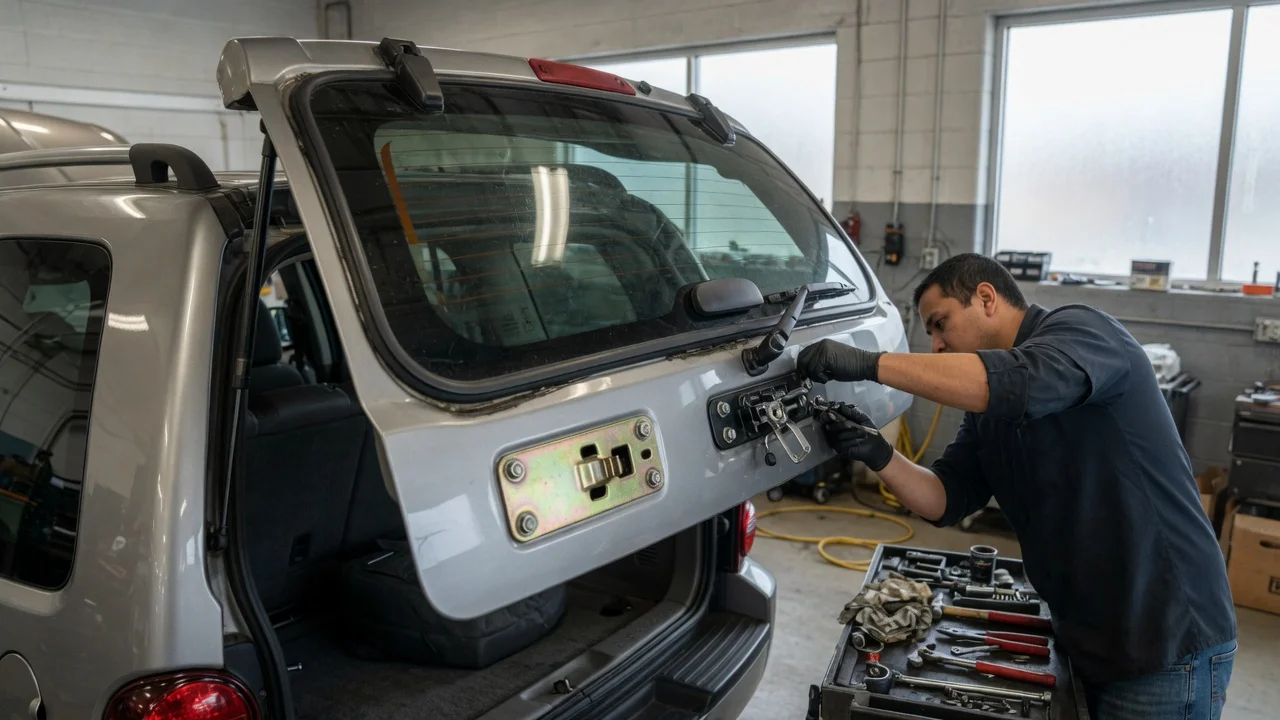
With the glass open, look at the latch on the glass and the striker it closes onto. Remove any debris, packed dirt or ice. Check whether the latch claw is already in its closed position. A latch that has tripped while the glass was open cannot catch the striker until it is reset to open. Watch the latch while someone operates the release. Check whether it moves freely and returns fully to rest when the button or remote is let go. Close the glass slowly and see where the latch meets the striker. Check whether it lands centered, or whether it hits high, low or off to one side. Look at both hinges and the glass around the mounting points for cracks, looseness or separation. Check the seal and any rubber bumpers along the glass edge for swelling or damage that could hold the glass too far out to latch.
What the results suggest
Finding | What it likely indicates | Next step; Debris, dirt or ice in the latch or around the striker | Physical obstruction | Clean the area and retest before replacing anything; Latch claw closed while the glass is open | Latch tripped or stuck in the closed state | Operate the release to reset it, then close the glass. If it will not reset, the latch is suspect; Latch moves slowly, sticks partway or feels gritty | Dried lubricant, contamination or corrosion | Clean it, apply a lubricant suited to latch mechanisms, and cycle it several times; Release clicks or buzzes but the latch does not stay closed | The electric release may be binding or staying engaged | Disconnect the release electrically, if that can be done safely, and see whether the latch then holds. Check the switch, wiring and actuator in the service information; No response from the release at all, and the latch will not reset | Mechanical seizure or an electrical fault in the release circuit | Inspect the latch mechanism and test the release circuit. Professional diagnosis is reasonable here; Latch meets the striker off-center or does not reach it | Misalignment from the hinges, mounting or seals | Inspect hinges and mounting points. Do not force the glass shut; Glass loose at a hinge or cracked near a mount | Structural problem with the glass or hinge attachment | Stop using the glass and have a glass or body professional inspect it
Cleaning and lubricating the latch
Many latch problems come from old grease that has hardened, or from road grime. Clean the latch until the claw moves freely by hand, using a tool rather than your fingers. Then lubricate it lightly and cycle it open and closed several times. If the latch then closes firmly and holds, contamination was probably the cause. If it still sticks or will not reset, it may be worn or corroded inside. Replacing the latch is then the more likely fix. Exact part fitment for your trim was not available and should be confirmed by VIN.
Electrical release considerations
The glass on this vehicle is opened electrically. A switch or remote command powers a release at the latch. A release that sticks, or a switch that keeps it powered, can stop the latch from staying closed. Pay attention to how it behaves. Repeated clicking, a release that works only sometimes, or one that works only in certain weather points toward the release circuit rather than the mechanical latch. Circuit locations, connector positions and test values were not supplied. Use the vehicle's service information or a technician for electrical testing, and treat any stored fault code as a clue to investigate, not proof that a part has failed.
When to get professional help
The glass is cracked, chipped near a hinge, or moving at its mounting points. The glass cannot be secured closed and the vehicle needs to be driven. Cleaning and lubrication do not free the latch, and you are unsure how to remove the trim or latch. The electrical release behaves erratically, or the fault appears to be in the wiring or switches.
It is also worth running a recall and service bulletin check by VIN through a Jeep dealer or an official recall lookup. No recall or bulletin information for this component was available for this guide, so its status is unconfirmed here.
Gaps in this guide
This guide does not include factory removal steps, fastener torque values, part numbers, wiring diagrams, recall information or test measurements, because none were supplied. Any repair that goes beyond inspection, cleaning and basic checks should follow the service information for your vehicle's trim and equipment.