Choosing an OBD2 Scanner for Hyundai
What an OBD2 Scanner Does for a Hyundai
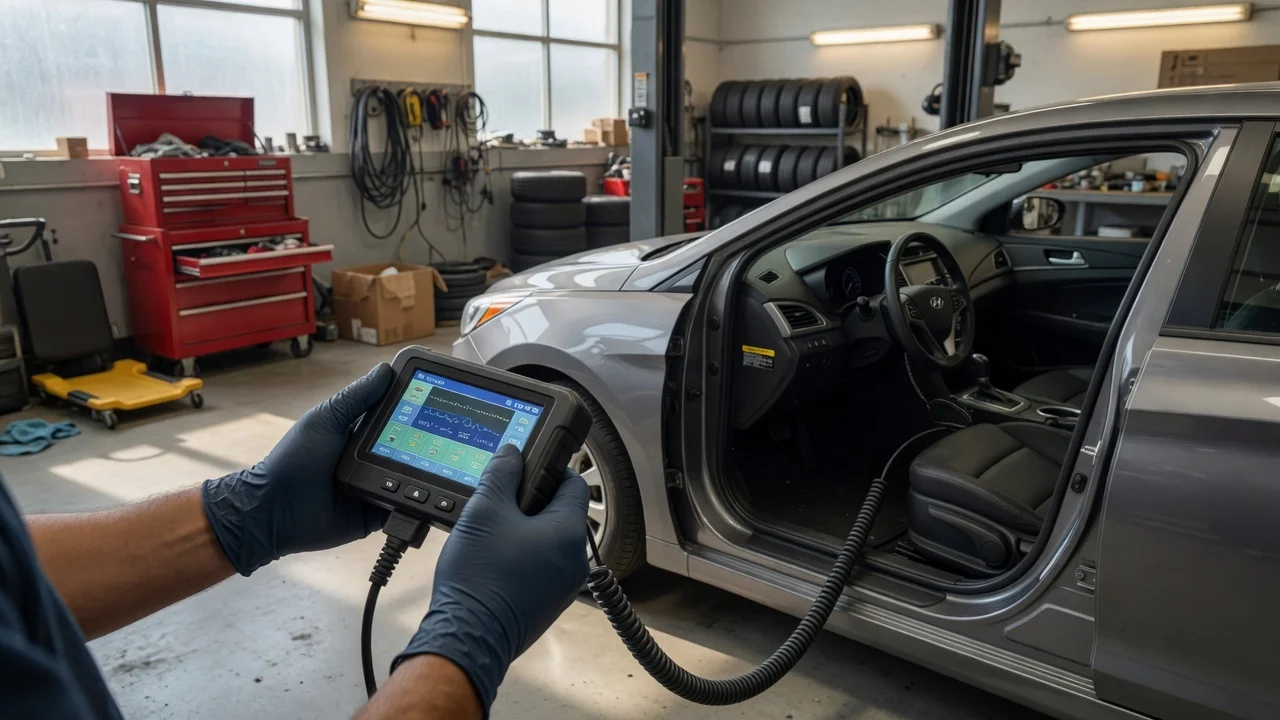
An OBD2 scanner reads diagnostic information from a vehicle's on-board diagnostics system. For Hyundai owners, it can retrieve powertrain fault codes, view live data such as coolant temperature or fuel trim, and clear a check engine light after a repair. Basic scanners work with generic OBD2 parameters, while Hyundai-specific or enhanced scanners can access additional modules and manufacturer-defined codes beyond the base OBD2 requirement.
Check Compatibility Before Buying
Hyundai gasoline models sold in the United States from 1996 onward generally support standard OBD2 communication, but compatibility should be confirmed for the specific model year, market, trim, and powertrain. Diesel and older or export-market vehicles may differ. Check that the scanner supports your Hyundai's communication protocol and connector location. Most Hyundai models use the standard 16-pin OBD2 connector, but location varies by model.
The most important compatibility question is whether you need generic OBD2 coverage only or Hyundai-enhanced functions such as ABS, airbag, body control, transmission, or steering angle sensor access. A generic scanner will read universal powertrain codes, but many Hyundai-specific codes and modules require a scanner with enhanced Hyundai coverage. Confirm this capability for your exact model and year rather than assuming any OBD2 tool works.
Basic, Enhanced, and Professional Scanner Options
Entry-level code readers are affordable and suitable for reading and clearing basic check engine light codes. They may show limited or no live data and cannot access Hyundai-specific modules. Mid-range standalone scanners or OBD2 adapters paired with a smartphone application can add live data monitoring, freeze frame data, and expanded coverage. Professional scan tools offer the deepest module access, bidirectional tests, and service functions such as electronic parking brake or steering angle calibration.
Type|Typical capability|Hyundai-specific access|Best for; Basic code reader|Read and clear generic powertrain codes|Limited|Check engine light diagnosis; Smartphone OBD2 adapter|Generic and some enhanced app-based diagnostics|Varies by app and vehicle|Budget live data and portability; Standalone enhanced scanner|Generic plus selected manufacturer codes and modules|Moderate|DIY maintenance and common systems; Professional scan tool|Deep module access, bidirectional control, service functions|Extensive|Advanced diagnostics and repairs
Priorities by Use Case
If you only need to identify a check engine light cause, a basic code reader may be enough. If you maintain your Hyundai at home and want to diagnose ABS or airbag lights, select a scanner with confirmed Hyundai-enhanced coverage for your model year. If you plan to perform service resets, calibrations, or module coding, you likely need a professional-grade tool and should verify the exact functions supported for your Hyundai.
What to Check Before Committing
1) Confirm support for your Hyundai's model year, market, trim, and engine type.\n2. Determine whether you need Hyundai-enhanced module coverage beyond generic OBD2.\n3. Check whether the scanner supports the functions you expect, such as ABS, airbag, transmission, live data, or special service functions.\n4. Clarify whether software or app subscriptions add to the total ownership cost.\n5. Verify firmware or software update policy and long-term support.
Prices vary widely by capability and market. If comparing quoted prices, establish the date, currency, market, and whether the listed price reflects an advertised or completed transaction. Some professional tools include a one-time software purchase, while others require recurring update subscriptions. Free smartphone apps may unlock more functions through paid upgrades. Include cables, adapters, case, and any required software when estimating total cost.
Gaps and Practical Limitations
Do not assume that a scanner advertised for one Hyundai model will provide identical coverage on another model or year. Enhanced coverage is not standard across all tools. Some functions require model-specific or region-specific software, and diesel models or vehicles sold outside the United States may have different diagnostics. Where the supplied information does not specify support for a particular Hyundai system, verify that capability for your exact vehicle before purchase.
A scanner does not diagnose a fault by itself. It reports codes and data that still require interpretation based on the vehicle's condition, service history, and repair context. A check engine light can have multiple causes, and clearing a code without repairing the underlying issue will not resolve the problem.
Making a Conditional Recommendation
For a simple check engine light on a gasoline Hyundai with no need for enhanced module access, a basic OBD2 code reader is the lowest-cost practical option. For regular home maintenance and common system diagnosis, a mid-range scanner or smartphone adapter with confirmed Hyundai-enhanced coverage offers the best balance of cost and depth. Choose a professional scan tool only when you need bidirectional tests, service functions, or access to multiple modules and are prepared for the higher initial and subscription cost.