Can You Turn Off Automatic Emergency Braking?
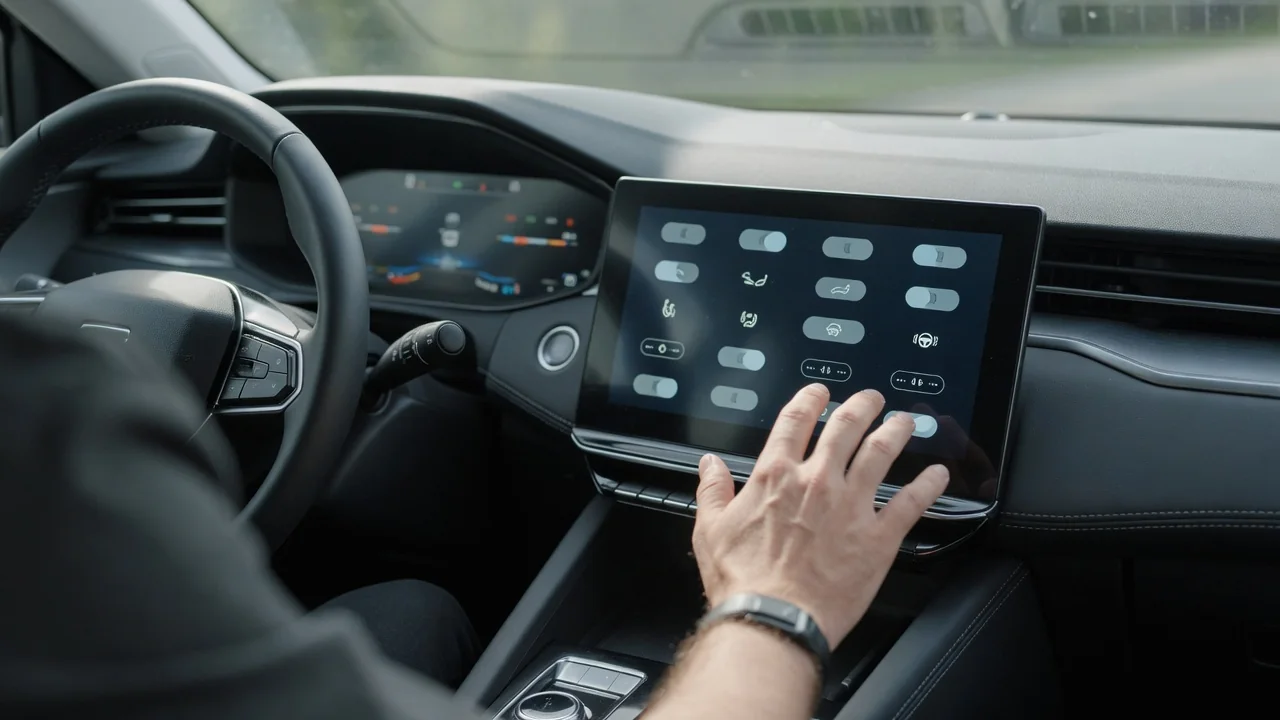
Can you turn off automatic emergency braking? In many vehicles you can, at least for a while, but the details depend heavily on the car. Before you change anything, it helps to know where driver assistance settings usually are, how Nissan models may differ, why the system often switches back on at restart, and when unwanted braking points to a sensor problem rather than a setting.
Can Automatic Emergency Braking Be Turned Off at All?
Many vehicles let the driver disable or limit automatic emergency braking, but whether that's possible, and how far it goes, depends on the make, model, year and trim. Some systems have a full off setting that lasts until the next restart. Others only let you change warning timing or sensitivity while the braking stays active. A few may not let the driver switch braking off at all, because the manufacturer treats it as a core safety feature rather than an optional convenience.
It also helps to separate two features that menus often group together. Forward collision warning only alerts you with a chime, a flashing display or a seat vibration and leaves the braking to you. Automatic emergency braking goes further and applies the brakes on its own when the system judges that a collision is likely. Turning off one may not turn off the other. The owner's manual for your exact vehicle is the authoritative source, because general guidance can't confirm what a specific car allows.
How to Turn Off Automatic Emergency Braking: Where the Setting Usually Is
When drivers ask how to turn off automatic emergency braking, the answer usually starts with a few common locations rather than one universal path. The control may be in a driver assistance or safety menu on the infotainment screen, in the instrument cluster menu worked by steering-wheel buttons, or on a dedicated dash button. Names vary by brand, so look for labels such as pre-collision system, forward emergency braking or collision mitigation braking. Some vehicles only accept the change while parked or with the ignition in a certain state, so follow the manual's procedure.
After you make the change, confirm that it took effect. Many cars show an indicator in the instrument cluster or a short message when the system is off. Check the exact symbol and its meaning in the manual, because a similar light can also signal a fault. Avoid shortcuts like unplugging the radar sensor, pulling fuses, covering the windshield camera or coding control modules. These methods can trigger unrelated warnings, disable adaptive cruise or lane features, and leave the car without protections the driver expects.
Turning Off Automatic Emergency Braking on a Nissan
If you want to turn off automatic emergency braking on a Nissan, know that system names, menu paths and available settings differ by model and model year. Nissan may call the feature intelligent emergency braking or forward emergency braking, and some versions also include pedestrian detection or rear braking functions with separate controls. Because of this, steps that work on one Nissan may not match another, even within the same nameplate, so a single universal procedure would be misleading.
Start with the owner's manual or Nissan's official owner resources for your exact model and year. They should give the system's name and the correct settings menu. On many vehicles the option may be in a driver assistance section of the vehicle settings menu, reached through the touchscreen or the cluster display, but check this rather than assume it. If you can't find the setting or aren't sure whether your trim has it, a Nissan dealer service department can confirm what your vehicle supports.
Why Automatic Emergency Braking Often Turns Back On After a Restart
Many drivers who turn off automatic emergency braking are surprised to find it on again the next time they drive. A lot of vehicles reset the system to on every time the vehicle starts, so you may need to switch it off again on every trip. Others remember the last choice. This varies by manufacturer and even by feature. Warning sensitivity is sometimes kept while the braking function resets, so check the manual to see how your car behaves.
The reason for defaulting to on is simple: a forgotten setting shouldn't quietly remove crash protection for the next driver or the next trip. Don't assume the system stays off. If you rely on the setting, check the indicator after every start. A permanent off option, if one exists, is specific to the vehicle. Be careful with aftermarket devices, unofficial coding or forum tricks that promise to make it permanent. They can create faults, complicate warranty or insurance questions, and make other safety features unreliable.
Safety Tradeoffs to Consider Before Disabling the System
Switching off automatic emergency braking removes a layer of crash protection, and the driver becomes fully responsible for avoiding frontal collisions. That matters most in moments of distraction, sudden stops in traffic or when a pedestrian steps out, when the system would otherwise react faster than a person could. Drivers sometimes turn it off for a short time for specific reasons, such as some towing setups, automatic car washes or unusual road conditions that confuse the sensors. The manual often says when the manufacturer recommends disabling it.
Before turning braking off completely, look for less drastic options. Many vehicles let you change the forward collision warning distance or lower its sensitivity. That can cut down on nuisance alerts while keeping automatic braking ready for real emergencies. If you do turn the system off for a car wash, a trailer hookup or a rough stretch of road, turn it back on as soon as that reason has passed instead of leaving it off out of habit.
When Unwanted Braking Means the Car Needs Service
Sometimes the urge to turn the system off is really a sign of a fault. Frequent false braking events, warnings that appear with nothing ahead, or a system-unavailable message that won't clear may point to a problem rather than a preference. Some checks are safe for any driver. Look for dirt, snow, ice, bugs or stickers on the windshield camera area and the front sensor area, which is often behind the grille emblem or in the lower bumper. Then see whether the warning goes away once the area is clean.
Windshield replacement, front-end collision repairs, bumper work and some suspension changes can affect where the camera or radar is aimed. Recalibrating the sensors after that kind of work is a job for a qualified shop with the right targets and scan equipment. Symptoms alone can't reveal the cause, and any stored fault code is evidence to interpret, not proof that a part has failed. Problems that keep coming back call for a professional inspection, not for switching the system off to hide them.