Best Bluetooth OBD2 Scanners: How to Choose a Wireless Adapter
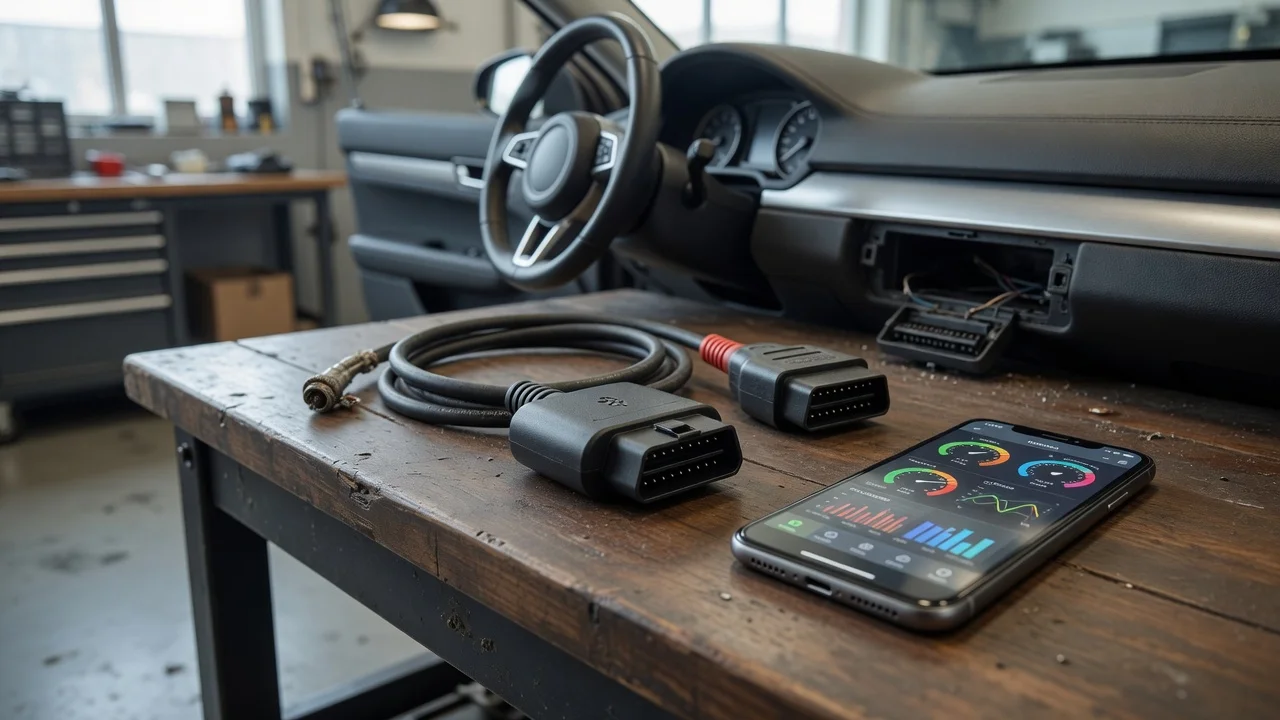
Start with the intended use
A Bluetooth OBD2 scanner is a small adapter that plugs into a vehicle's diagnostic port and sends data to a nearby phone or tablet over a wireless link. Decide what you want to do before comparing hardware. Reading and clearing basic powertrain trouble codes is common, but many people also want live sensor readings, trip logging, or compatibility with a particular diagnostic app. The environment matters too: a scanner used occasionally in a driveway has different needs than one left plugged in during daily driving or used across several cars.
Think about the phone or tablet that will run the app. A Bluetooth car diagnostic scanner is most useful when it can stay connected without a cable between the diagnostic port and the display device. Also check the physical space around the vehicle's OBD2 port. Some adapters are low-profile, while others may be easier to bump with a knee or foot. The result you need is a reliable wireless connection and an app that presents the data clearly, not just the cheapest adapter available.
Features that matter
Wireless OBD2 adapters are usually described by their chipset and supported protocols. The chipset affects how widely the adapter works with third-party apps. Some common chipsets are designed mainly for one manufacturer's software, while others support broader app compatibility. An obd2 scanner wireless adapter that works with your preferred app is more useful than one with an unfamiliar bundled app that limits what data you can see.
Bluetooth is not a single standard in OBD2 tools. Classic Bluetooth may be preferred on some platforms, while Bluetooth Low Energy can be required for modern iOS apps and certain Android software. Check the adapter's Bluetooth version and profile instead of assuming all wireless adapters connect the same way. The connector type also matters because a standard OBD2 port uses a specific 16-pin layout, but the vehicle's location and clearance can make a compact or cabled adapter easier to use.
Power consumption is another practical factor. Many adapters draw a small amount of power from the diagnostic port even when the engine is off. If the adapter will remain installed, look for one with a sleep mode or documented low-power behavior. A scanner that does not enter sleep mode can drain the battery in a parked vehicle. This is a design claim to verify in the adapter's documentation, not a score that guarantees how it will behave in every vehicle.
Check compatibility
Start with the phone or tablet operating system. Some Bluetooth OBD2 diagnostic scanner models support Android but cannot connect to an iPhone because they use a Bluetooth profile that iOS does not expose to regular apps. Others work with both but require a specific app. Check the adapter's stated compatibility with your operating system version before purchase, and be prepared for the possibility that an app update can change behavior.
Confirm the vehicle side as well. OBD2 became standard in many regions for petrol vehicles from the mid-1990s and for diesel vehicles later, but the exact year and market can vary. The port is usually under the dashboard near the steering column, though not always in open view. A vehicle sold outside markets that required OBD2 may still have a similar-looking connector without full protocol support, so check the vehicle's documentation if you are unsure.
App support determines much of the daily experience. A wireless adapter may connect, but the app still needs to interpret the vehicle's response. Some apps are designed for engine data and diagnostic trouble codes, while others add manufacturer-specific data or custom dashboards. Check whether the app supports the adapter chipset, whether it allows reading and clearing codes, and whether any useful features require a paid upgrade or a separate license.
File handling and privacy are part of compatibility too. Diagnostic apps may store vehicle identification details, location and log files on the phone or in a cloud account. Check the app's permissions and data settings before using it with a customer's car or before exporting a data log. Avoid sharing diagnostic logs with unclear recipients, and remove personal or location data from exported files when it is not needed for diagnosis.
Build a shortlist
Use a checklist based on your intended use instead of comparing long feature lists. First, confirm the adapter supports the phone or tablet you already own. Then confirm it supports the apps you plan to use and the vehicle's OBD2 protocol year and market. If the adapter will stay plugged in, check for a documented sleep mode or low-power design. If you need manufacturer-specific data, verify that the app and adapter combination can expose it rather than assuming all scanners provide the same depth.
Shortlist checklist
Phone or tablet operating system and Bluetooth profile are supported by the adapter. The adapter works with the diagnostic app you want to use, including code reading and clearing if required. The vehicle supports OBD2 and the physical connector is accessible without obstruction. Adapter shape does not interfere with the driver's leg or the trim around the port. A sleep mode or low-power standby behavior is stated for adapters that remain installed. Any paid app features or bundled software limitations are understood before purchase. Diagnostic log export and privacy settings are acceptable for how you will use the data.
After checking those points, narrow the list to adapters that fit the app and vehicle rather than chasing a universal best device. A wireless OBD2 adapter is only convenient when it pairs reliably, stays out of the way and gives the app data it can actually interpret. If the fit is unclear, choose an adapter with broad app compatibility and a conservative profile that can be returned or replaced without extra software.