Best Bidirectional OBD2 Scanners: Choosing a Tool for Active Tests
Start with the intended use
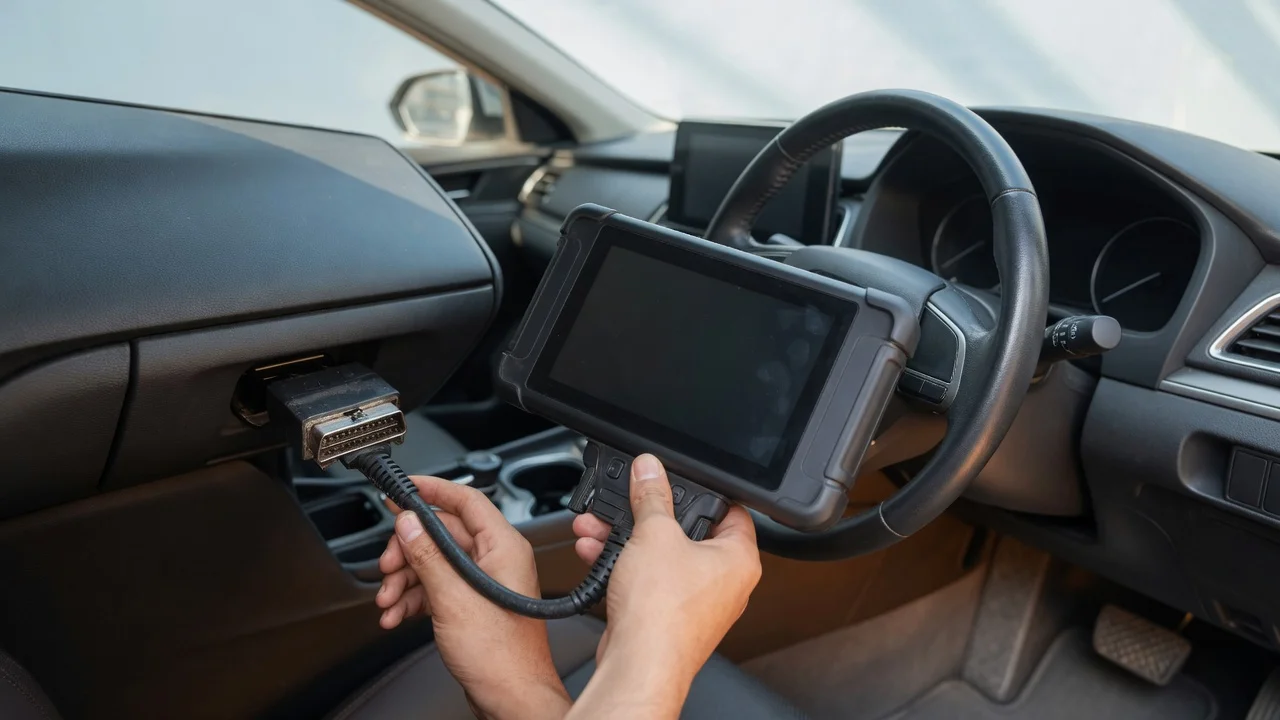
A bidirectional OBD2 scanner does more than read trouble codes. It can send commands to a vehicle module so you can run active tests such as cycling a cooling fan, commanding a window motor, triggering a relay, or performing a service relearn after a repair. Before choosing a tool, define where you will use it, how it will connect, and what the vehicle needs to support. A home mechanic may want a handheld scanner that works without a laptop, while a mobile technician may prefer a Bluetooth adapter paired with a phone or tablet app.
Consider the environment and power source. A wired scanner needs a stable connection to the OBD2 port and enough cable length for comfortable use in the driver seat. A wireless scanner depends on Bluetooth range, phone battery life, and app updates. Also think about the result you need: reading live data is common, but bidirectional control is a higher-level function that requires the scanner, the app, and the vehicle control module to agree on the command format.
The tool is only part of the setup. For active tests, the vehicle may need the ignition on, the engine off or running, a stable battery voltage, and sometimes a specific brake or gear position. Check the service information for the exact test conditions before assuming a scanner failure. A reliable bidirectional OBD2 scanner should expose the supported commands clearly rather than presenting every vehicle as fully controllable.
Features that matter
Bidirectional control is not a single universal feature. On some tools it appears as active test, actuation test, function test, or output control. The scanner sends a request, the module executes the action, and the tool reports a status. The available tests depend on the vehicle platform, protocol, and module. A generic OBD2 connection provides emissions-related data, but many active commands require enhanced manufacturer-specific diagnostics.
Important specifications include the supported protocols, whether the adapter can access enhanced powertrain and body modules, and whether the app lists vehicle-specific test menus. Bluetooth versions and adapter chipsets affect connection stability, but they do not guarantee that a particular command will work on a particular car. Treat a specification such as supported vehicle coverage as a compatibility claim to verify, not as a measured quality score.
For a Bluetooth scanner, look for clear indicators of connection state, data latency, sleep behavior, and automatic reconnect handling. For a handheld scanner, prioritize a screen you can read in bright light, straightforward menu navigation, and the ability to pause or abort an active test. The best bidirectional OBD2 scanner for your job is the one that makes the test sequence visible and gives you a clear pass, fail, or not supported result.
Check compatibility
Compatibility includes more than the physical connector. Confirm the scanner works with your phone or tablet operating system version, the diagnostic app you plan to use, and the make, model, year, and engine type of the vehicle. A bidirectional Bluetooth OBD2 scanner may require a specific app or a paid software tier to unlock active tests. Some wired scanners rely on USB drivers or a Windows-based application, which may not suit a garage laptop running an older operating system.
Check supported formats and interfaces. The OBD2 port is standardized in many markets, but protocols vary by region and model year. Older vehicles may use a protocol that supports code reading but not bidirectional commands. The connector, cable, Bluetooth profile, and app data format all need to work together. If the tool relies on an internet connection for initial activation or vehicle identification, plan for that during setup.
Power handling is part of compatibility. A wired scanner draws power from the vehicle. A wireless adapter also draws from the OBD2 port, so make sure the adapter fits securely and does not create an obstruction. Some tools include a low-power sleep mode, but that should not be assumed to protect the battery indefinitely. Before using a scanner for active tests, verify that the vehicle battery is charged and that the tool remains connected when commands are sent.
Build a shortlist
Use a checklist based on the job instead of comparing only brand names or advertising. Start with the vehicle: note the make, model, year, fuel type, and diagnostic system. Then define the active tests you need, such as fuel pump activation, ABS bleeder control, electronic parking brake service mode, or steering angle sensor reset. A scanner that supports one of these functions may not support all of them.
A practical shortlist includes: supported vehicle coverage for the exact model and region; wired or Bluetooth connection appropriate for the work environment; app or handheld interface that can display live data during active tests; bidirectional functions listed as supported for the required modules; and a return or trial path if the tool cannot access the expected commands. Also consider whether the scanner can read and clear codes, view freeze frame data, and export logs for later review.
Test each candidate against the same repair scenario. For example, after replacing a cooling fan, can the tool command the fan on and off while the engine is off? Can it display the commanded state and actual state together? If the tool only shows a generic active test menu with no model-specific coverage, it may not be useful for that repair. Choose the scanner that matches the diagnostic workflow, not simply the one with the longest feature list.
Finally, keep the tool and app updated. Enhanced diagnostics can change with software releases, and a scanner that lacked coverage yesterday may add it in a later update. However, do not rely on an unannounced update to fix a compatibility gap. Before purchase or first use, confirm the current supported vehicle list for your exact application and verify that the active tests you need are available with the connection method you selected.