Backup Camera Black Screen: Causes and Checks
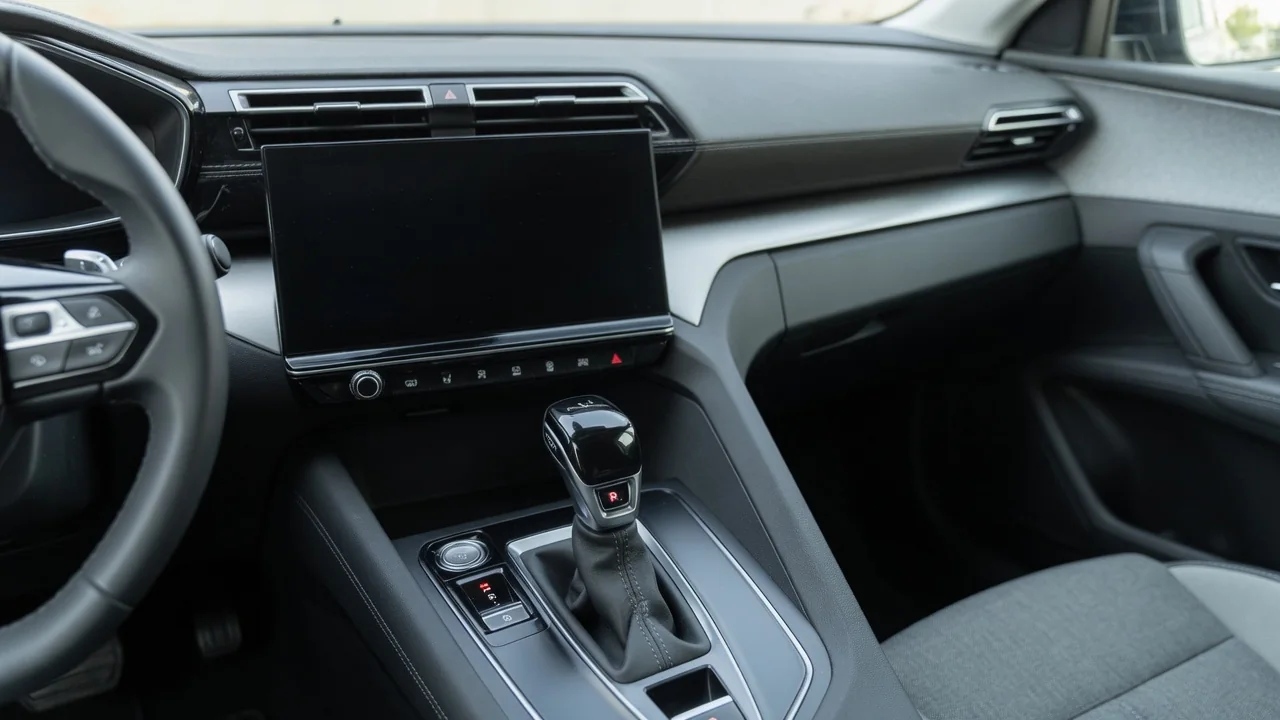
When your backup camera is not working and shows a black screen, the problem could be anywhere between the camera lens at the rear of the vehicle and the infotainment display up front. The rear view camera needs power, a clean video signal and a reverse signal working together. Knowing what the symptom means, which checks are safe for owners and when a technician should step in saves time and guesswork.
What a Black Backup Camera Screen Does and Doesn't Tell You
A black screen tells you only that the display is not showing a usable image. On its own, it does not show whether the camera, the wiring to the dash, the display itself or the software running the system is at fault. The exact screen state is a useful clue. A completely blank screen is different from one that stays black while parking guidelines or overlays still appear. Both differ from a black image with a 'no signal' style message, or a screen that never switches to camera view when reverse is selected.
Those differences only help if you know how your system is designed to behave, and that varies by make, model, year and trim. On some systems the overlays may come from the head unit rather than the camera, while others show nothing at all without a feed. That makes the owner's manual the right guide to normal operation. Whatever the screen shows, treat a black image as a reason to stop relying on the camera entirely. A safety aid has dropped out, which is more serious than an inconvenience you can put off dealing with.
Safe First Checks Before Assuming the Camera Has Failed
Start outside the vehicle with the camera lens. Dirt, snow, ice, road film or a stray piece of tape can block the view enough to make the image look dark or failed. Clean the lens gently with water and a soft cloth, and avoid harsh solvents that could cloud or scratch the cover. Then sit inside with the parking brake set and your foot firmly on the brake. Shift into reverse and note whether the screen switches to camera view. Also check whether audio, navigation and other display functions still work normally.
If the rest of the infotainment display works normally, look through the camera or vehicle settings for an option that may have been switched off. Menu paths differ widely between systems, so follow the owner's manual instead of guessing your way through submenus. Next, turn the vehicle fully off and restart it to see whether anything changes. Write down whether the black screen is constant or comes and goes. That one observation shapes much of the diagnosis that follows, whether you or a technician does it.
Common Causes Behind a Black Camera Image
It helps to picture how the system works. The camera needs a steady power supply and a video signal path from the rear of the vehicle to the display. It also needs a reverse signal that tells the display to switch views when the transmission goes into reverse. A break in any one of those three can produce the same black screen. When the camera sits in a tailgate, trunk lid or hatch, the wiring harness flexes every time that panel opens and closes. Over years of use, that movement can strain wires or connectors.
That flexing is one possibility to keep in mind, not a likely diagnosis on its own. Moisture can get into a connector and cause connector corrosion that interrupts power or video, and the camera unit itself can fail internally. At the front of the system, a fault in the display or a glitch in the infotainment software can leave the screen dark even when the camera is fine. Don't assume any single cause is the usual one. If a replacement part turns out to be needed, choosing the correct one takes vehicle-specific diagnosis.
Reading the Pattern: Intermittent, Weather-Related or Constant
An image that cuts out over bumps may point toward a loose connection. One that drops out when the tailgate or trunk moves may suggest wiring that flexes with the panel. A camera that fails mainly in cold or wet weather could hint at moisture getting in or a connection that is sensitive to temperature. These are clues, not proof. A constant black screen is usually easier to test because the fault is there when the technician looks. An intermittent camera fault may disappear the moment the vehicle arrives at the shop.
Because intermittent problems are hard to catch, your own records become valuable evidence. When the screen goes black, note the date, temperature, weather and road surface, and whether the tailgate had just been opened. Once the vehicle is safely parked, take a photo or short video of the screen showing the failure, including any message or overlay. Keep in mind what symptoms alone can and cannot tell you. They can narrow the search, but they cannot confirm which part has failed without electrical testing.
Recent Work, Accessories and Aftermarket Cameras
Timing often matters. If the black screen appeared soon after rear bodywork, a bumper repair, a trailer hitch install, a battery replacement or other electrical work, that history gives a technician a sensible starting point. Removing trim can disturb connectors, hitch wiring may be routed near rear harnesses, and disconnecting the battery can sometimes affect electronic modules. If the problem began right after a shop visit, it makes sense to contact that shop first. They know what was disturbed and can check their own work.
An aftermarket backup camera brings its own variables. How reliable it is depends on installation quality, the power source used, how the video cable was routed and whether the camera is truly compatible with the display it feeds. A camera tapped into a reverse light circuit, for example, depends on that circuit and its splices staying in good shape. Factory systems and aftermarket add-ons may also need different diagnostic approaches. A dealer may focus on built-in modules and software, while an aftermarket setup is often traced wire by wire.
When to Get Professional Diagnosis and How to Back Up Safely Meanwhile
Electrical testing, removing trim panels and checking connectors inside the tailgate or behind the dash display are best left to a qualified technician or dealer. Trim clips break easily and other wiring may be nearby. A shop can read stored fault information, measure power and signal at the camera and check whether a software update is available for the infotainment system. If a fault code turns up, confirm what it means for your specific vehicle rather than trusting a generic definition. A code is evidence to interpret, not proof a part has failed.
Before approving repairs, check whether the vehicle is still under warranty or covered by an extended service contract, and ask what applies to your situation. Until the camera works again, back up the old-fashioned way. Adjust and use all your mirrors, turn to look over your shoulder and reverse slowly. When visibility is limited, or children, pets or obstacles could be nearby, walk around the vehicle before moving. If your vehicle has parking sensors, use them as one aid among several, because they may not detect every object reliably.