Automatic Emergency Braking With Pedestrian Detection: How It Works
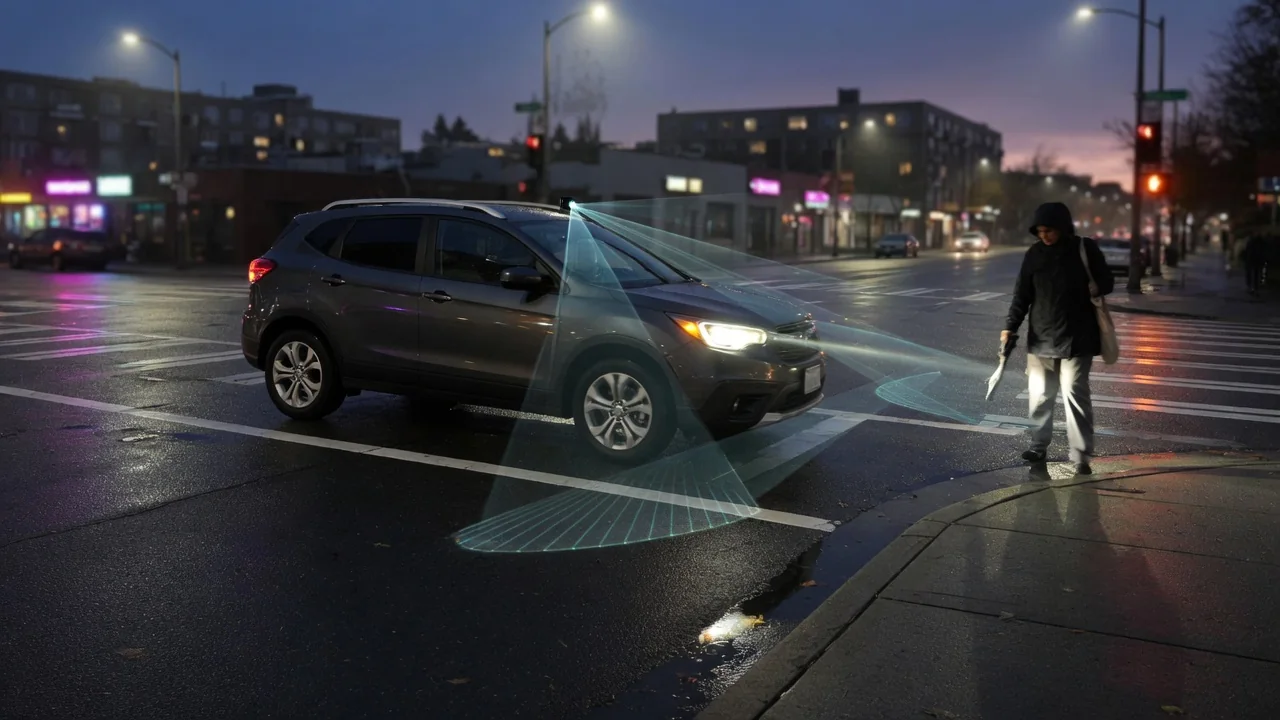
Automatic emergency braking with pedestrian detection is one of the most important driver-assistance features on modern cars. It is designed to spot people ahead and brake when a driver reacts too late. This guide covers the technology the system uses, how it chooses between warning and braking, what Nissan owners should check, and why weather, dirt, and calibration affect how well it works.
What Automatic Emergency Braking With Pedestrian Detection Is Designed to Do
Automatic emergency braking, or AEB, watches the road ahead and applies the brakes when a collision looks imminent and the driver has not acted. Early versions focused on other vehicles, tracking the rear shapes and taillights of cars and trucks. Pedestrian detection adds a layer that recognizes people. It teaches the system to identify the shape, size, and motion of someone walking or standing in the vehicle's path. This matters because a pedestrian is smaller, slower, and less predictable than a car, so the software has to recognize one in a different way.
Most systems work in stages. A forward collision warning comes first, usually a chime and a dashboard alert telling the driver to act. If the driver brakes too gently, brake assist may add pressure. If the driver does not respond at all, collision mitigation braking applies the brakes automatically. The goal is to prevent the impact or lower the speed at impact, but a full stop is not guaranteed every time. Thresholds and behavior vary by manufacturer, and the feature supports an attentive driver rather than replacing one.
The Sensors and Software Behind Pedestrian Detection
When people ask what technology automatic emergency braking with pedestrian detection uses, the answer usually starts with a front-facing camera. It is typically mounted near the top of the windshield, behind the rearview mirror. The camera is good at recognizing what an object is: the outline of a head and torso, the movement of legs, and the direction someone is walking. A radar sensor, often behind the grille or front emblem, measures distance and closing speed accurately, even when visual contrast is poor.
Many vehicles combine these inputs through sensor fusion. The camera identifies the object, the radar supplies distance data, and each confirms the other to reduce false alarms. Some vehicles may also use lidar or other sensors, and setups differ widely. The software sorts objects into types, predicts where a pedestrian is likely to go, and calculates time to collision from vehicle speed and the person's movement. The system acts only when that estimate crosses a set threshold. Hardware and processing logic differ by make, model, and model year.
How the System Decides When to Warn and When to Brake
The system keeps warning the driver separate from braking for them. Warnings such as beeps, flashing icons, or a message in the instrument cluster give the driver the first chance to respond. A driver's braking is often smoother and earlier than a last-moment automatic stop. Active braking is saved for moments when the time to collision is so short that waiting longer would make an impact likely. Some vehicles also prepare the brakes during the warning stage so pressure builds faster once the driver or the system brakes.
What the driver does matters. In many systems, firm steering, pressing the accelerator, or braking hard can cancel or delay an intervention, because the software reads these as signs the driver is in control. Operating speed ranges and sensitivity settings depend on the vehicle, so the owner's manual is the authority. Some cars let drivers make warnings come earlier or later, or turn the function off. Leaving it on is generally wise, because it helps most in the moments nobody expects.
Nissan Automatic Emergency Braking With Pedestrian Detection: Checking Your Vehicle
Nissan automatic emergency braking with pedestrian detection is available on many of the brand's vehicles, often grouped with other driver-assistance features in safety packages. Availability still depends on the model, model year, trim level, and market. A feature that is standard on one version may be missing or go by a different name on another. Used car shoppers should be especially careful, because a similar-looking Nissan from a different year or trim may be equipped differently. Never assume the feature is included just because the vehicle looks the same.
To confirm what a specific Nissan has, check the owner's manual for that model year, look at the original window sticker if you have it, or ask a Nissan dealer to look up the vehicle by its VIN. Related settings are usually in a driver-assistance or settings menu on the instrument cluster or center display, though menu layouts vary. The manual explains what each option does, which speed ranges apply, and which indicators show that the system is active or temporarily unavailable.
Real-World Limitations: Weather, Lighting, and Unpredictable Movement
Cameras and radar both have physical limits. Heavy rain, snow, and fog scatter light and can weaken radar signals. Low sun, oncoming headlights, and darkness reduce the contrast a camera needs to pick out a person from the background. Many systems perform better in daylight than at night, and manufacturers often caution that detection may be limited in poor visibility. A driver who slows down in bad conditions gives both themselves and the software more time to recognize a hazard and stop safely.
Some situations are hard for any system. A pedestrian partly hidden by a parked van, a small child, someone stepping out between parked cars, or a person who suddenly changes direction may leave too little time to identify them and react. Dirt, ice, stickers, or windshield chips near the camera can limit the system or turn it off temporarily. Never test the system on purpose with real people, objects, or vehicles in traffic. It risks serious injury and proves nothing reliable about how the system performs.
Warning Messages, Sensor Calibration, and When to See a Professional
When the system cannot work, most vehicles show it with a dashboard message, a warning light, or an icon saying the feature is unavailable. What these mean varies, so check the owner's manual for each one. A message that appears in heavy snow and clears once the sensors are clean usually means the view was blocked. With the car parked safely and the engine off, a driver can gently clean the windshield in front of the camera and the radar area, then see whether the alert goes away.
Some causes cannot be seen. Windshield replacement, collision repair, bumper or grille work, and suspension changes can shift where a sensor points. The system may then need professional ADAS calibration to aim it correctly again. A fault code stored in the module is evidence to interpret, not proof that a sensor has failed. See a qualified technician if warnings continue after cleaning, if the car brakes suddenly for no clear reason, or if the system does not respond the way the manual describes.