Adaptive Cruise Control Unavailable: What the Message Means and What to Check
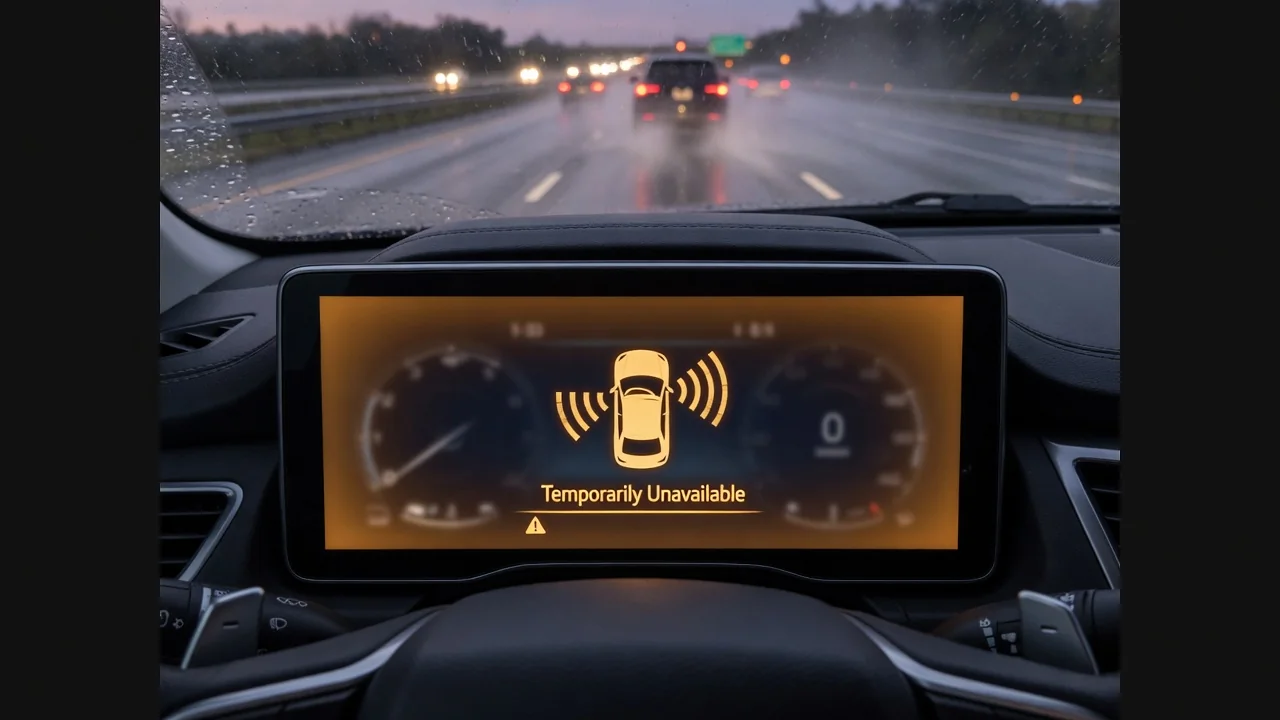
An adaptive cruise control unavailable message is frustrating, especially on a long highway drive. Usually the driver assistance system has paused itself because it can't confirm it's working reliably. Here's what the warning means, why it often says temporarily unavailable, how it appears on GM vehicles and the Freightliner Cascadia, and which checks are safe to do yourself.
What an Adaptive Cruise Control Unavailable Message Is Telling You
When adaptive cruise control is not available, the system has usually switched itself off because it can't verify that it's working as designed. That's a protective decision, not a diagnosis. Adaptive cruise relies on a front radar sensor, a forward-facing camera or both, plus wheel speed, braking and stability inputs. If any of those signals is missing, implausible or blocked, the vehicle withholds the feature rather than manage your following distance with incomplete information about the road ahead.
An unavailable notice is different from an active fault warning, which usually asks for service and suggests the system has detected a malfunction. Exact wording and icons vary by manufacturer and model year. Your owner's manual is the authority on what your specific message means and which related alerts, such as forward collision alert notices, may appear with it. Steering, brakes and conventional controls still work normally, and you remain fully responsible for speed and spacing.
Why the Message Says Temporarily Unavailable
If you're wondering why your adaptive cruise control is temporarily unavailable, start with the environment. Heavy rain, snow, fog, road spray, ice or dirt on the sensor area, and strong low sun shining into a windshield camera can all limit what the sensors see. Some systems also go offline when speed is outside the supported range, on sharp curves, or on open roads with few reference objects to track. Which conditions apply depends on the vehicle, so check the manual.
On some vehicles, adaptive cruise also becomes unavailable when a related safety function is off or limited, such as traction or stability control, forward collision alerts or collision mitigation. Timing tells you a lot. A message that clears once the weather improves or the sensor area dries points to conditions. One that stays on in clear weather with clean sensors suggests something needs diagnosis. Jot down the weather, speed, how long it lasted and any other warnings so a technician can spot the pattern faster.
GMC, Chevrolet and Buick Temporarily Unavailable Messages
Many GMC, Chevy and Buick owners see a temporarily unavailable message for adaptive cruise in the driver information center. System design differs by model, trim and year, so confirm what the message means and where the front radar or camera sits in your specific owner's manual rather than assuming from another vehicle. The manual also lists related display messages, such as a sensor blocked message, that help you tell a simple obstruction apart from a condition that needs attention.
Accessories and past repairs matter here, as they do on many modern vehicles. Aftermarket grille guards, license plate brackets, light bars and front-end damage can block the sensor's view or disturb radar sensor alignment. Earlier windshield or bumper repairs can change how a camera or radar is aimed. If the message keeps coming back, ask a dealer or qualified shop to check for stored diagnostic trouble codes, available software updates and any applicable service bulletins for your exact vehicle, rather than guessing at parts.
Adaptive Cruise Unavailable on a Freightliner Cascadia
Heavy trucks like the Freightliner Cascadia pair cruise control with a forward radar and/or camera safety suite. The exact cruise and collision mitigation features vary by build, model year and software version. When adaptive cruise is unavailable on a Cascadia, confirm which system your truck uses and what each message means in the operator's manual or fleet documentation before drawing conclusions. Two trucks that look alike from the cab can behave differently because their safety packages and programming differ.
Some factors are specific to trucks. Road grime, snow and bugs build up quickly on the front sensor area over long miles, and bumper or fascia damage from docks or road debris can disturb sensor aim. Trailer or brake-system warnings may also disable the feature. Report persistent messages through the fleet's maintenance process or to an authorized heavy-truck service provider with the right diagnostic software and calibration tools. Commercial-truck codes are often specific to the manufacturer and system, so verify any code against the exact truck.
Safe Checks a Driver Can Do Before Booking Service
Before booking service, park somewhere safe and turn the engine off. Inspect the front sensor area and the part of the windshield in front of the camera for snow, ice, mud, insects or road film. Clean gently with a soft cloth and a suitable cleaner, never a scraper or harsh tool on the sensor face. Then look for anything that could block the view, such as plate frames, covers, stickers, accessories or visible bumper damage. Don't take apart or adjust sensor mounts.
Note whether other driver-assist or stability warnings appear at the same time, and record the exact message text, since that wording helps a technician narrow down the cause. Restarting the vehicle after cleaning can show whether the message clears, but treat that as an observation, not a repair. Don't disconnect modules, force sensor brackets or clear codes just to hide a warning. Sensor aim and calibration require proper equipment, and hiding the symptom can leave a real problem undetected.
When the Message Needs Professional Diagnosis and Calibration
Get professional help when the message stays on in good conditions with clean sensors, when a fault-style warning appears, or when the problem started after a collision, windshield replacement, bumper work, or suspension or alignment changes. Those repairs can shift where a sensor points, even slightly. Radar and camera sensors may need ADAS calibration after certain work, but whether that applies, and how it's done, depends on the vehicle and the manufacturer's procedures.
A technician may read stored diagnostic trouble codes, check for a software update, and inspect wiring, connectors and mounts. Code meanings are specific to the manufacturer, so a generic online lookup is only a starting point. A code is evidence to interpret, not proof that a sensor has failed. Don't assume a sensor needs replacing before it's been tested. Keep repair and calibration records, because they give the next technician a clear history if driver-assist problems come back.